Donatoni Macchine
Machine technical documentation Operational document

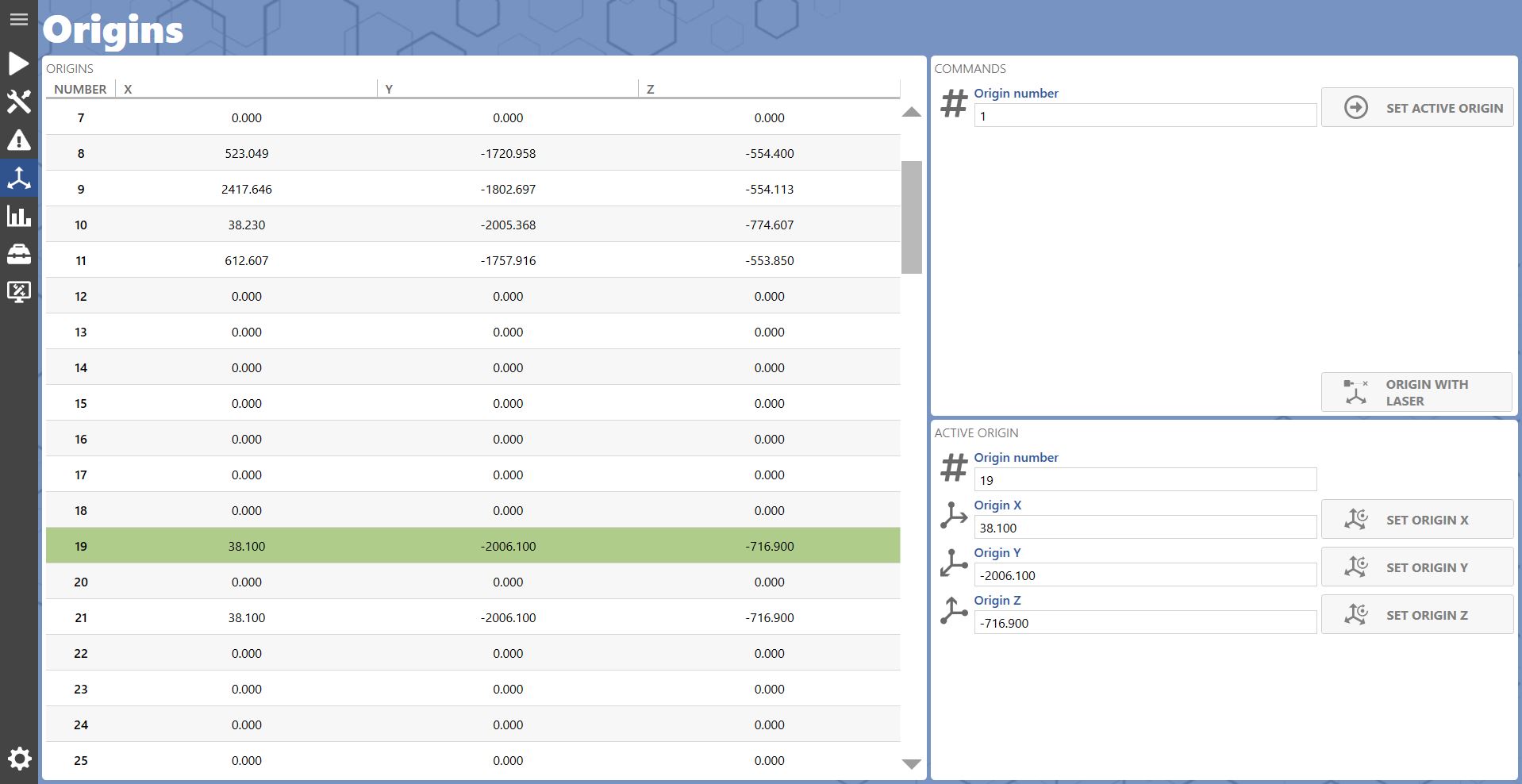
Displays the list of origins saved in the application.
_AppContour.Navigation.ViewMenu_16100147.png

Commands

This panel at the top right of the page allows various operations to be performed:

_AppContour.Controls.ViewButton_21503296.png

Set origin as active
Sets the selected origin as active.

_AppContour.Controls.ViewVariableButton_65884793.png

Acquire origin with cross laser
Allows origins to be acquired using the cross laser.

Set origin

List of commands at the bottom right for changing the coordinates of an origin:

_AppContour.Controls.ViewVariableButton_11592270.png

Set X origin
Sets the X coordinate of the active origin based on the current machine position.

_AppContour.Controls.ViewVariableButton_43013148.png

Set Y origin
Sets the Y coordinate of the active origin based on the current machine position.

_AppContour.Controls.ViewVariableButton_39182123.png

Set Z origin
Sets the Z coordinate of the active origin based on the current machine position.

Alternatively, an origin coordinate value can be set by entering it directly in the text box.

_UIFramework.Controls.ViewIconGenericField_4893043.png

;