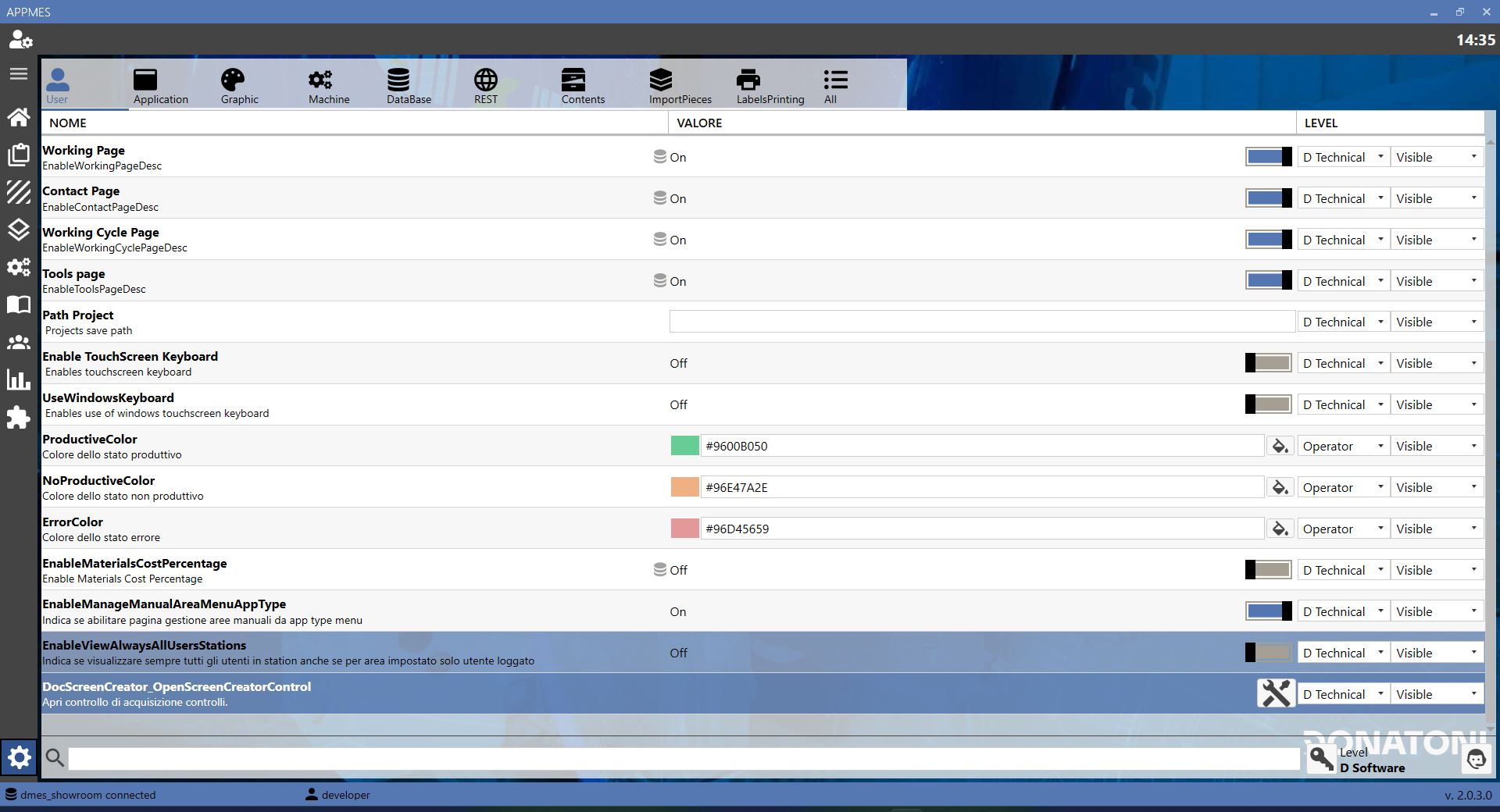
This page allows the MES settings to be configured. The options are organized by functional area, making it easier to find and modify the required parameters.
BUTTONS
User Opens the page dedicated to user settings, where operator preferences and data can be managed.
Application Opens the page dedicated to the general MES application settings.
Graphics Opens the page dedicated to graphics settings, such as the interface appearance and information display.
Print labels Opens the page dedicated to settings for printing labels used in production processes.
Content Opens the page dedicated to settings for content managed by the MES.
Machine Opens the page dedicated to the settings of machines connected to the MES.
Piece import Opens the page dedicated to settings for importing data into the MES for pieces to be produced or managed.
Database Opens the page dedicated to database configuration, where the connections and data used by the MES are managed.
REST Opens the page dedicated to REST interface configuration, used for data exchange with other systems.
All settings Displays all available MES settings on a single page.