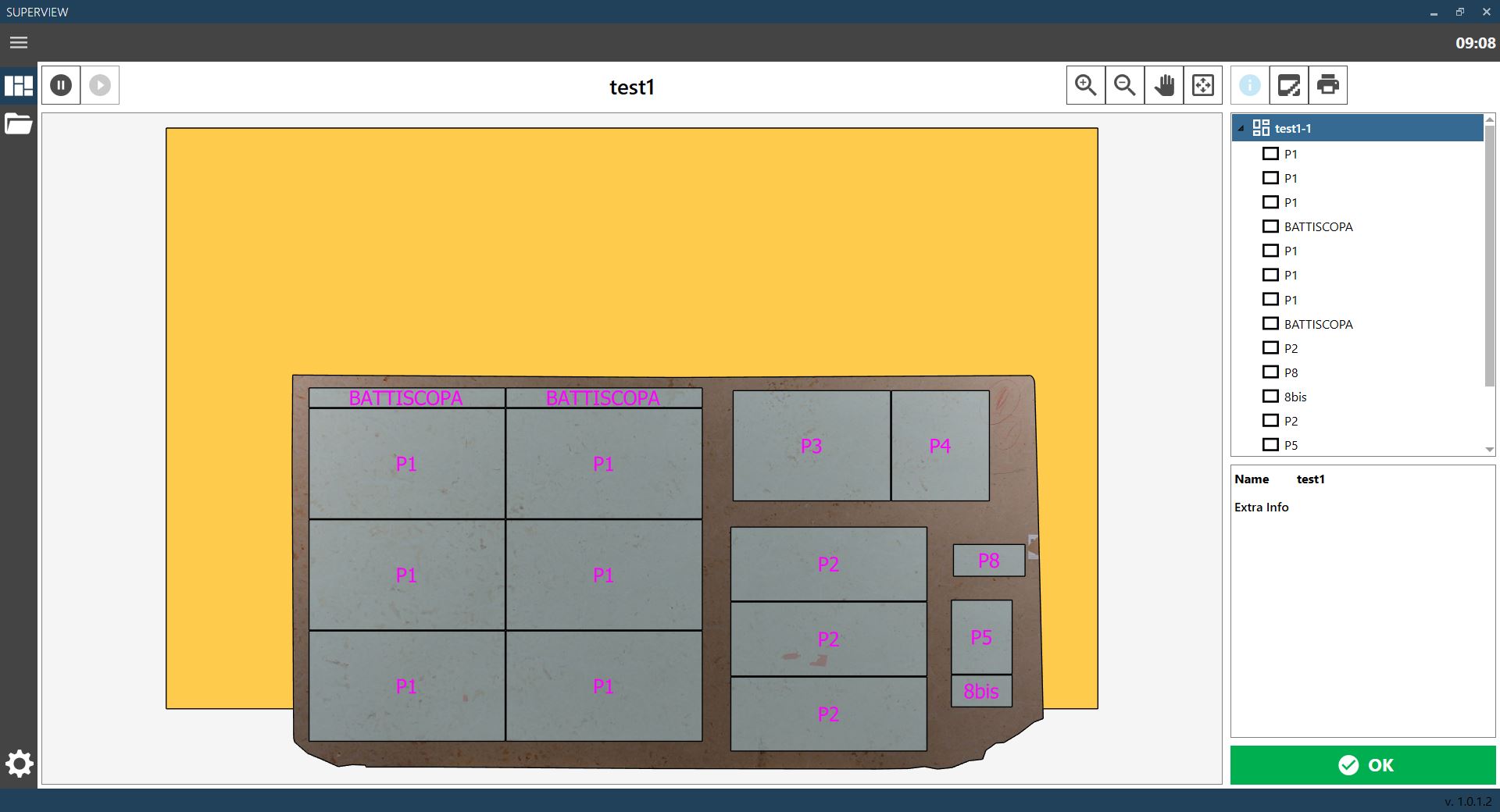
Page used to display the cutting configuration currently present in the unloading area.
A display window shows the bench with the processed slabs and their corresponding pieces. The list of displayed slabs and pieces is shown on the right, with a panel below containing information about the selected object. A slab or piece can be selected by clicking the required object directly in the display window, or by clicking the object name in the list on the right.
Zoom in Increases the zoom level of the unloading configuration display window.
Zoom out Decreases the zoom level of the unloading configuration display window.
Pan mode Enables pan mode in the unloading configuration display window.
Reset default view Resets the default view in the unloading configuration display window.
Stop receiving Stops the reception of new cutting configurations. Enabled only when reception is active.
Start receiving Starts the reception of new cutting configurations. Enabled only when reception is not active.
View information Selects the “View information” function, which displays the unloading configuration and the related information. To view information about individual pieces or the slab, select them directly in the display window or in the list on the right. The information is displayed in the panel at the bottom left. When this function is selected, the icon is light blue.
Select broken pieces Selects the “Select broken pieces” function (see chapter CURRENT CONFIGURATION - BROKEN PIECE REPORTING). When this function is selected, the icon is light blue. This button is displayed only if the broken piece reporting function is enabled.
Print labels Selects the “Print labels” function (see chapter CURRENT CONFIGURATION - LABEL PRINTING). When this function is selected, the icon is light blue. This button is displayed only if the label printing function is enabled.
Confirm Confirms completion of the current configuration and enables reception of the next configuration. This button can be hidden so that the next configuration is always displayed when ready, without requiring confirmation from the operator.