Machine technical documentation Operational document
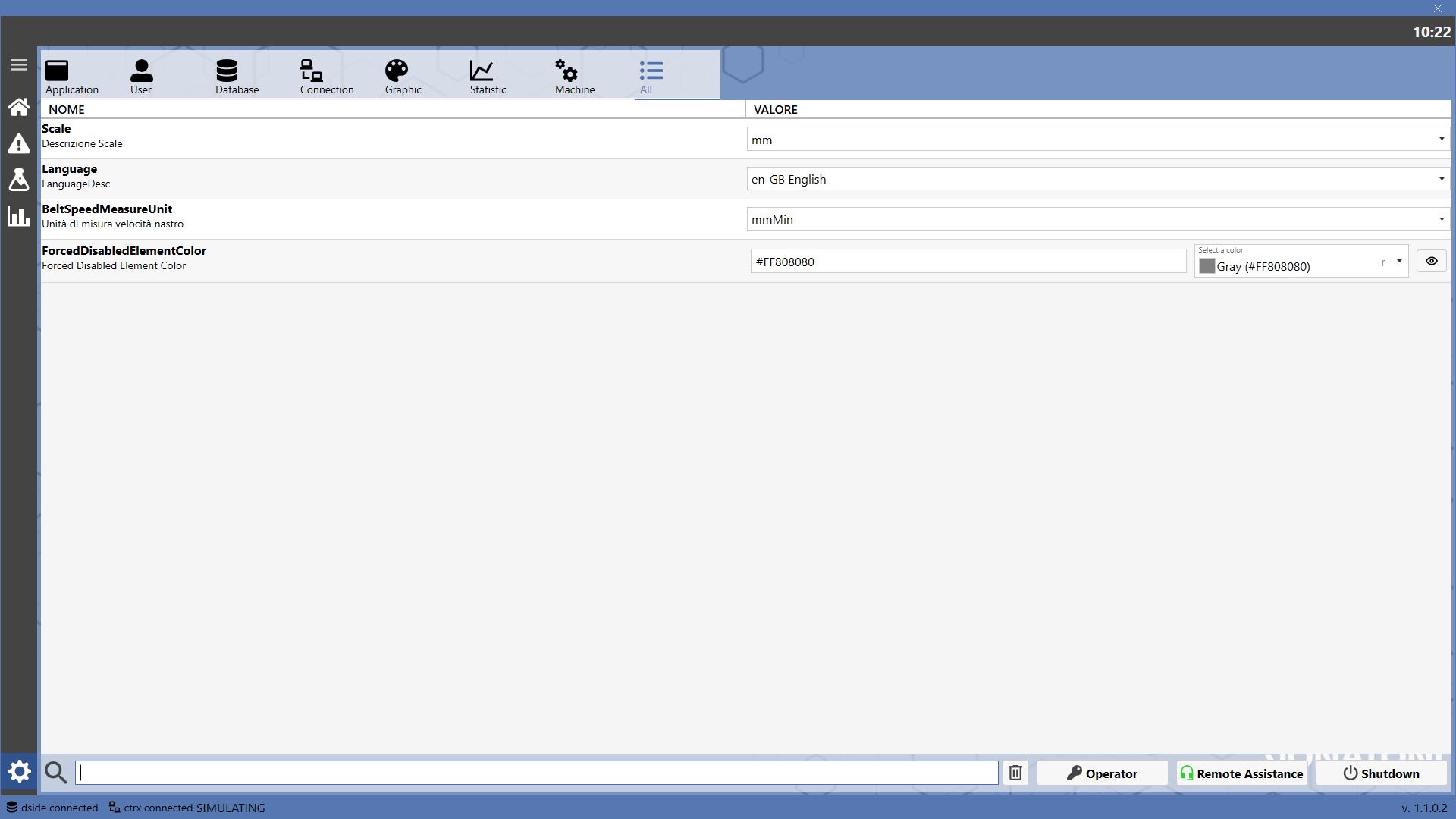
The following screen is the settings page, which allows the user to configure various system parameters.
Sections
To ease navigation, settings are divided into sections viewable by clicking the icons at the top.
| Application
Display system operating settings. |
| User
Display user preference settings for system usage. |
| Database
Display database connection settings. |
| Connection
Display connection settings between the application and the machine. |
| Graphics
Display settings to modify the application graphics. |
| Statistics
Display settings to manage the collection and saving of machine statistics. |
| Machine
Display the parameters regulating the machine and its elements operation. |
| All
Display all section settings in a single list. |
Search bar
Below the list of parameters there is a search bar to filter the desired entries.
| Delete filter
Allows cleaning the text entered in the search bar. |
Other buttons
Bottom right are located some buttons that allow to request remote assistance or Machine Shutdown.
| Admin login
Allows Donatoni operators to access the system with administrator rights.
Based on the user's enablement level, additional parameters may be visible.
|
| Remote Assistance
Opens a panel to request remote assistance from a Donatoni technician. |
| Turn Off
Allows to turn off the computer. |
Program version
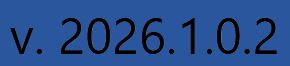
The software D-Edge version currently installed is visible in the bottom-right corner of this page.
| Software version
Current installed D-Edge software version. |