

Different menus are displayed according to the previous selections, allowing users to select the parameters required to define the machining operation.
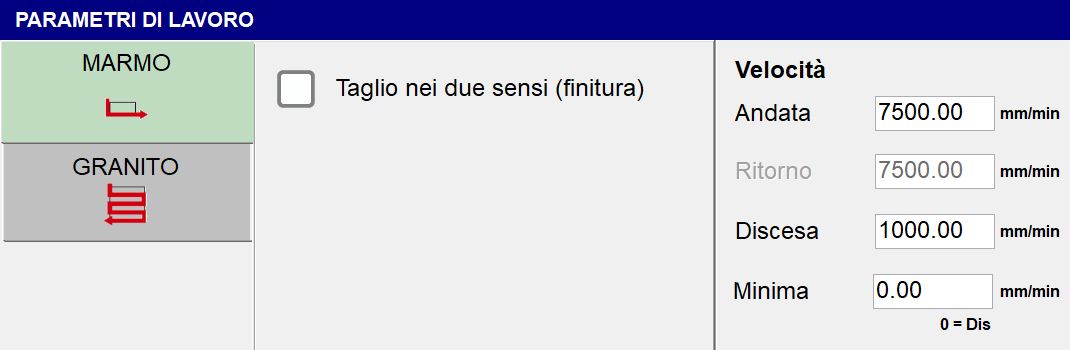
Cutting configuration
If the selected machining type is Cutting Configuration, two types of machining parameters are available:
 | Marble Mode |
 | Granite Mode |
Marble Mode
General parameters:
Cuts in both directions (finishing) | This flag allows a return speed different from the outward. |
Never raise (finishing) |
Speed parameters (in MARBLE mode, machining can be selected in both the outward and return directions, with different speeds):
Outward | Execution speed of the outward pass. |
Return | Execution speed of the return pass. |
Penetration | Execution speed for penetration during the pass. |
Minimum | When a value other than zero is set, the cutting speed depends on the cut depth. The movement therefore takes place at the outward speed for zero-depth cuts and at the minimum speed when the cut reaches the maximum depth for the selected section. |
Granite Mode
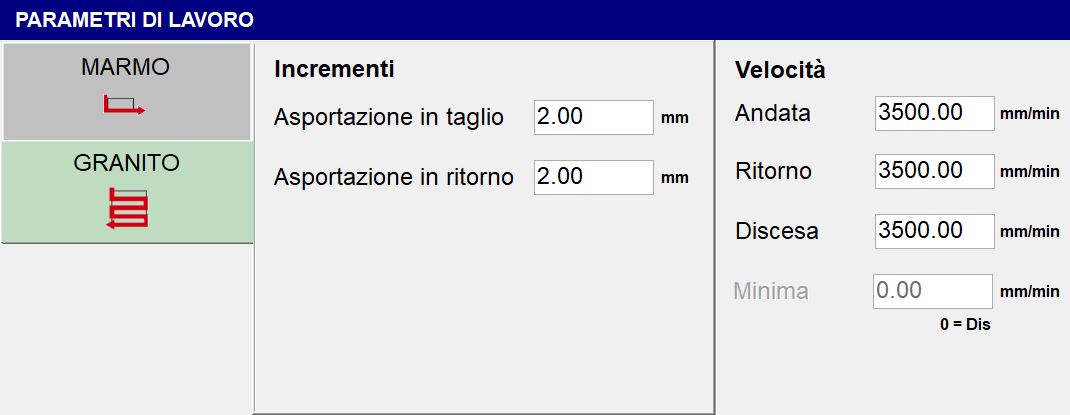
General parameters:
Outward cut removal | Amount of material removed during the outward pass. |
Return cut removal | Amount of material removed during the return pass. |
Sweeping Configuration
If the selected machining type is Sweeping Configuration, only one machining parameter is available:
Machining Speed | Sets the speed at which the sweeping operation is performed. |
|---|
