

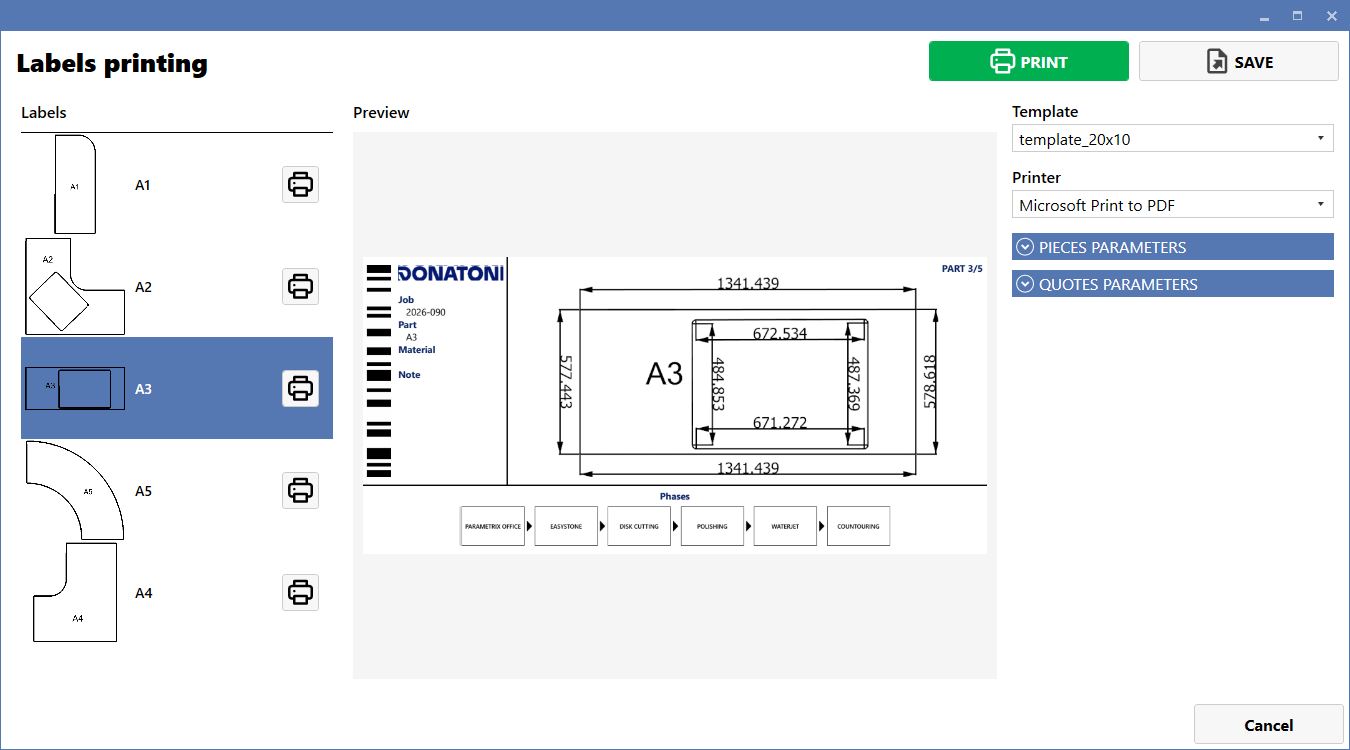
To print a label for a single working stage, right-click the required stage and select Labels printing. A screen similar to the one shown below will open. Then select the piece for which the label is to be printed.
PIECES PARAMETERS
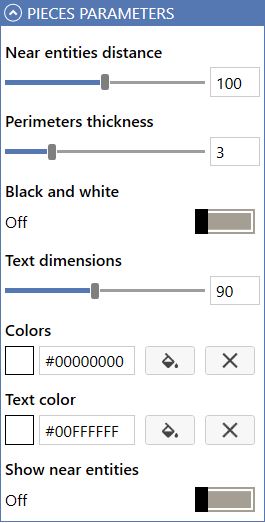
The PIECES PARAMETERS panel allows the graphics and display parameters of pieces and geometries on the working layout to be configured by adjusting distances, thicknesses, text and colors.
PIECES PARAMETERS OPTIONS
Nearby entity distance | Adjusts the minimum tolerance or proximity distance between the different entities or geometries on the work plane. |
Perimeter thickness | Sets the thickness of the lines defining the outlines and perimeters of the pieces displayed on screen. |
Black and White Mode | On/Off switch for enabling monochrome display of the graphical interface or drawing. |
Text size | Changes the character size for text labels and informative dimensions associated with the pieces. |
Piece color | Defines the color of the piece perimeter or fill using a hexadecimal code or graphical selector. |
Text color | Selects the color of the information text overlaid on the pieces (e.g. identifiers or measurements). |
Show nearby entities | Enables or disables visual highlighting of geometries or pieces located close to each other. |
QUOTES PARAMETERS
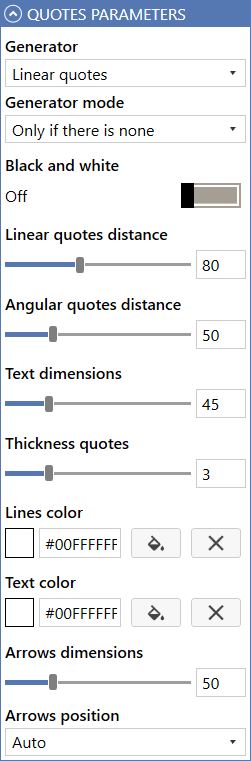
The QUOTES PARAMETERS panel allows the generation, style and positioning parameters of graphical dimensions within the working layout to be managed and configured.
QUOTES PARAMETERS OPTIONS
Generator type | Drop-down menu for selecting the type of automatic dimensions to apply. |
Generation mode | Defines the dimension insertion logic. |
Black and White Mode | On/Off switch for forcing dimensions to be displayed in black and white instead of color. |
Angular dimension distance | Uses a slider to adjust the visual distance of the linear dimension lines from the piece profile. |
Angular dimension distance | Uses a slider to adjust the spacing and positioning of angle dimensions on the drawing. |
Text size | Sets the character size of numerical values and dimension text to ensure readability. |
Dimension line thickness | Changes the graphical thickness of the lines and strokes that make up the dimensioning. |
Line color | Selects the color of dimension and reference lines using a palette or hexadecimal color code. |
Text color | Defines the specific color for dimension text and numerical values. |
Arrow size | Adjusts the size of the arrows or end markers at the ends of the dimension lines. |
Arrow positioning | Drop-down menu for setting where the arrows are placed (e.g. automatically, inside or outside the dimension line). |
