This page allows the slabs in the MES system to be managed. A slab is a material that can be added, imported, assigned to a job and tracked through the various working stages.
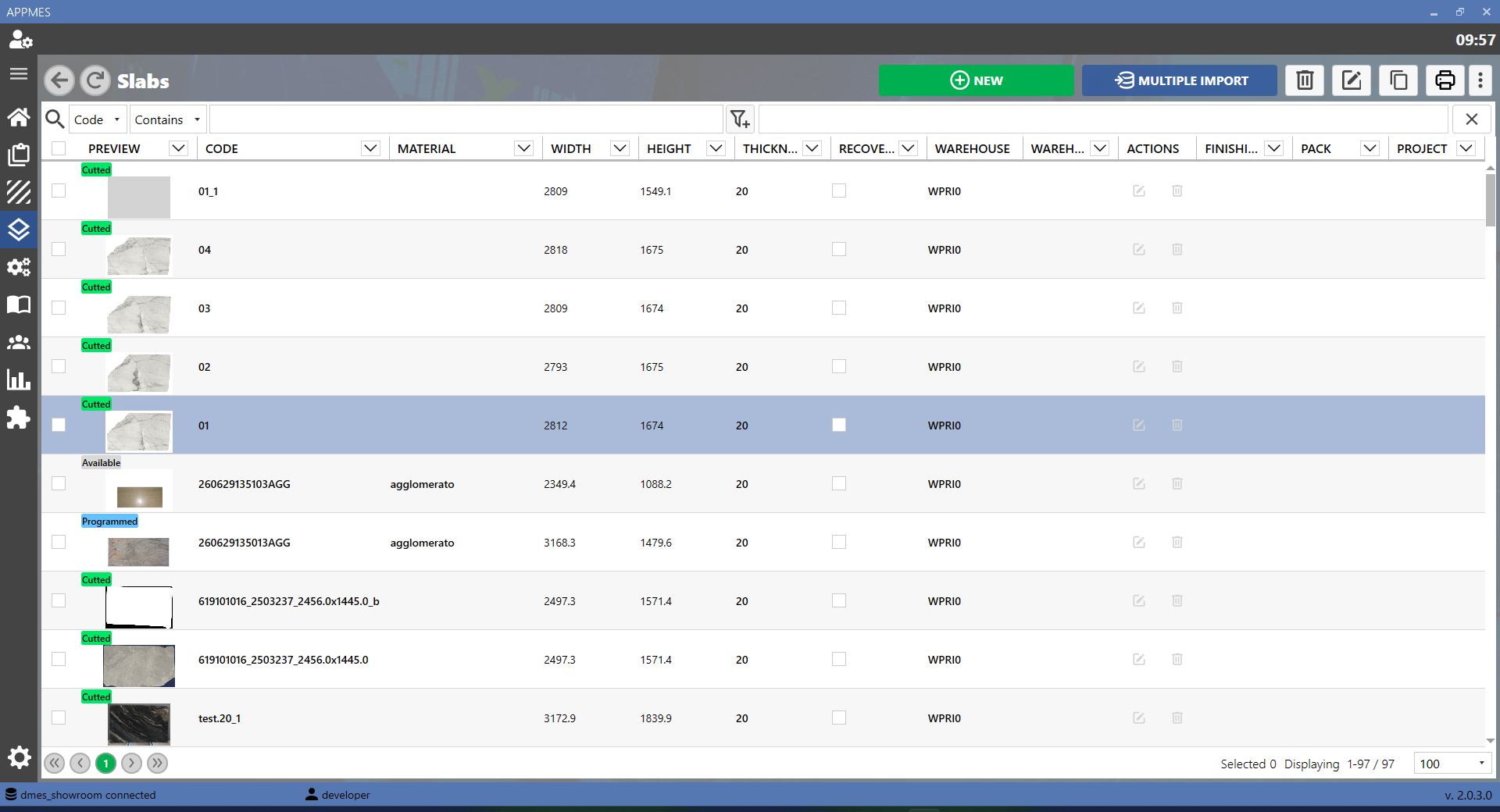
BUTTONS
 | Add Button |
 | Multiple Import Button |
STATES
Cutted Status | Indicates that the slab has been cut. |
Available Status | Indicates that the slab is available and can be used for a working. |
In Programming Status | Indicates that the slab is being programmed for the working. |
Job Assigned Status | Indicates that the slab has been assigned to a job. |
Programmed Status | Indicates that the slab working has been planned. |
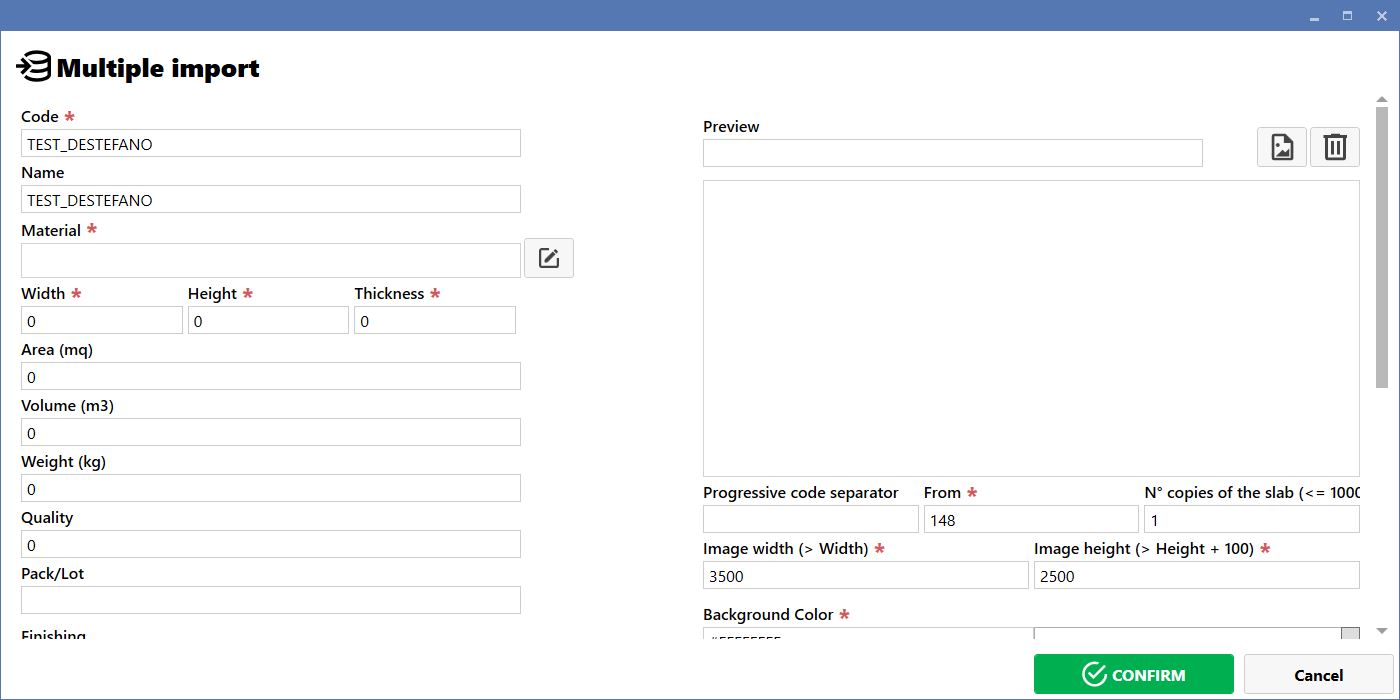
MULTIPLE IMPORT
To import multiple slabs, select the Multiple Import button. The MES opens a screen similar to the one shown below, from which multiple slabs can be loaded at the same time.