

This panel allows access to some manual commands of the machine.
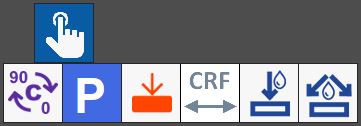
Buttons
 | 0_ - 90_ |
 | Parking |
 | Probe slab |
 | CRF cycle |
 | Turning on / Turning off internal water |
 | Turning on / Turning off external water |
Slab probe cycle
The keyboard cycle allows to calculate the thickness of the slab and take the bench quote using the suitable probe mounted on the machine.
To start it, activate the button inside the manual commands panel, subsequently press a point inside the slab on the working area.
In the chosen position, a symbol will be visible, which indicates the position in which the keyboard must be executed.
Once the machine has finished executing the cycle, a panel will open that shows some measurements obtained through the slab probe.
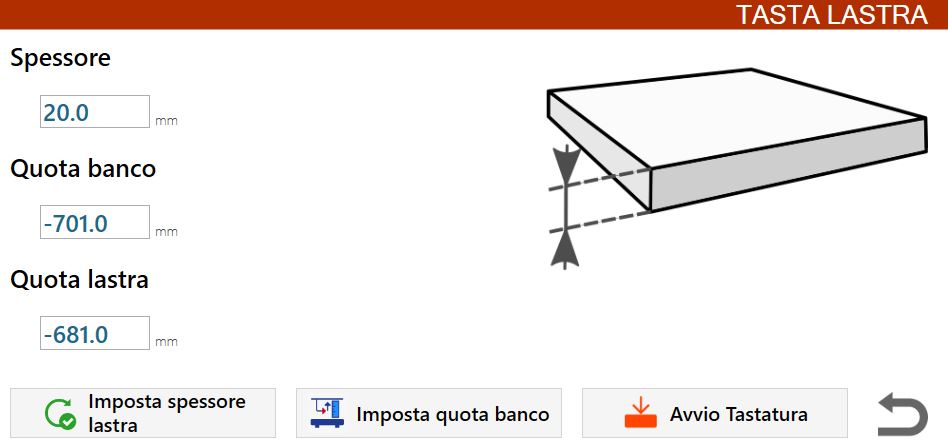
These information include:
Thickness | Slab thickness measured. |
Bench quote | Bench work quote. |
Slab quote | Measured quote on the top edge of the material placed on the bench. |
It is possible to save the data collected from the probe cycle using the buttons below:
 | Set slab thickness |
 | Set bench quote |
 | Start probing |
CRF (Center Rotation Flange) measurement cycle
The CRF cycle allows to measure the distance of the inner edge of the disk's tooth currently mounted on the machine, from the C axis of rotation.
To start it, activate the button inside the manual commands panel, then press a point inside the slab on the work area.
In the chosen position, a symbol will be displayed, which indicates the position where the cuts with disk must be performed to measure the CRF.
During the execution of this cycle, cuts are performed in the material.
Therefore it is recommended the operator to pay attention to the position of the slab in which to start it, to avoid damaging it.
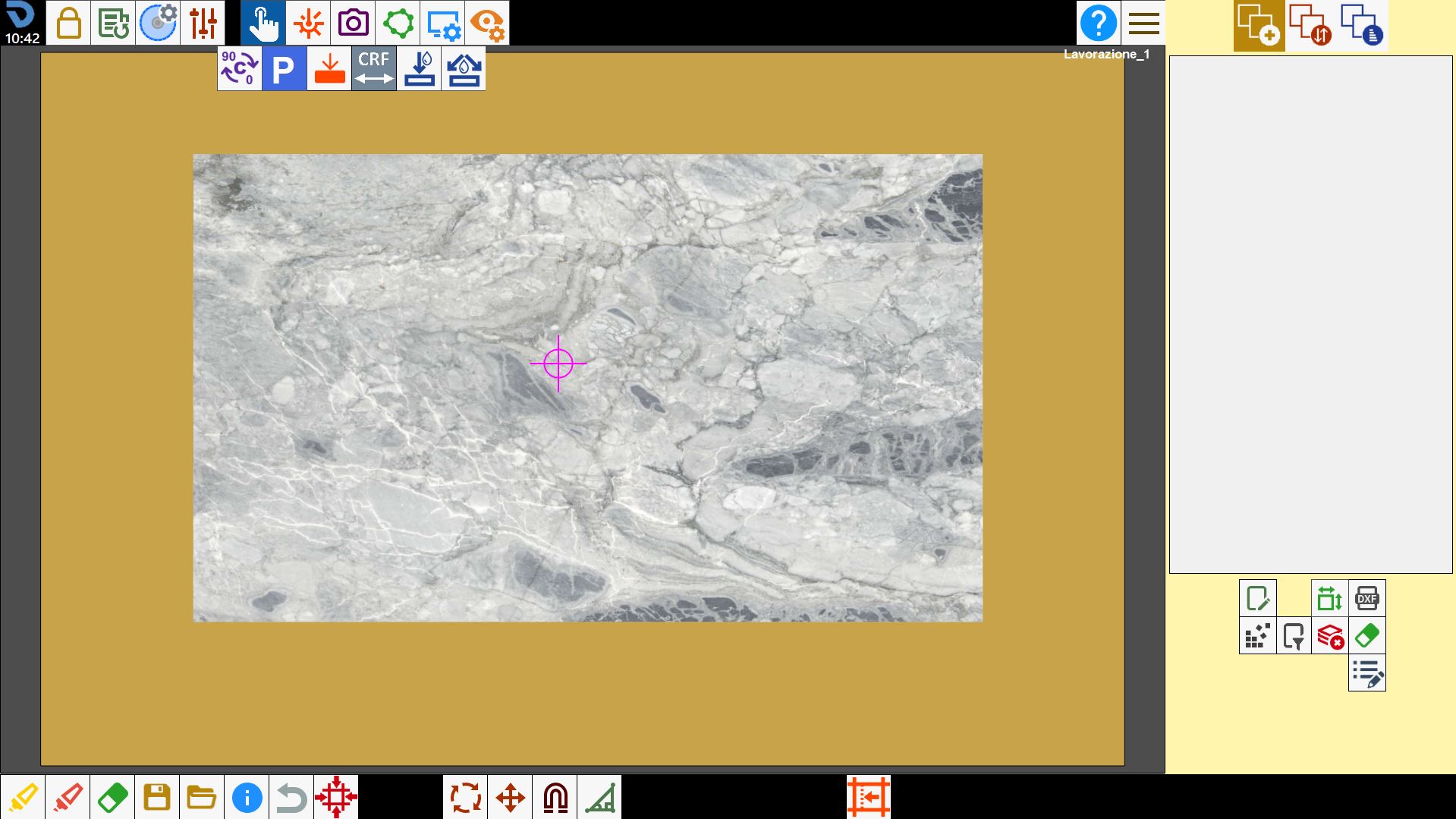
The machine will execute two parallel cuts with A axes to 0 degree: the first with C axes equal to 0 degree, while the second with C axes equal to 180 degree.
At the end of the procedure, the operator is required to measure, using meter or caliper, the distance from the inside of the two cuts on the slab.
This measurement must then be inserted inside the 'A' field of the panel that opens at the end of the cycle.
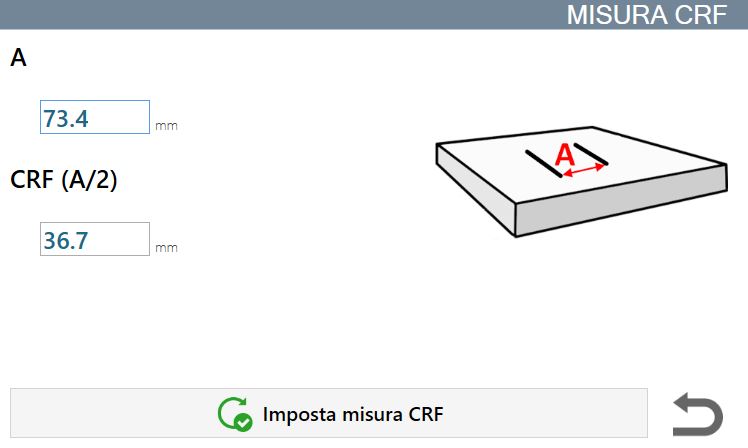
The measures performed must be inserted in the appropriate field:
A | Internal distance between the two cuts performed during the cycle on the slab. |
CRF (A/2) | Measure of the disk's Flange Rotation Center. It's calculated as half of the internal distance between the two cuts present on the slab. |
It is possible to save the data collected from the CRF measurement cycle using the following button:
 | Set CRF Measure |
