In the new versions of Parametrix, the “Single Cut” function can be used. Selecting “Single Cut” from the list opens a page similar to this one.
Single Cut can be used to make a straight cut (including a miter cut) on the slab, starting from the current machine position and ending at the length requested by the user. Single Cut CANNOT be used to cut arcs or circles.
Parallel cut buttons Allows the machine to move in parallel.
Max When the operator presses this button, the actual cut length that can be cut is determined by the current machine position and the end of the slab (the end of the slab is calculated according to the current machine direction). This value may differ from the value entered by the user in the text box.
Stop Used after the machine has started cutting when the cut length needs to be reduced. Pressing this button stops the machine and enters the length of the path cut so far in the “Length” text box. Alternatively, the dedicated button on the console can be pressed to obtain the same behaviour as the STOP button.
Change Pass Mode Switches between “full pass” mode and “step pass” mode and vice versa.
Save Pressing this button will save all the parameters within a file in order to retrieve them later.
Open Pressing this button displays a window containing all workings previously saved by the user. The workings can be managed by loading the values, deleting workings, or cancelling the operation and closing the panel.
Single cut length The length of the cut to be performed must be entered in order to carry out the working. If the value exceeds the length that can actually be cut, the machine stops earlier.
Movement distance Indicates the distance between one cut and the next; only positive values can be entered in this field. For leveling, it is recommended to set a “movement distance” of approximately 80% of the tool thickness.
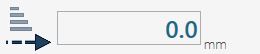
Penetration into the material when moving forward Indicates the cutting depth in the material when the machine cuts in the direction of disk rotation.
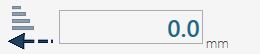
Penetration into the material when moving backward Indicates the cutting depth in the material during the cutting phase in the direction opposite to the tool direction.
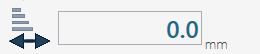
Penetration into the material for the last pass Indicates the cutting depth of the last tool pass through the material. This cut is always in the direction opposite to the disk movement.
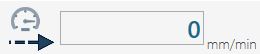
Working speed when moving forward Indicates the desired speed for the forward cutting phase. This value is expressed in millimetres per minute.
Working speed when moving backward Indicates the desired speed for the return cutting phase. This value is expressed in millimetres per minute.
Material entry speed Determines the speed during the tool penetration phase into the material. This value is expressed in millimetres per minute.
Last-pass working speed Indicates the speed the machine must maintain on the cut during the last pass. This value is expressed in millimetres per minute.
To start the working, first position the machine at the desired starting point. Once it is positioned correctly, enter the cut length value in the appropriate field.
At this point, the disk can be switched on using the commands on the monitor control panel. When everything is ready, start the process by pressing the “Start cycle” button.
The working starts in the direction in which the machine is oriented when the cut is activated, so it is important to check its orientation before starting the cycle.