

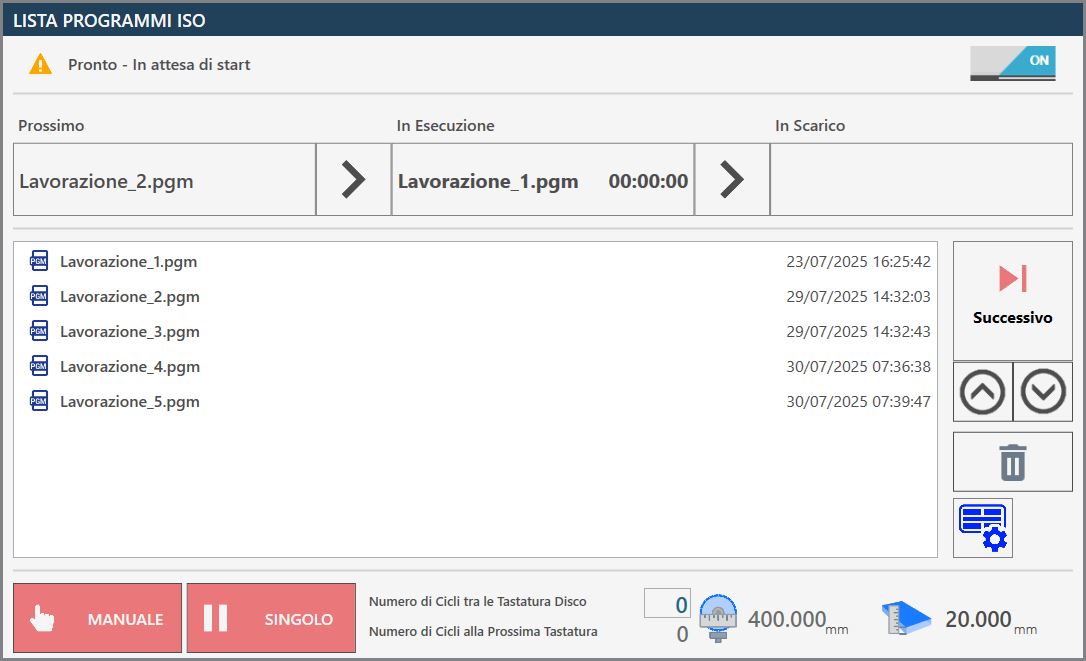
The ISO file Program List page allows several programs previously created using CAD-CAM programs to be executed consecutively, for machines with two work areas, Twin machines, or programs with multiple workings created while the machine is already running.
Top bar
The top bar shows information for monitoring the progress of the list.

  | Enable/Disable ISO Program List |
  | List execution status |
   | List progress bar |
List progress bar
This progress bar provides information on the execution status of the current ISO program while also giving an overview of the next program in the list and the program that has already completed the working phase and moved to unloading.

In the previous image, no program is yet visible in the unloading phase because list execution has not started and no pieces have yet been processed. Conversely, if there is only one ISO file in the list, or if the working has started and all other files have already been executed, the Next section is empty.
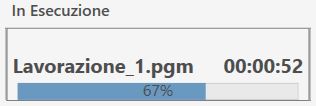
During execution, the program progress status is displayed in real time, as shown below.
Side menu
On the right side of the suction cup panel there are several buttons for managing individual files in the program list.
 | Execute next program |
 | Move selected item up |
 | Move selected item down |
 | Delete selected item |
 | Suction cup panel |
Suction Cup Panel
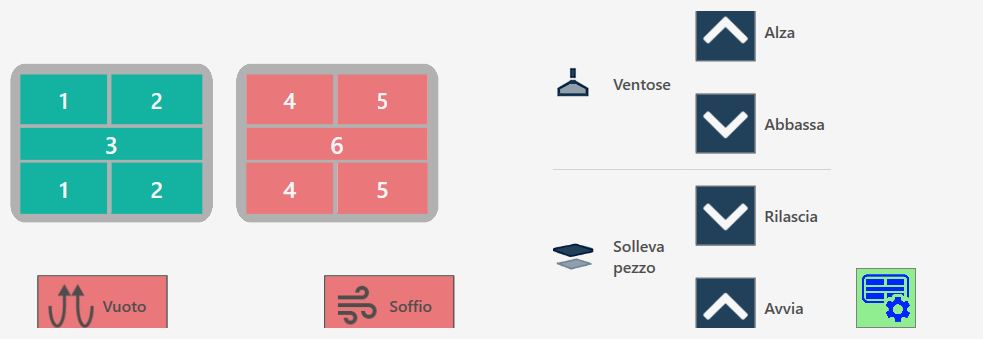
The suction cups can be used in manual mode to move pieces from one work zone to another.
Suction cup buttons
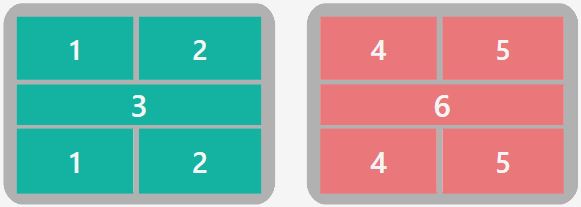 | Enable / disable suction cups |
 | SUCTION CUPS: UP - Suction cup parking |
 | SUCTION CUPS: DOWN - Prepare suction cups |
 | LIFT PIECE: RELEASE - Piece unloading |
 | LIFT PIECE: START - Piece lifting |
  | BLOW - Blow command |
  | VACUUM - Vacuum pump command |
Safety conditions
Pay particular attention to the active suction cups during lifting, making sure that the areas used are sufficient to lift the piece being moved. Always try to use the largest available vacuum area to grip the piece and check that the material has no defects or breakages that could create hazards or machine operating problems.
Once the vacuum pump has been switched on, it can only be switched off using the automatic functions provided for this purpose. Pressing the reset button or the emergency stop mushroom button has no effect on the vacuum pump, which will continue to operate. The pump can be forced off using the dedicated button on the “Additional Commands” page.
In automatic procedures, before lifting the piece, the vacuum status is checked by a dedicated sensor: if a sufficient vacuum level is not detected, the “vacuum missing” alarm is displayed. The pump remains active until the vacuum switch detects a correct value, or until it is disabled from the “Additional Commands” page.
Loss of power to the vacuum pump causes a rapid loss of vacuum and consequently causes the material lifted by the suction cups to fall.
Bottom bar
The lower part of the bar displays several functions relating to ISO program list execution, as well as monitoring of both the tool and the slab.

List execution management
At the bottom there are also two buttons relating to program execution modes:
  | Manual / automatic |
  | Single / next automatic |
Slab and tool monitoring
In the centre and on the right of the bottom bar, the operator can configure periodic tool diameter monitoring by setting checks at defined intervals based on the number of cycles performed.

 | Number of Cycles Between Disks' Probes |
|---|---|
 | Number of Cycles To The Next Probe |
 | Tool diameter |
 | Slab thickness |
ISO Program List Execution
If the ISO Program List is disabled, the switch at the top right of the panel appears off; the function can therefore be enabled simply by clicking this button.
The ISO program list is automatically expanded as ISO programs are generated in Parametrix; however, the operator can reposition items within the list or remove them as required.
Before executing the list, the operator can set the number of cycles to be performed between tool probing operations.
The number of cycles remaining until the next probing operation is then updated and displayed.
The operator starts execution of the program list by pressing the “Start cycle” button. The programs are then executed sequentially, while the current program, the program to be executed next, and the program already completed are displayed simultaneously.
If the program execution mode is set to Manual and Single, list execution stops at the end of the current program, immediately after the next program to be executed has been prepared.
In this case, the operator can press the Next button when appropriate and continue execution by pressing the “Start Cycle” button again.
