

This function allows a cut with characteristics different from a normal cut to be added.
The interface that opens is similar to the following image:
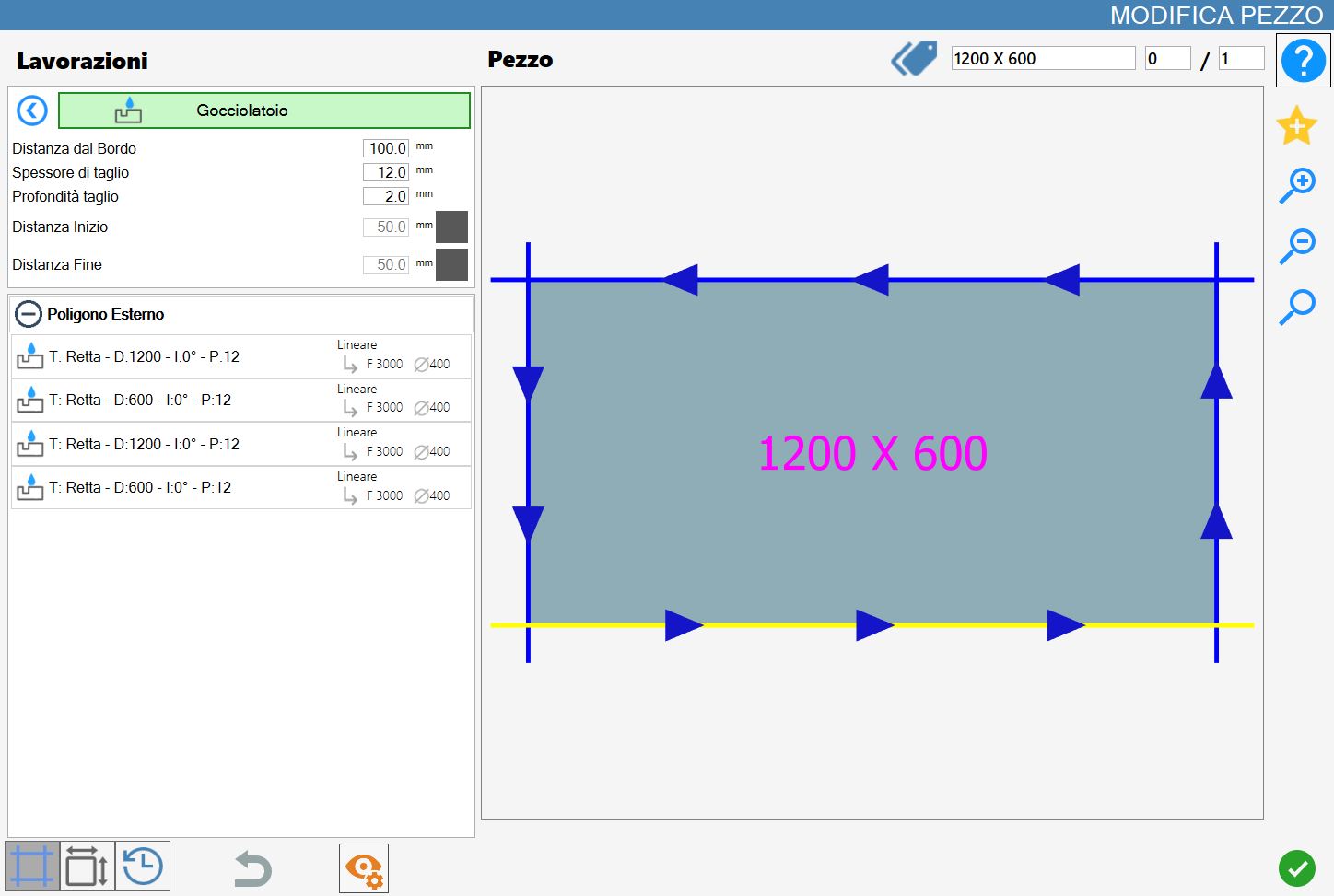
Parameters
The cutting width can be set (it must be equal to or greater than the disk thickness).
Distance from cut | The distance from the selected cut to the drip system working. |
Cut thickness | This is the width of the working. A Drip System can be wider than the disk thickness. |
Depth cutting | This is the plunge depth into the material. |
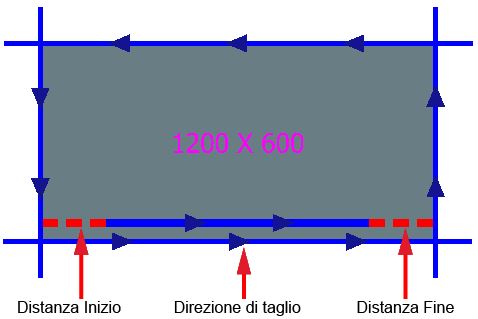
Start Distance | The inward distance at which the working is created relative to the start of the cut. |
End Distance | The inward distance at which the working is created relative to the end of the cut. |
Start Distance and End Distance can be enabled or disabled using the buttons to the right of the value.
When disabled, Parametrix does not take them into account; when enabled, the program calculates the displacement.
Start Distance and End Distance
These parameters can be enabled or disabled using the buttons to the right of the value. When they are grey (off), Parametrix does not take them into account; when they are green (on - as shown), the program calculates the displacement.
Executing the working
The working can be applied by pressing the button to the left of the appropriate cut in the polygon list.
A red icon with an 'X' indicates that the working cannot be applied to the desired cut.
Based on the set working parameters, a drip system is inserted parallel to the selected piece cut.
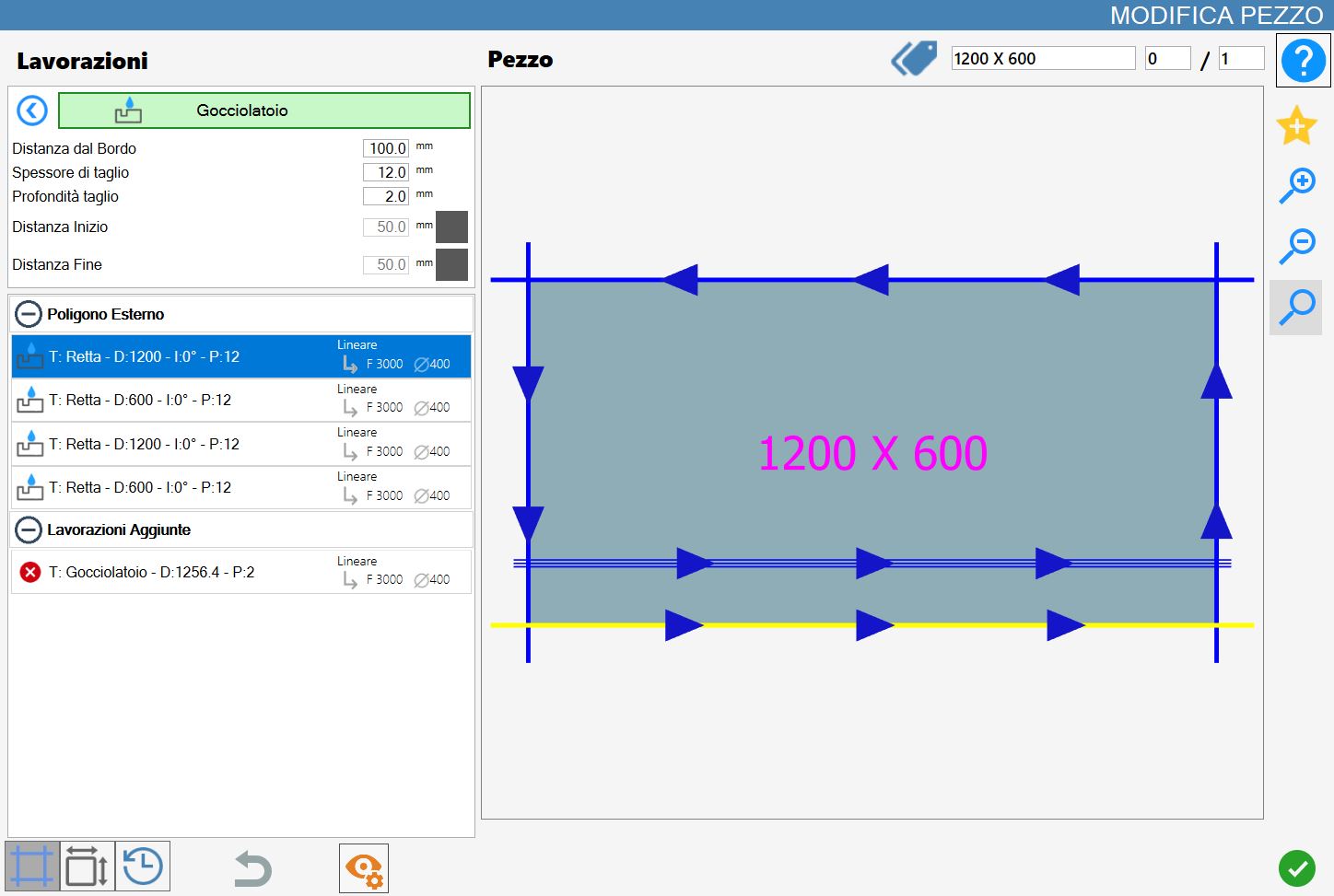
The following image shows a drip system working created using the same parameters as in the previous example.
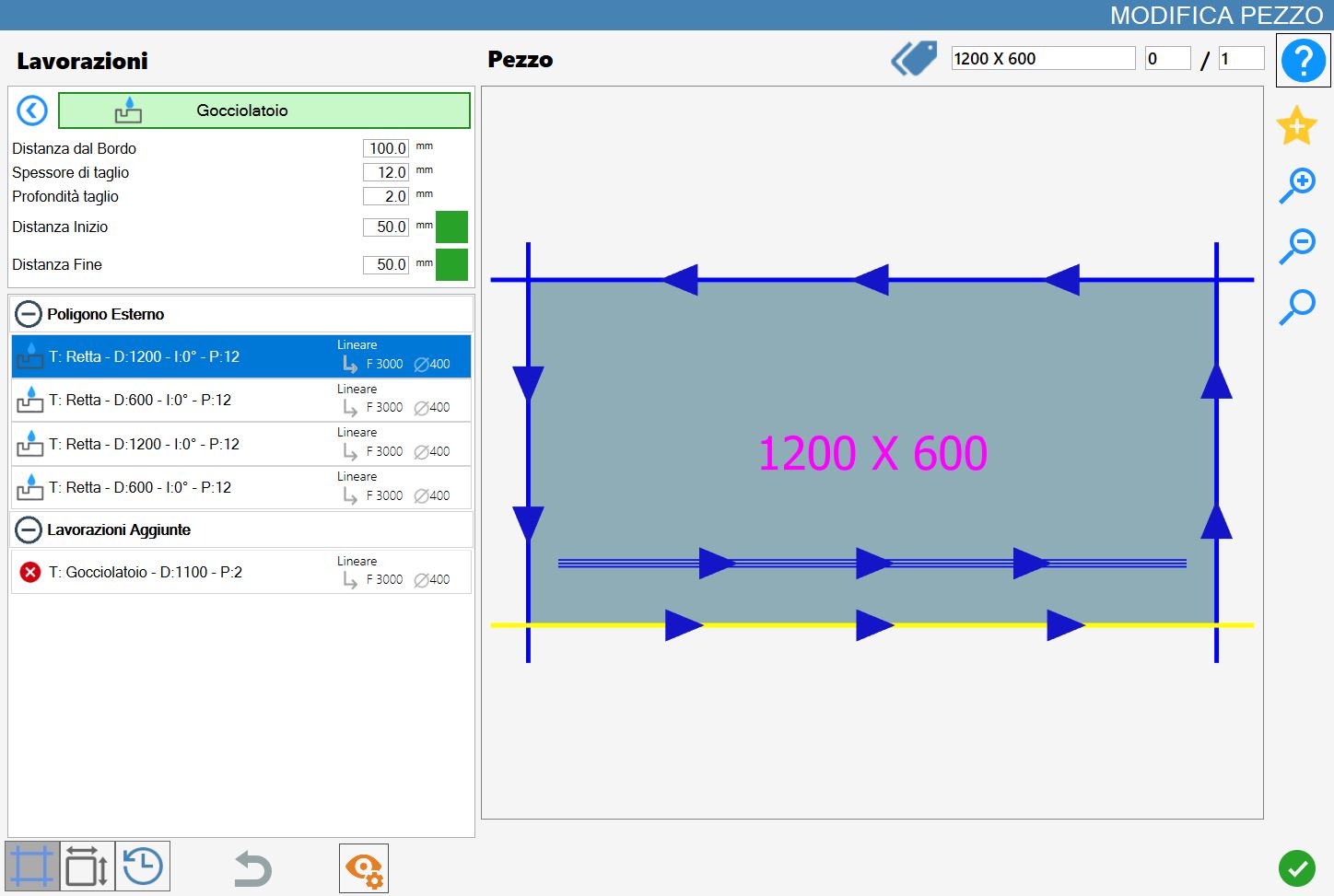
In both examples, the working has been applied to the lower cut.
It has also been added to the 'Added Workings' list, located in the lower-left section of the 'Edit Piece' panel.
