

The following screen is the Settings page, which allows the user to configure various system parameters or view other non-editable parameters to understand the system.
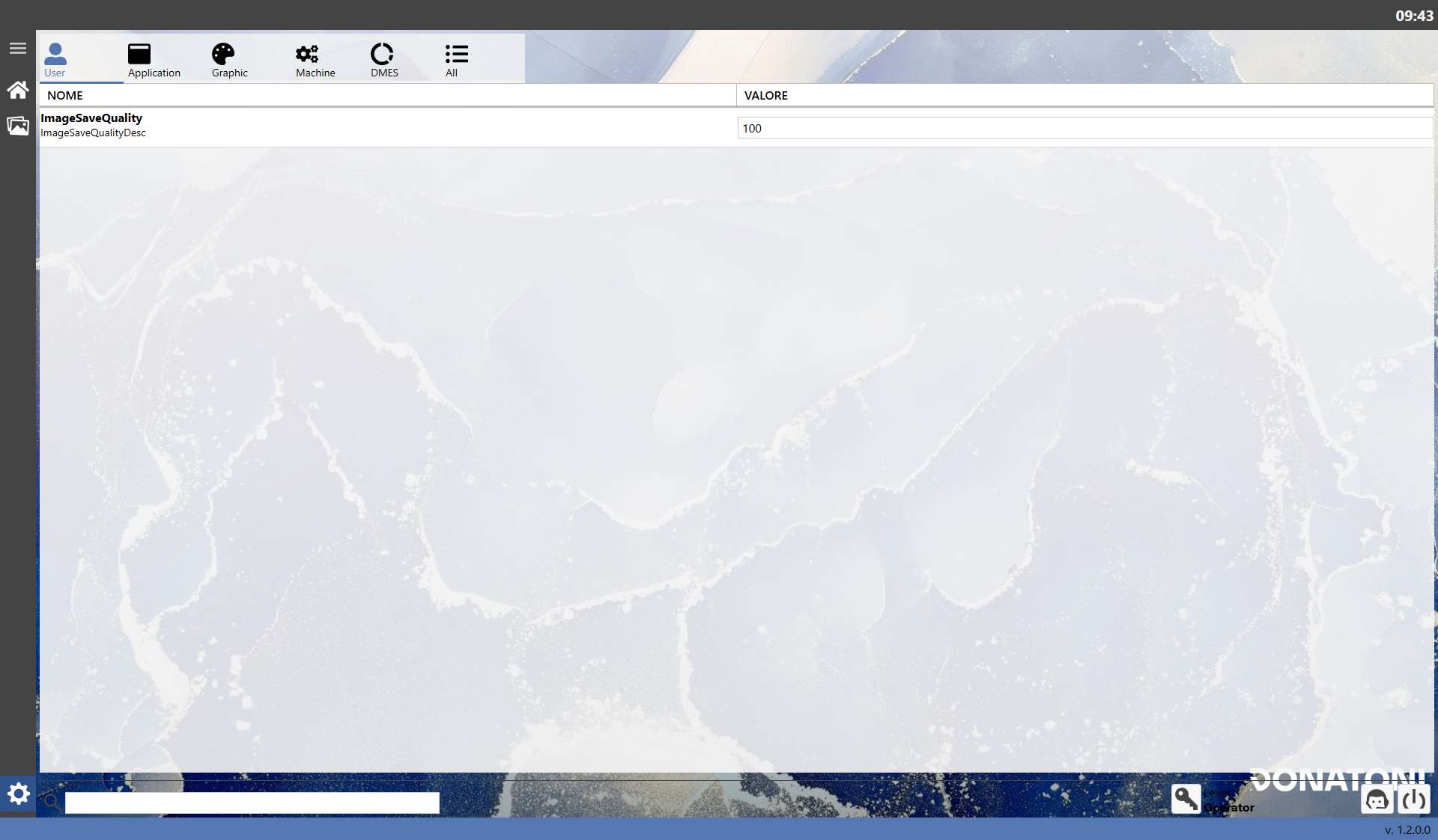
Tabs
The settings are divided into sections that can be displayed by clicking the icons at the top:
 | User |
 | Application |
 | Graphic |
 | Machine |
 | DMES |
 | All |
User
Title | Description | Input Format |
ImageSaveQuality | Indicates the quality used when saving images. | Integer |
Application
Title | Description | Input Format |
Language | Allows the system language to be selected. | Selection(IT, EN) |
Decimal Digits Numbers | Indicates how many decimal places of a numeric value are displayed after the decimal separator. | READ ONLY |
Decimal Digits Numbers Accuracy | Indicates how many decimal places of a precision numeric value are displayed after the decimal separator. | READ ONLY |
Current Project | Indicates the path of the system project currently running. | READ ONLY |
Current Solution | Indicates the path of the system solution currently running. | READ ONLY |
Path Remote Assistance Program | Indicates the path where the Remote Assistance program is located. | READ ONLY |
DateTime format for statistics | Specifies the date and time format. | READ ONLY |
Time format for statistics | Specifies the time format. | READ ONLY |
Graphic
Title | Description | Input Format |
Perimeter Handles Diameter | Allows the diameter of the perimeter corner selection circles to be set in 2.3 Edit Slab. | Integer |
Machine
Title | Description | Input Format |
Minimum length difference | Indicates the minimum value for comparing differences in length. | READ ONLY |
Minimum radian difference | Indicates the minimum value for comparing differences in angles in radians. | READ ONLY |
Minimum degrees difference | Indicates the minimum value for comparing differences in angles in degrees. | READ ONLY |
DMES
There are no settings in this section because it does not contain information relevant to general use.
However, the data are useful to operators with administrative access to the system.
Buttons
General actions that can be performed are available in the lower section.
 | Administrator Access |
 | Request Assistance |
 | Turn OFF |
