

This section describes the “Bulk Slab Import” optional feature, which allows multiple identical slabs to be loaded into the system. The system then manages the numbering of the slab names. This optional feature can be requested from our technician during the initial installation.
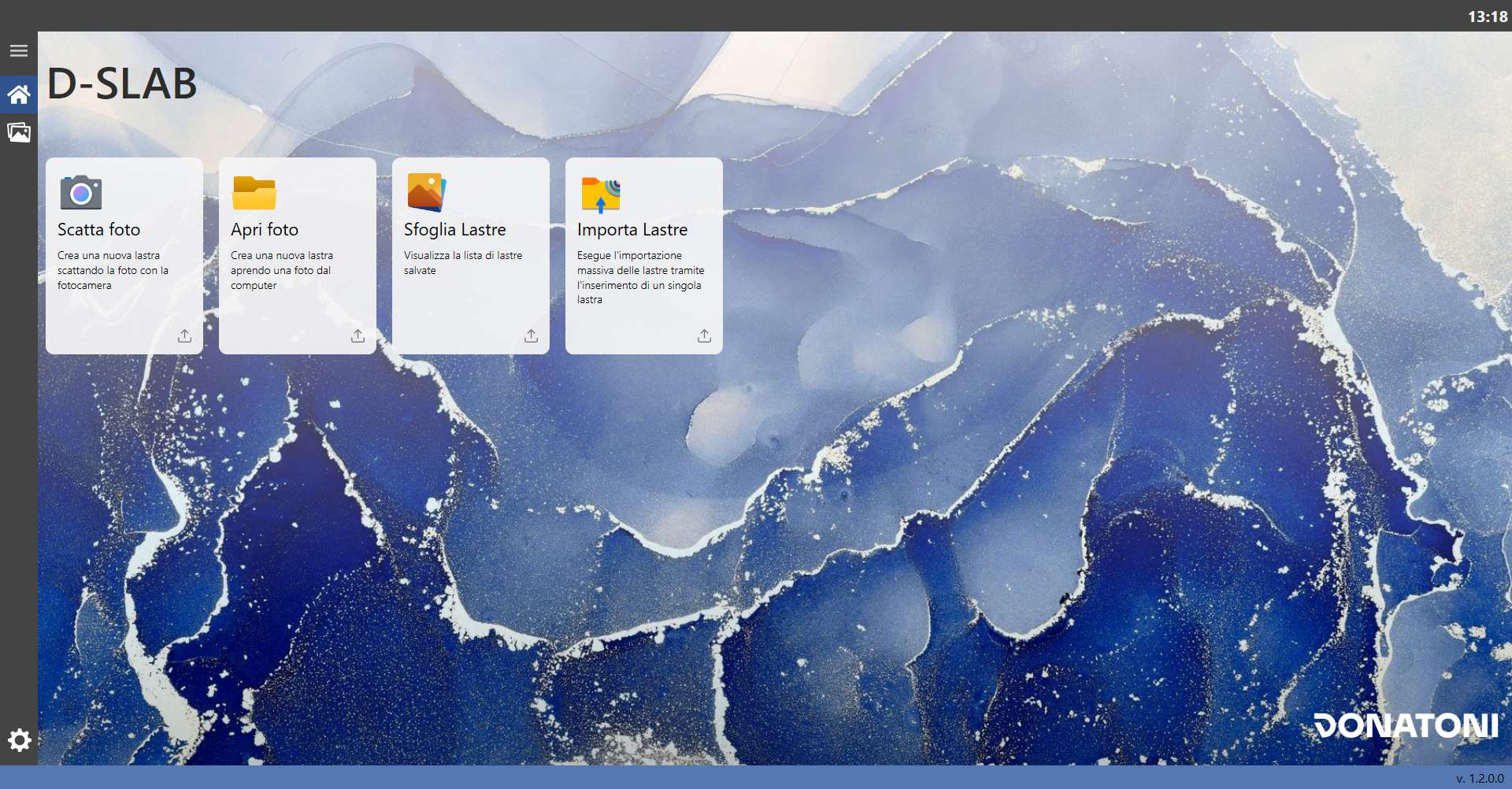
When this optional feature is enabled, the “Homepage” screen is displayed as follows:
Card
A new selectable card is now available:
 | Import Slabs |
Window
When the window opens, the following screen is displayed:
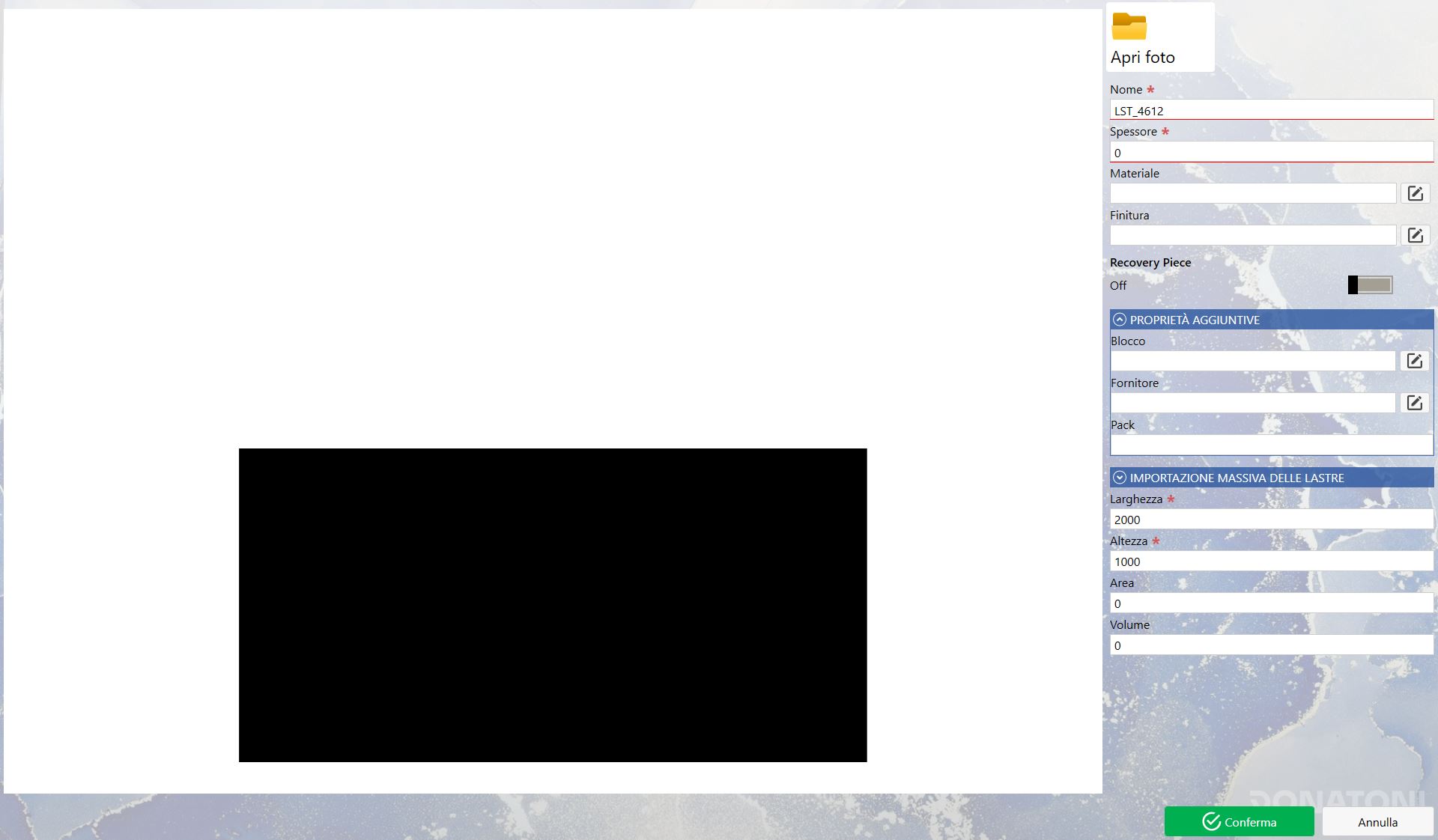
As can be seen, the screen is similar to Edit Slab, but with some differences.
Slab Preview
Unlike the other methods for adding a slab to the system (Take Photo and Open Photo), the slab can be loaded without an image by creating a simulated slab using a rectangle that represents the slab dimensions.
The size of this image is managed by the parameters in “Bulk Slab Import” (the drop-down menu currently closed). Other image data can also be configured, such as the background color, slab color and distance of the slab from the bottom edge.
The slab perimeter can be modified using the basic “Width” and “Length” parameters.
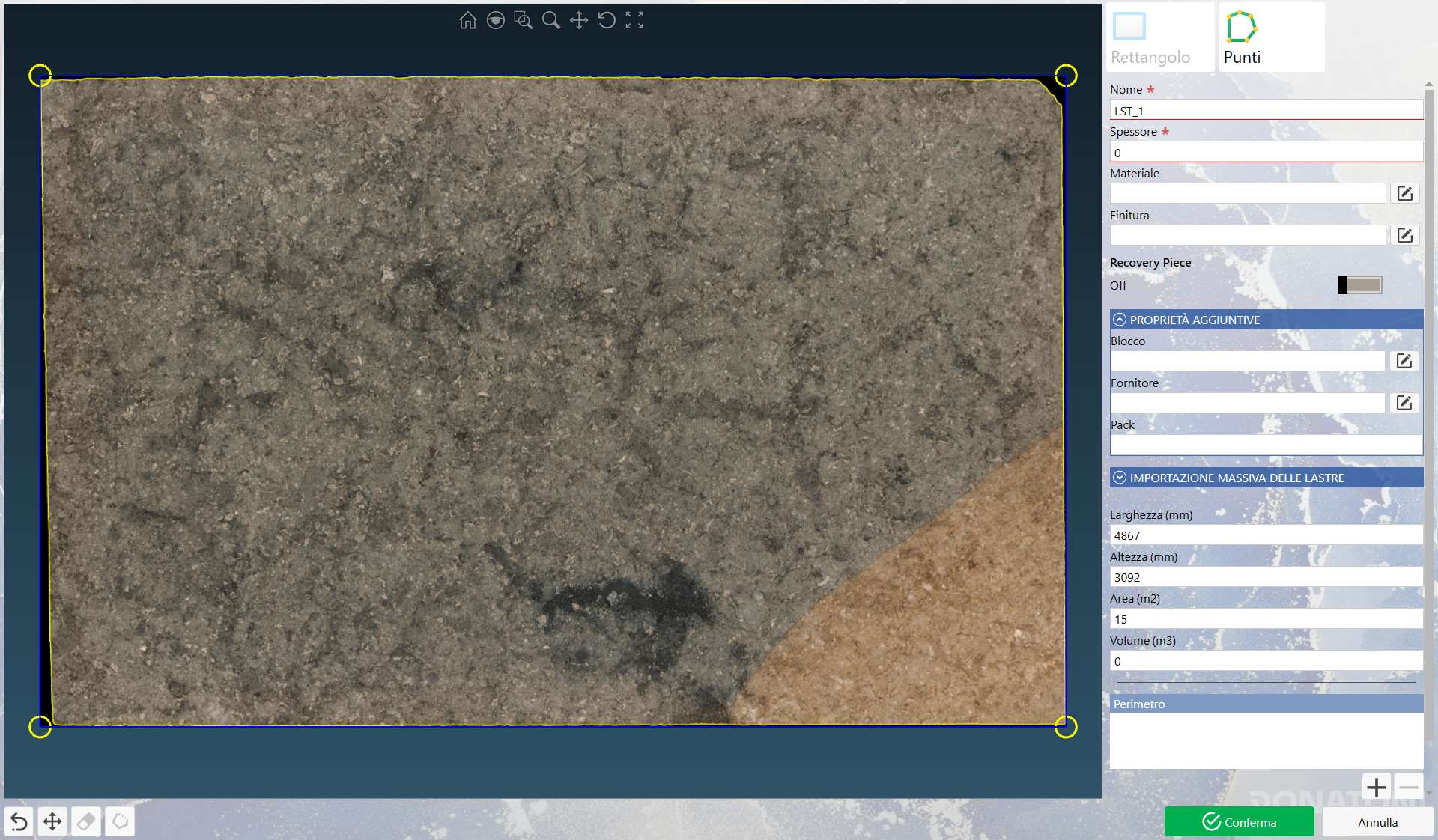
The Slab Preview becomes the same as in Edit Slab if a slab image is imported using the “Open Photo” button; in this case, the only difference between “Edit Slab” and “Import Slabs” is the ability to bulk-import slabs of the same type.
The following is the situation when a slab image is available for bulk import:
Parameters
Most parameters work exactly as described in the Edit Slab chapter in both cases; the data described below are those in the “BULK SLAB IMPORT” subsection.
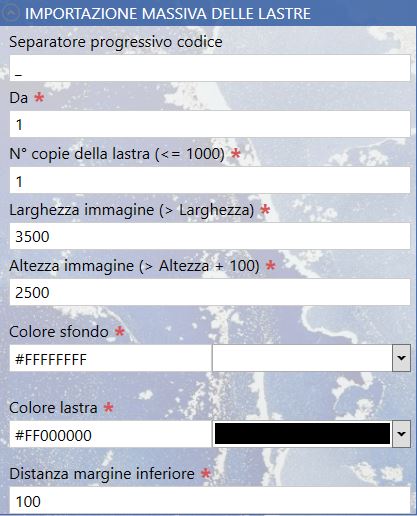
Basic bulk import parameters
The parameters in this group are displayed both when creating a “virtual” slab and when importing a slab image.
 | Code sequence separator |
 | From |
 | No. of slab copies |
“VIRTUAL” slab parameters
The parameters in this group are displayed when bulk import is performed without an image:
 | Image Width |
 | Image Height |
 | Background Color |
 | Slab Color |
 | Bottom Margin Distance |
