

Machine technical documentation Operational document
After enabling the command, set the centre of symmetry by clicking in the work area or entering the coordinates, select the mirroring direction and press the OK button to confirm.
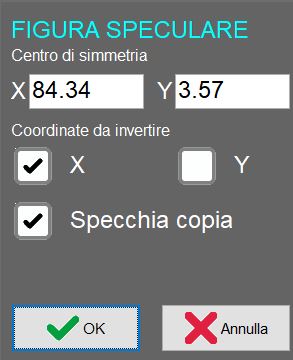
Parameters
Centre of symmetry | Changes the coordinates of the centre of symmetry used to flip the selected entity horizontally or vertically. |
Coordinates to invert | Indicates whether the entity is to be flipped horizontally, vertically or in both directions. |
Mirror copy | When enabled, the mirroring operation creates a mirrored copy of the selected entity while leaving the original unchanged. |
