Donatoni Macchine
Machine technical documentation Operational document

On the Home page, additional information about the selected machine can be viewed.
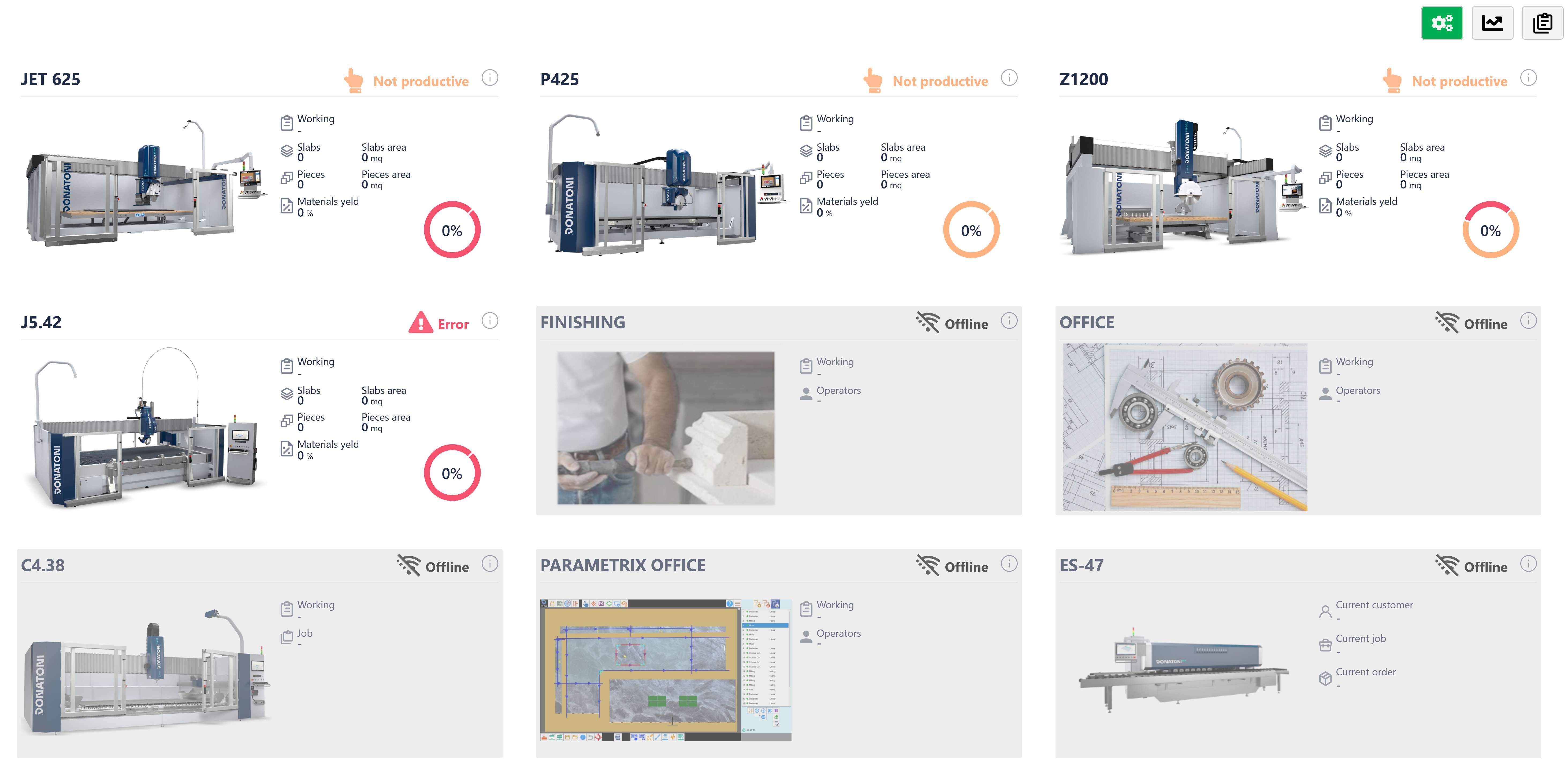
_AppMes.Menu.Views.ViewHome_21370227.png

MACHINE INFORMATION

INFO PAGE

ChatGPT_Image_17_ago_2026,_14_05_33-20260817-120533.png

INFO
Displays information about the selected machine.

After pressing the Info button, a screen similar to this one opens:
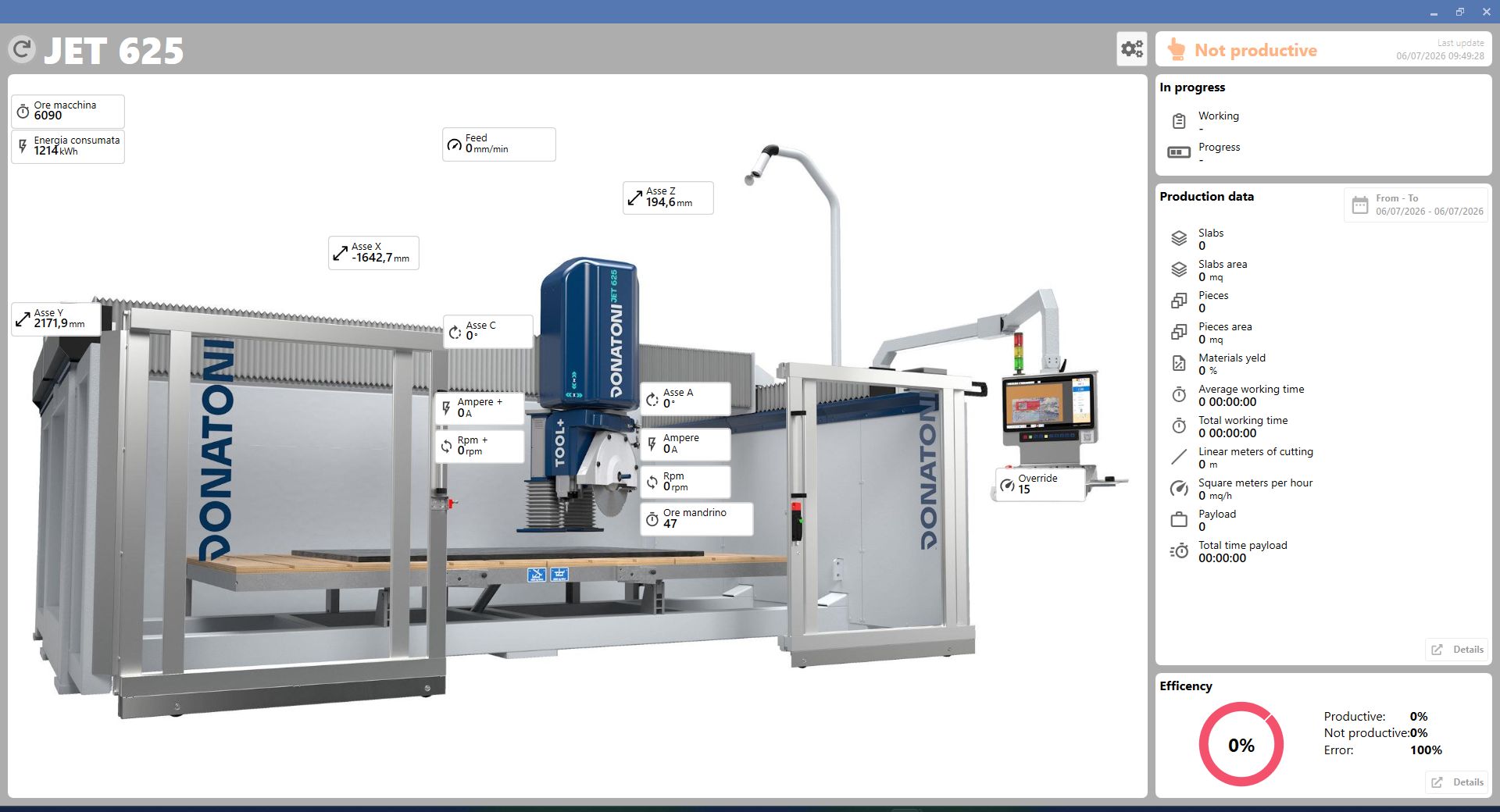
Screenshot_2026-07-06_094933.png

This page provides detailed information about the machine workings.

BUTTONS

ChatGPT_Image_17_ago_2026,_14_34_39-20260817-125013.png

DATE
Filters the workings by the selected date.

PART_ContentPresenter_MahApps.Metro.Controls.ContentControlEx_31498412.png

DETAILS
Displays detailed information about the workings performed by the machine.

ChatGPT_Image_17_ago_2026,_13_58_58-20260817-120052.png

SETTINGS
Displays the physical characteristics of the machine.

WORK STATISTICS

This section displays the machine's work statistics.
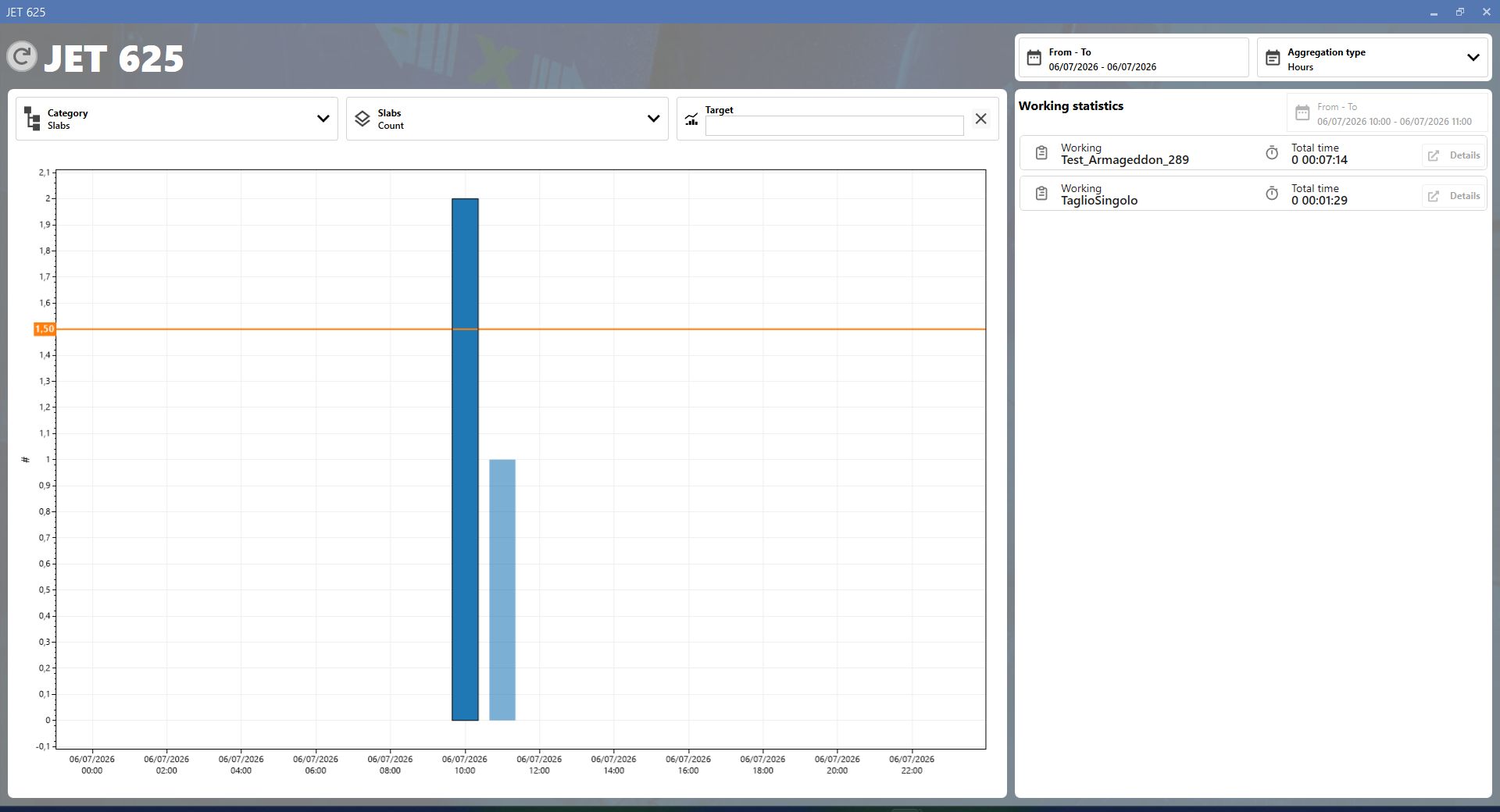
Screenshot_2026-07-06_115052.png

BUTTONS

TYPE-20260818-133325.png

CATEGORY
Filters the statistics by category: general, blocks or pieces.

PART_ContentPresenter_MahApps.Metro.Controls.ContentControlEx_39772321-20260819-053158.png

SLABS
Selects the unit of measurement for blocks: number, area, cutting area, length, total area or used area.

AGGREGATION-20260819-053816.png

AGGREGATION
Groups the statistics according to the selected interval: hours, days, weeks, months or years.

WORK CYCLE STATISTICS

This section displays the machine's work cycle statistics.
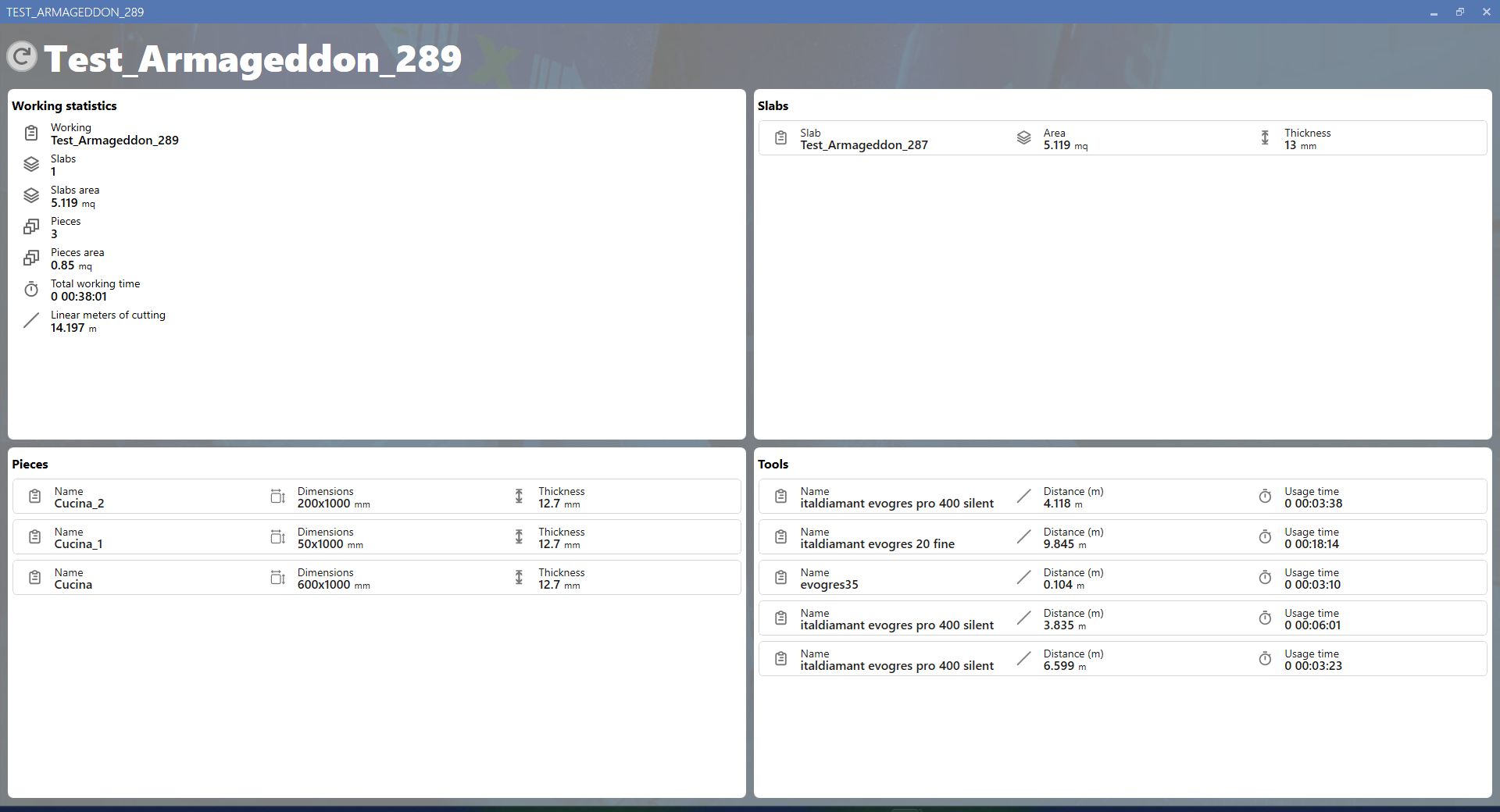
Screenshot_2026-07-06_115955.png

MACHINE EFFICIENCY STATISTICS

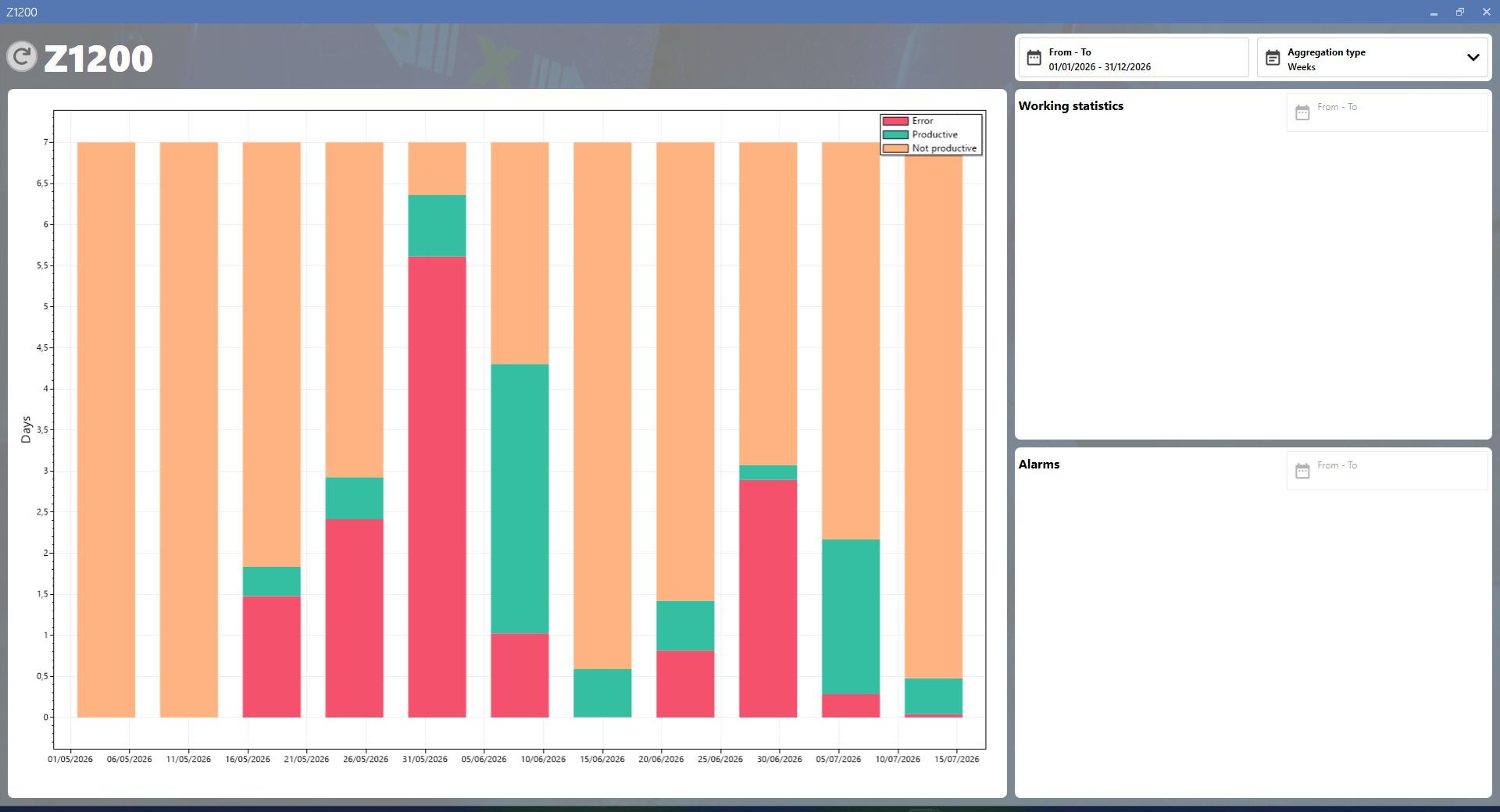
This screen provides a detailed analysis of machine efficiency and status, showing the breakdown of operating time between productive, non-productive and error periods over a selected time range.

efficency_statistics-20260714-114148.png

;