

This function allows adding a cut with different characteristics than the normal cut.
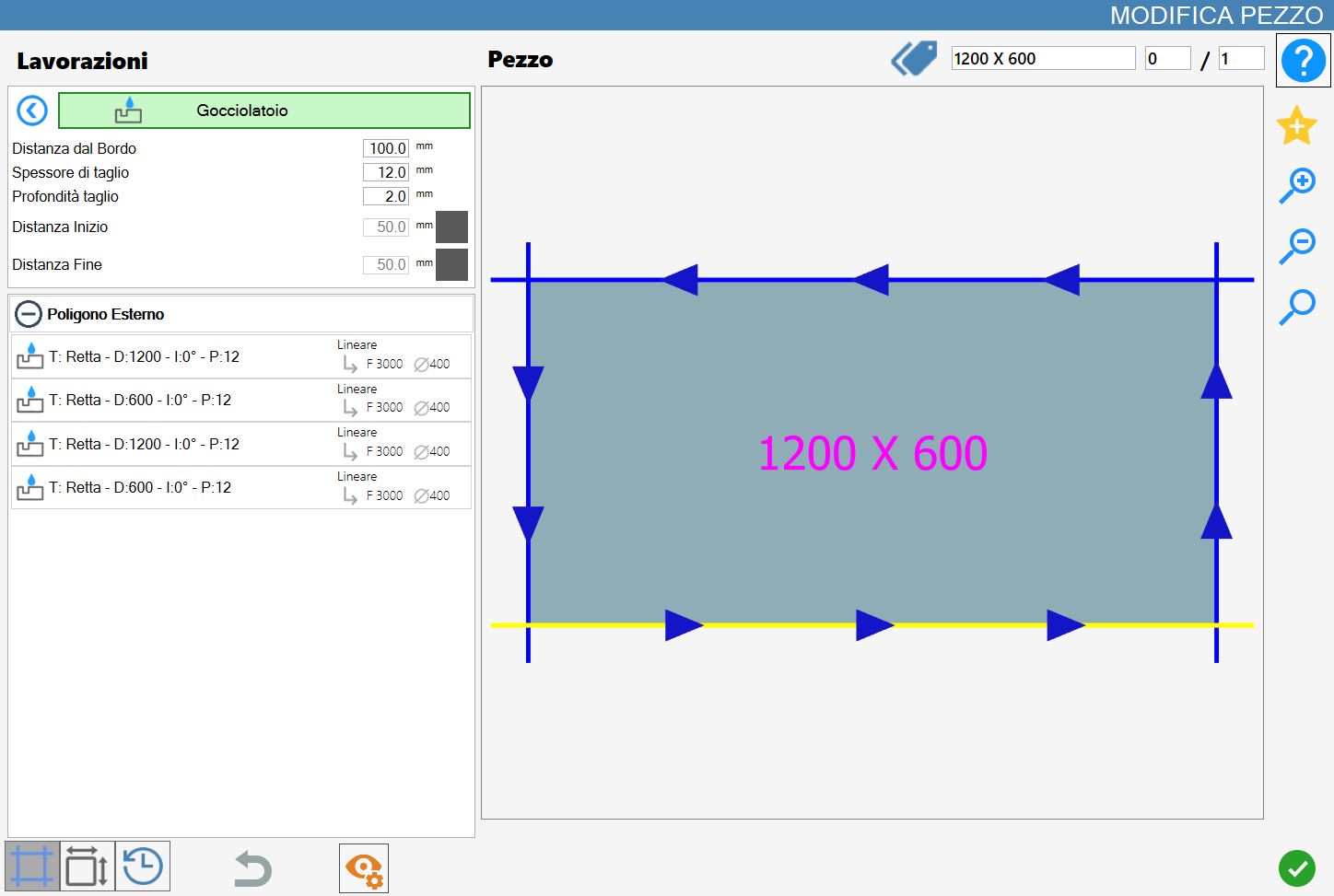
The interface that opens resembles the following image:
Parameters
Is possible set the width of cut (must be equal or greater than the thickness of the disk).
Distance from cut | The distance from the selected cut to the drip system work. |
Cut thickness | It is the measurement of the width of the working. It is possible to make a drip system wider than the thickness of the disk. |
Depth cutting | It is the depth of penetration on the material. |
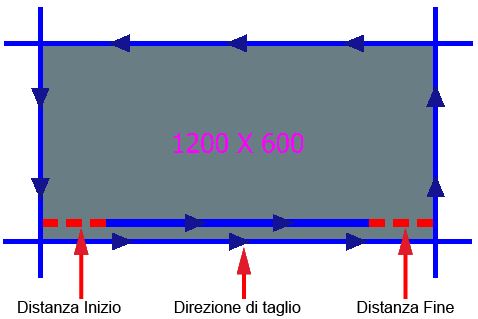
Start Distance | The distance inwards with which the working is created with respect to the start of the cutting. |
End Distance | The distance internally with which the working is created with respect to the end of the cut. |
Start distance and end distance can be active or off with the buttons on the right of the value.
In case they are off, Parametrix does not take them into account, while when they are on, the program calculates the displacement.
Start Distance and End Distance
These parameters can be active or off with the buttons to the right of the value. If they are gray (off) Parametrix does not take them into account, while when they are green (on - as shown in the figure) the program calculates the shift.
Execution of working
It is possible to apply the working by pressing the button on the left of the suitable cut in the polygons list.
An red icon with a 'X' indicates that the process can not be applied to the desired cut.
Based on the set processing parameters, a drip system is inserted parallel to the selected piece cut.
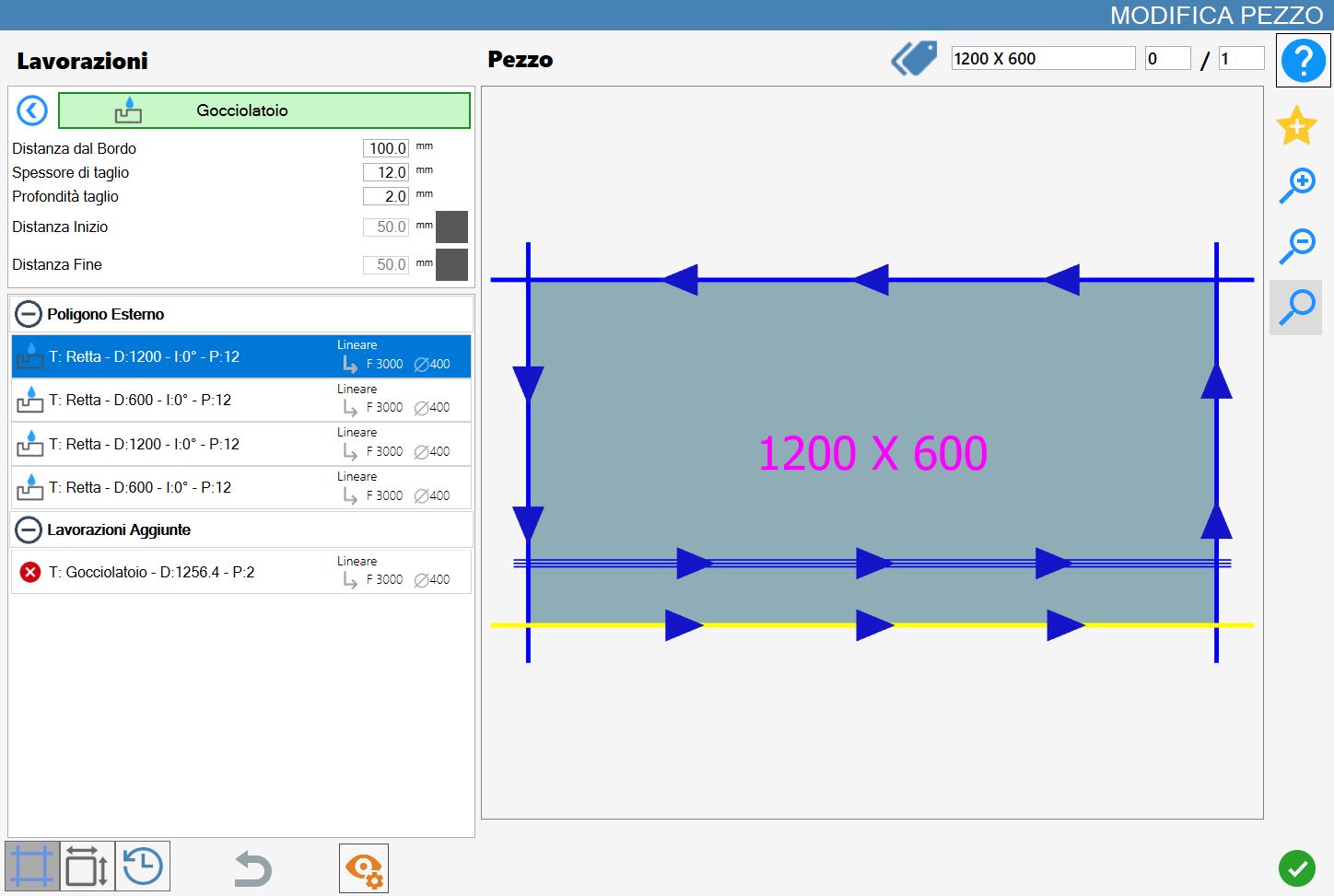
In the following image has been illustrated a drip system working, realized with the same parameters of the previous example.
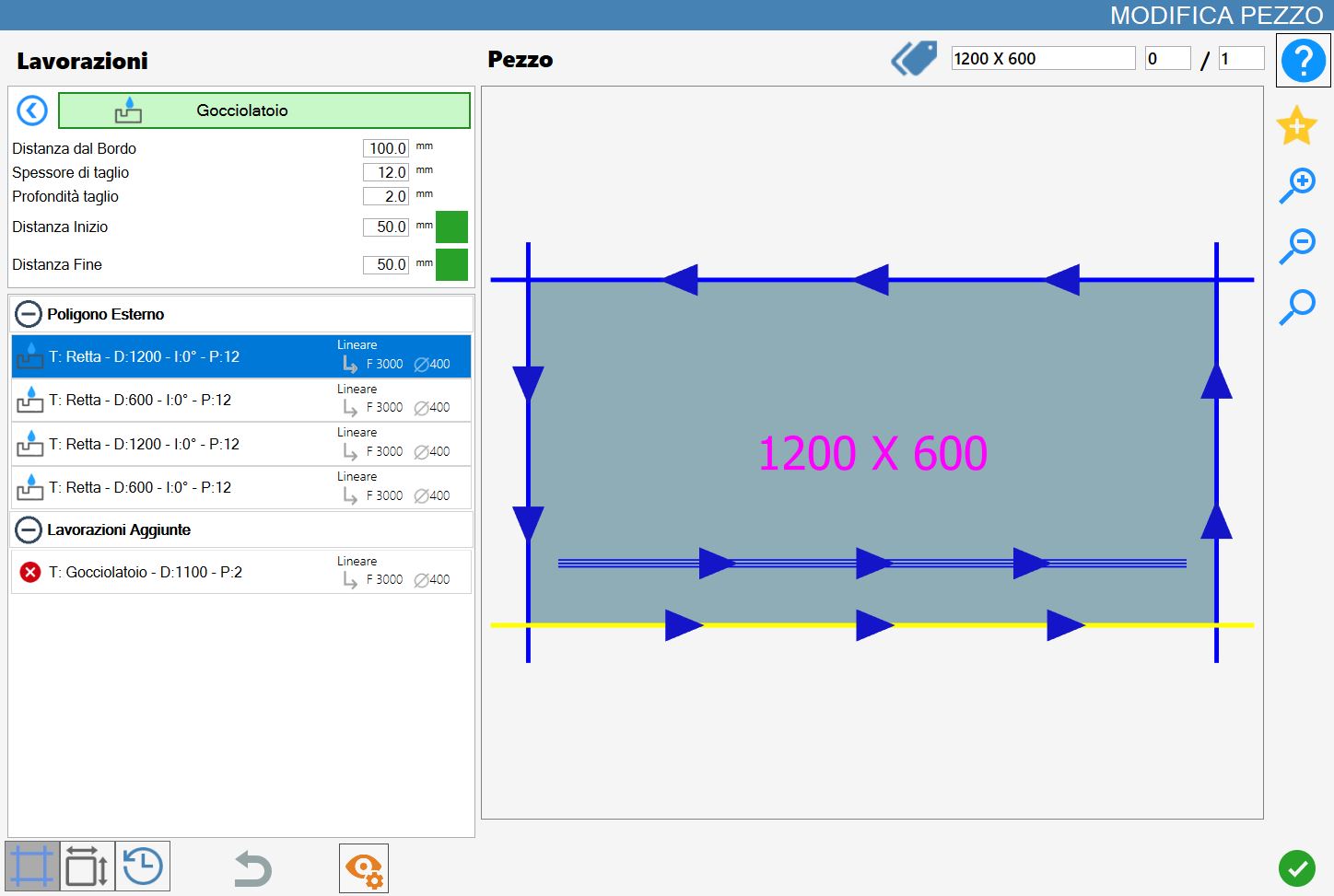
In both examples the work has been applied to the lower cut.
Furthermore, it was added to the list of 'Additional Processing', located in the bottom left of the 'Edit piece' panel.
