It is possible to start manually a cycle of washing of the area, enable the automatic adding of the entire bench and select a portion in which to execute the cleaning.
Parameters
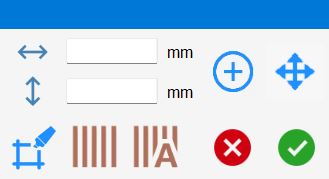
 | Width |
 | Height |
 | Create area |
 | Move |
 | Piece washing |
 | Clean bench |
 | Automatic washing cycle |
Mode of insert a washing cycle
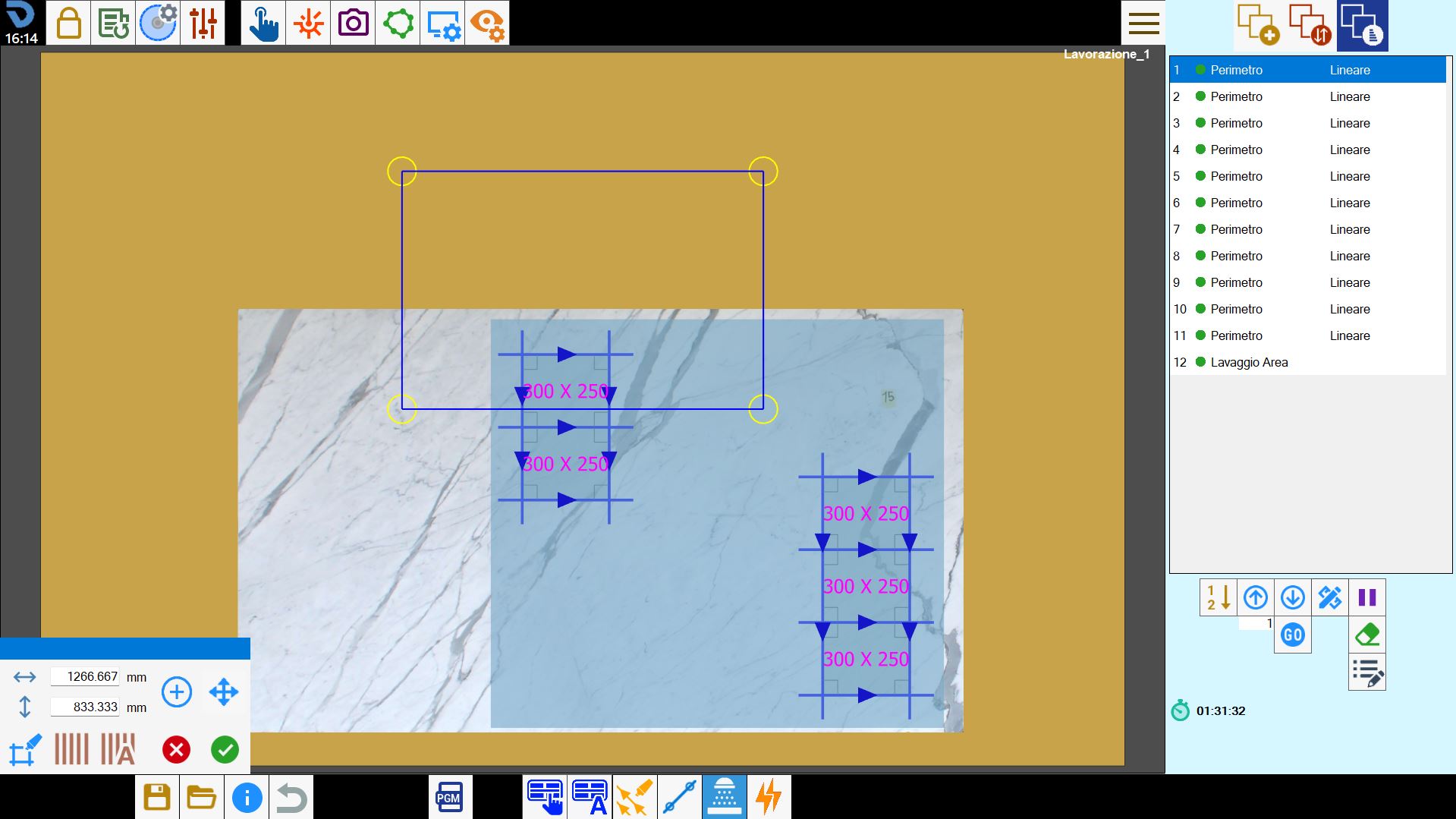
The addition of a washing cycle involves the insertion, inside the work area, of a rectangle that indicates the portion of the bench subject to washing.
It is possible to insert more washing cycles; the respective areas can also overlap, partially or completely.
Each new washing cycle will be inserted at the end of the cuts list on the right side.
Manual selection of the area
By pressing the button, you enable the possibility to add customizable washing areas.
It is therefore possible to move and resize the area.
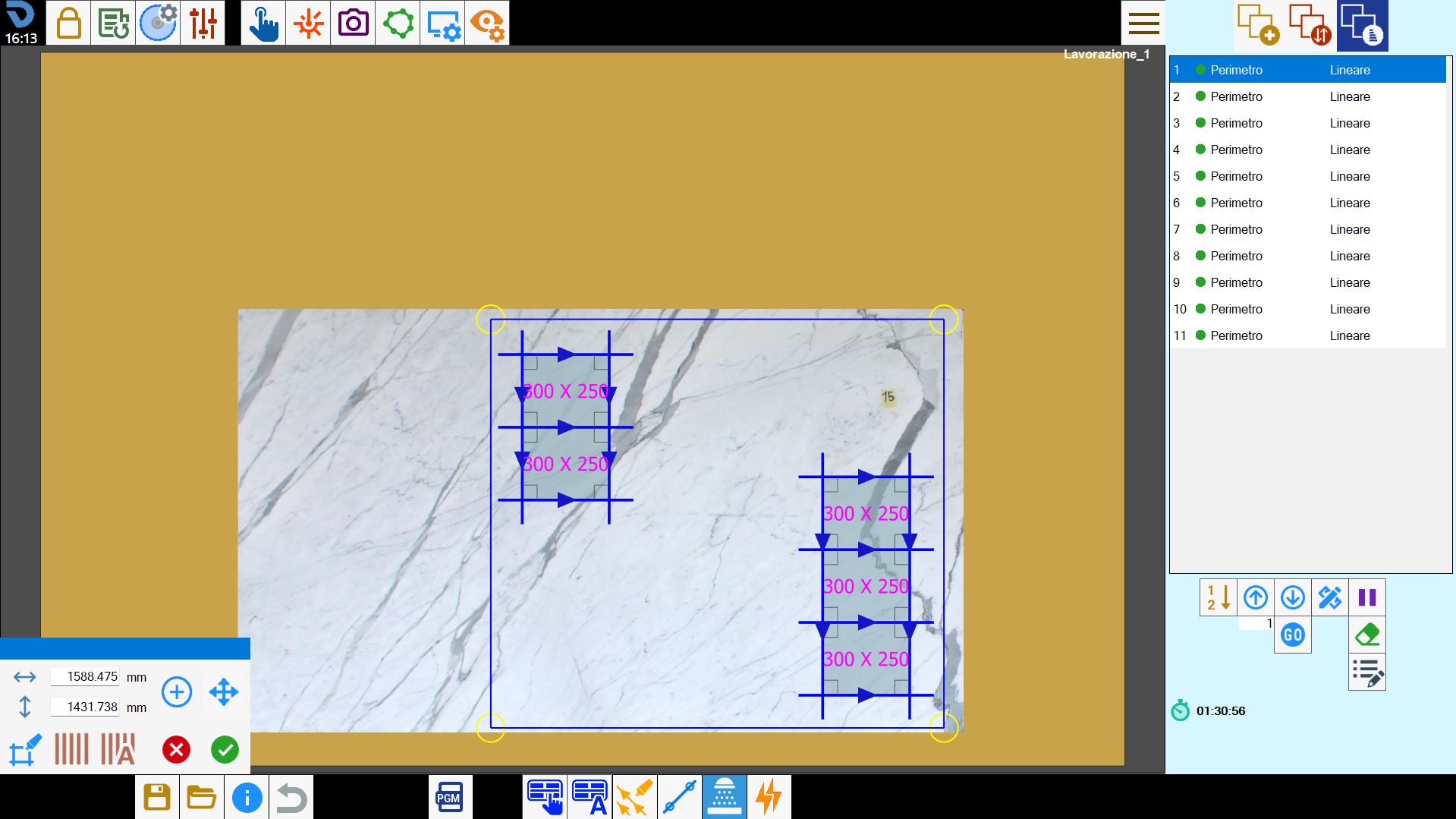
After having modified as you want the area for washing cycle, it is possible to add an additional area to be washed by pressing again the button.
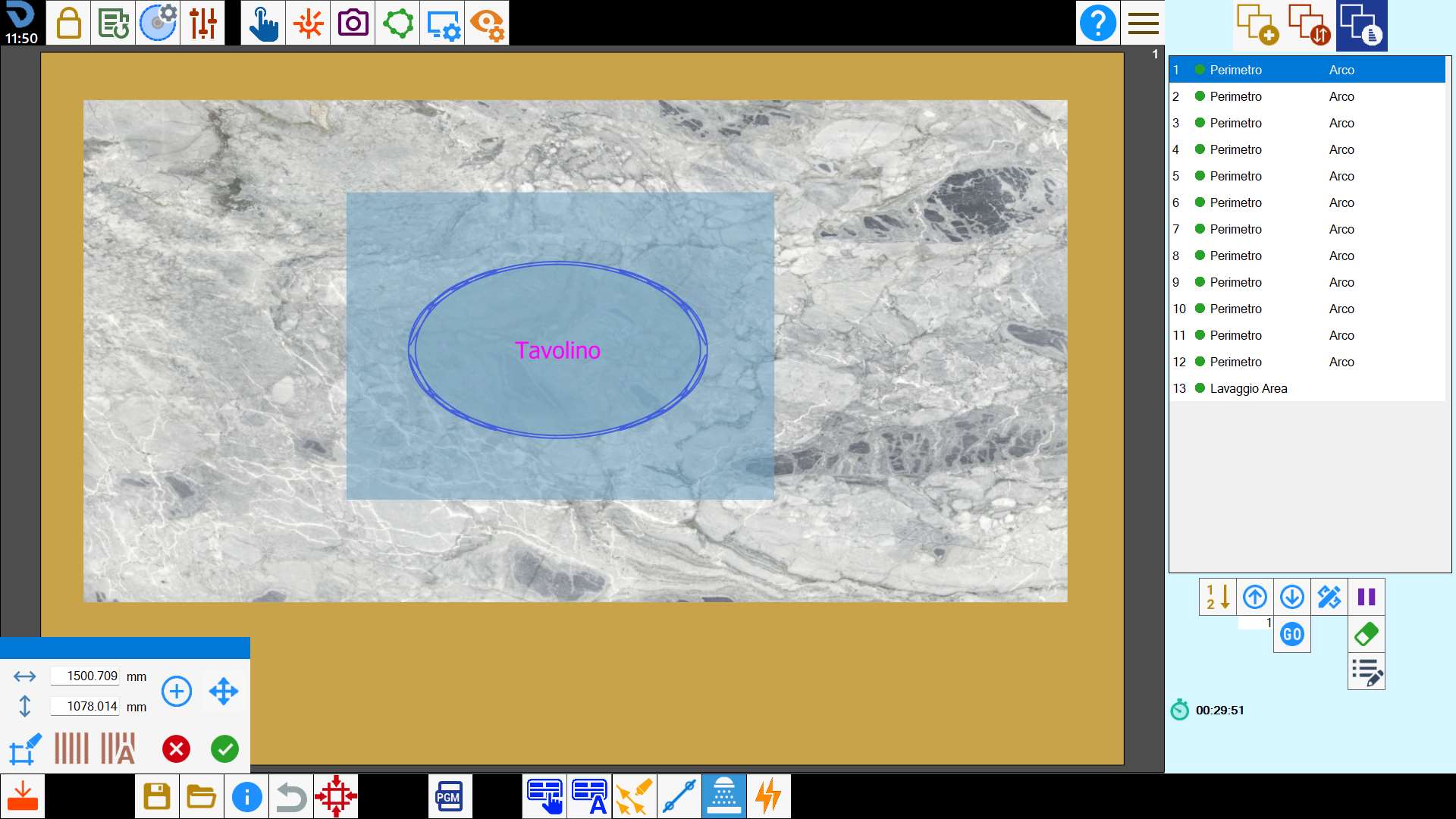
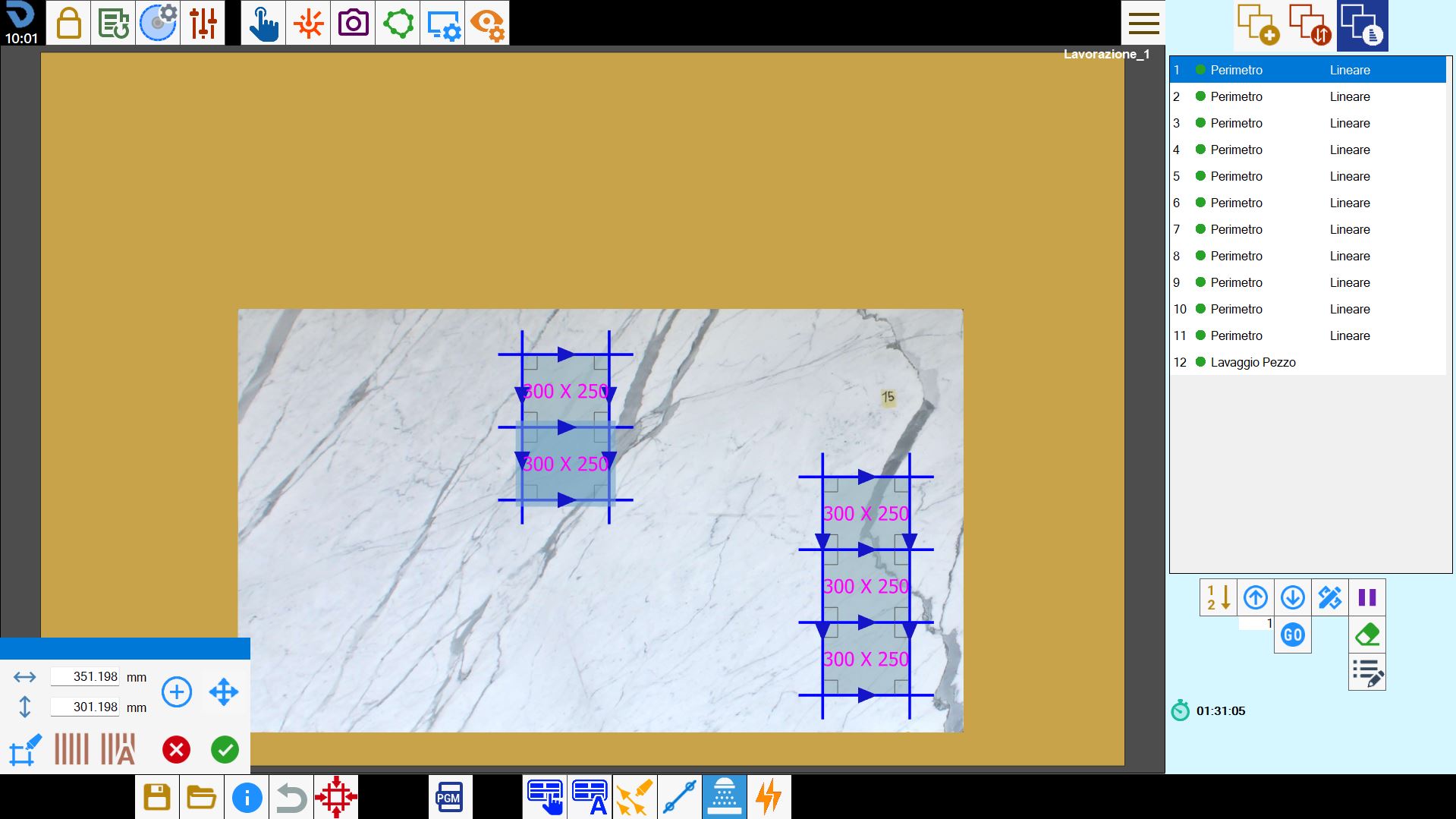
Piece washing
Enabling this mode, the operator can select a piece. Following the selection, the system automatically generates a rectangular area that completely encloses the selected piece, as illustrated in the following example:
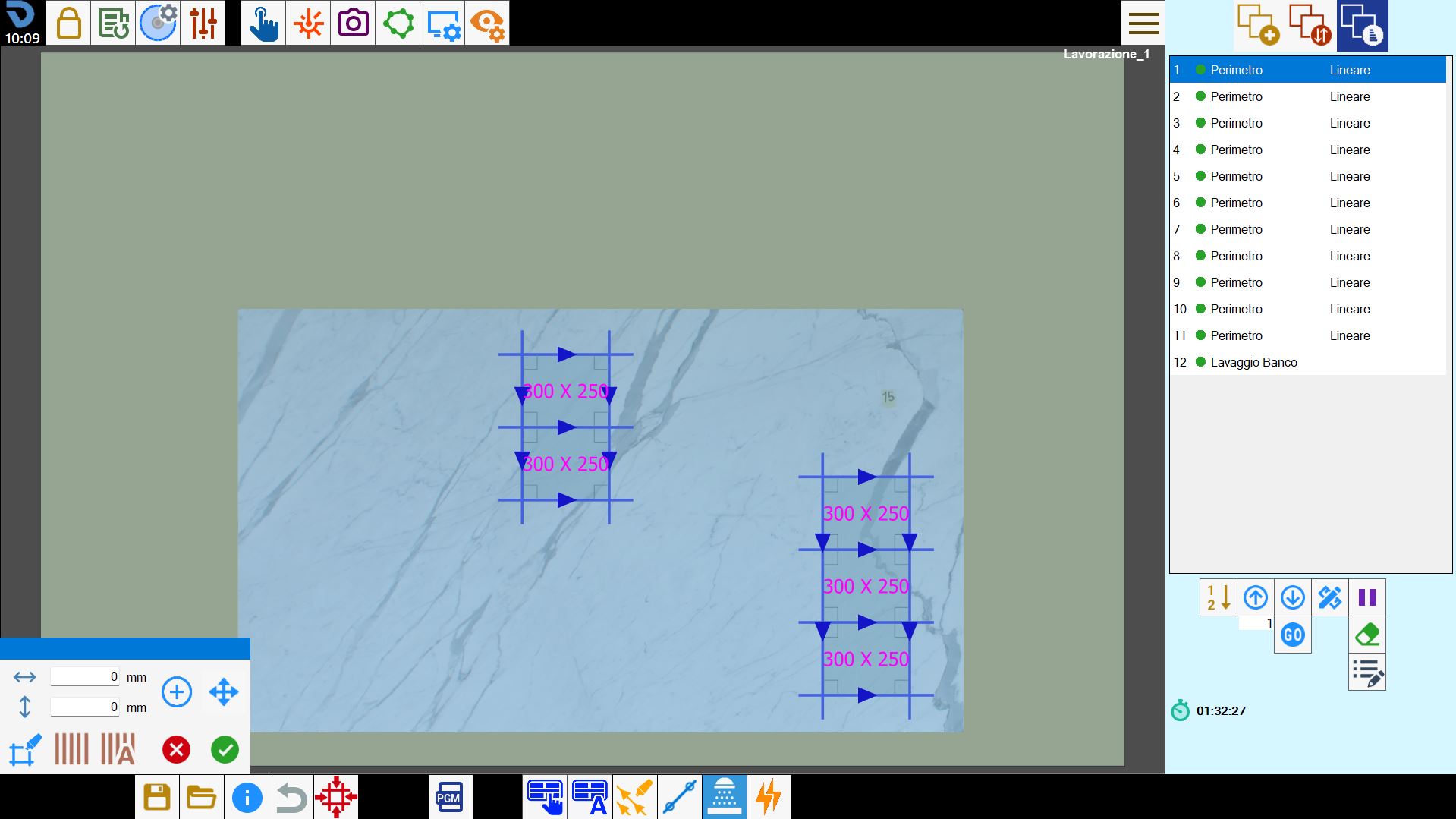
Complete bench washing
Employing this mode, the system inserts automatically a cut named 'Bench Washing' in the cuts list and displays its corresponding representation in the work area.