

The system has been designed to facilitate the operator in the programming of the automatic cuts. Through the software is possible:
Determine the position of the slab in the machine's work area and create the material perimeter for the processing.
Create pieces through parametric figure
Import figures realized with other CAD
Generate a list of pieces to work
Search the best position of the pieces on the slab
Set special cutting functions
Program the cutting order and create the machine handling
Monitor video the execution of the cuts
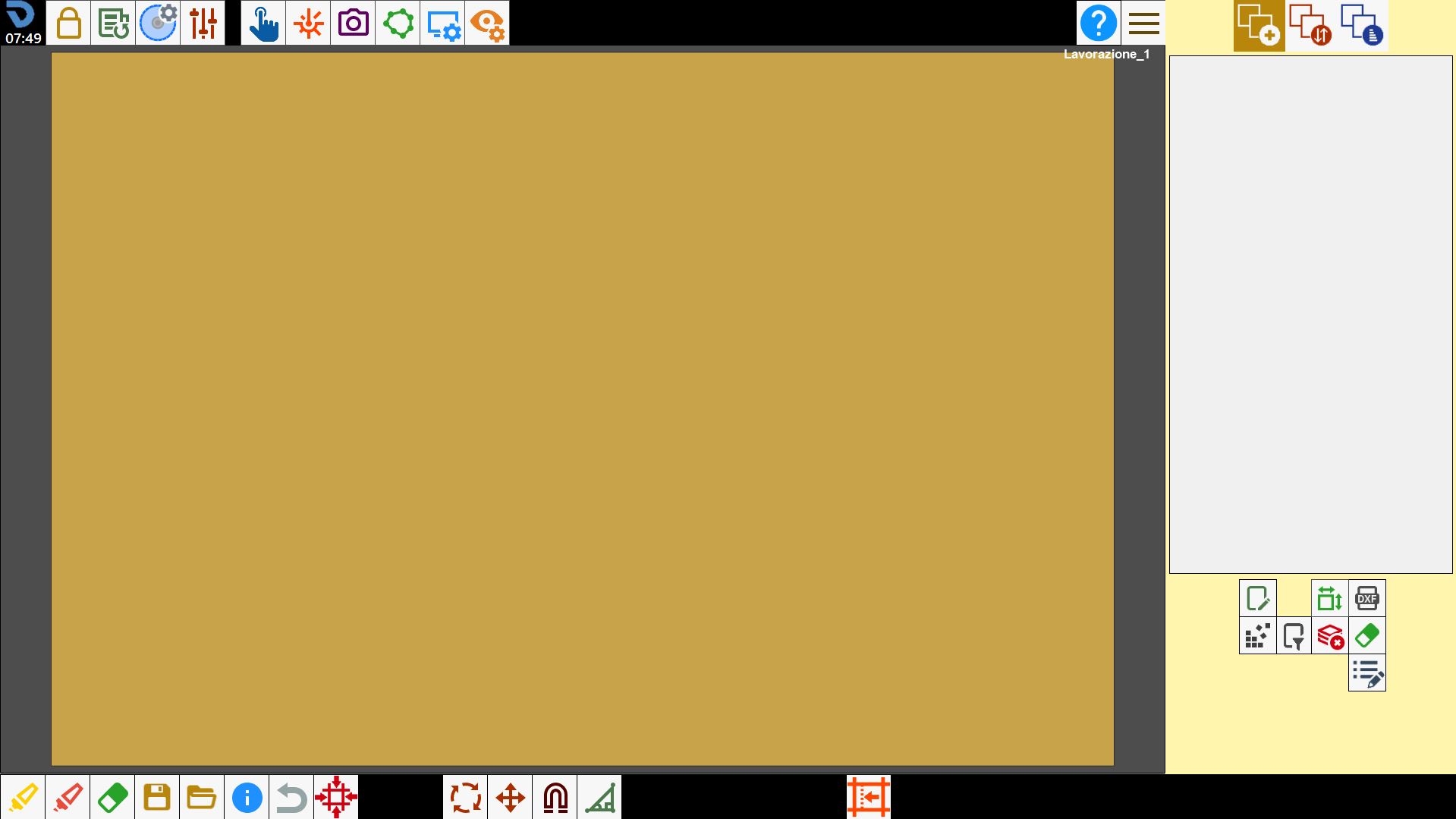
Work area and piece list
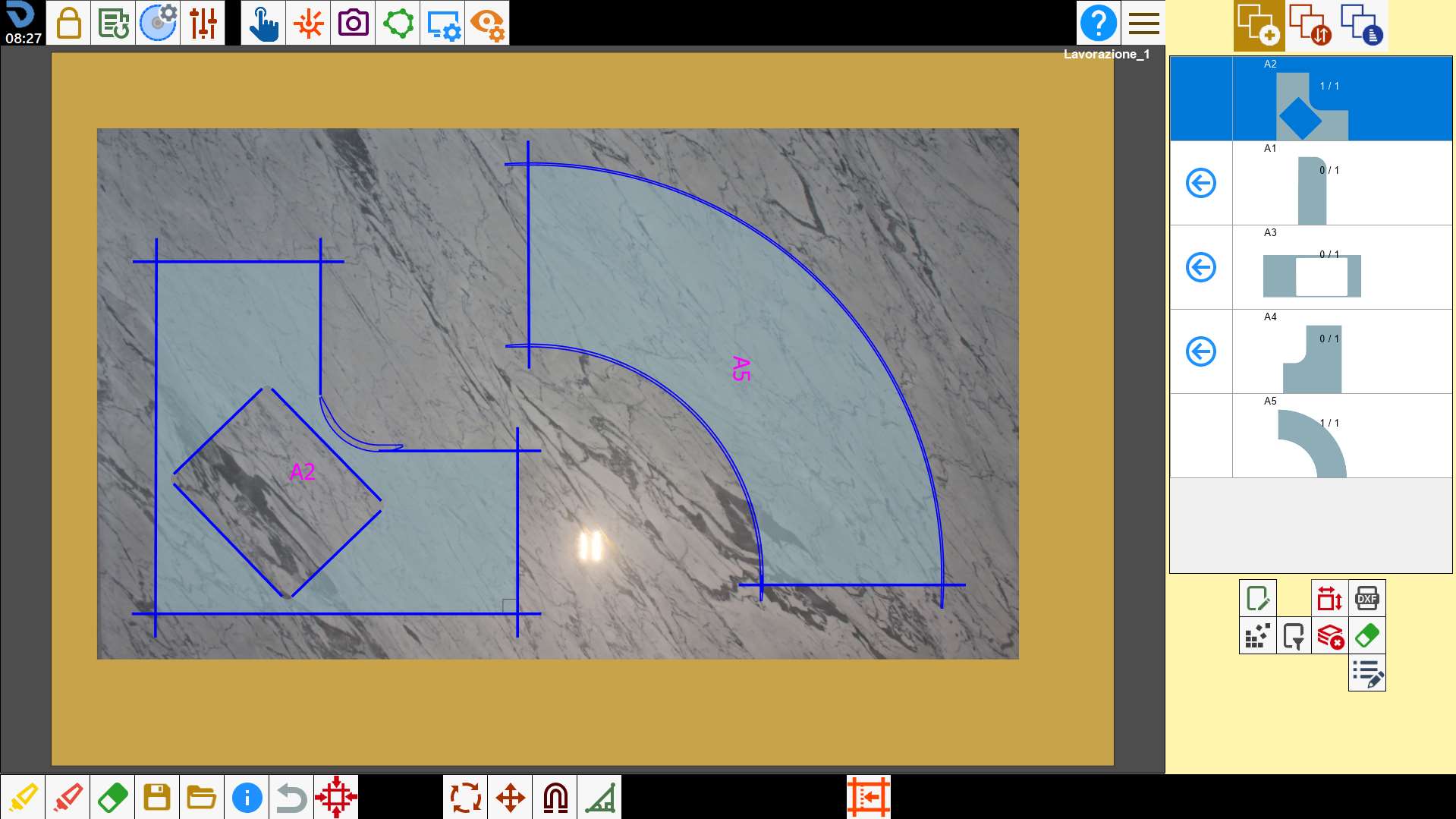
Below is reported a typical representation of the Parametrix working area with the list of imported pieces already populated and an image of the acquired slab.
List pieces inserted
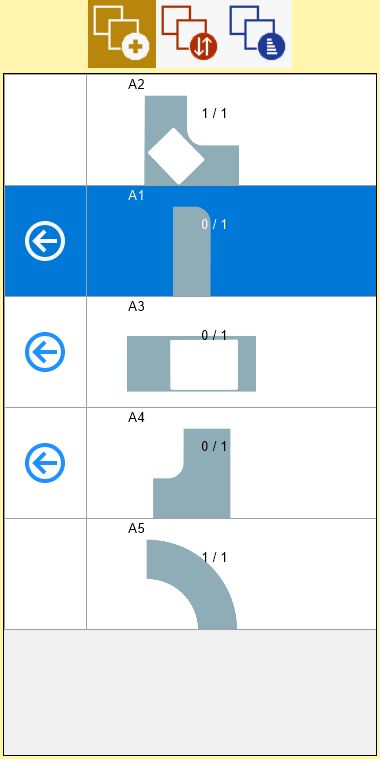
When a piece is created the program adds it on the piece list; from the list it is possible to insert them on the working area or to make some changes to the piece and to check the number of missing pieces to the process.
Pieces positioning
Parametrix allows to position pieces inside the work area of the machine to create the cut file.
Once acquired the slab, created the perimeter and created the pieces of the working, it is necessary to import the pieces inside the slab, with the button on the pieces table the piece is put inside the working area. Is possible work with 1 or more pieces contemporaneously.
 | In the case in which the pieces are not perfectly inside the slab, a warning/danger signal will appear in the top left corner. |
|---|
Top bar
In the upper part of the screen, in the center and on the left are visible the following buttons, preceded by the logo and the time marked:

The upper bar of commands is integrated with some buttons that will be illustrated later:
 | User parameters |
 | New working |
 | Parameters tool |
 | Slab processing parameters panel |
 | Access to manual command |
 | Laser Management |
 | Add photo to bench |
 | Slab perimeter |
 | Bench viewing management |
 | Viewing of work entities |
Side section
The buttons located in the top right corner allow the operator to change the Parametrix screen.

Each screen is responsible for a particular aspect of the processing of a slab.
 | Placement of pieces
|
 | Piece cutting order management |
 | Optimization and cut management
|
On the bottom right are the following buttons whose functionalities will be seen later.
 | Edit piece |
 | Activate/deactivate standard pieces |
 | Piece creation |
 | Order or filters pieces |
 | Delete list of pieces |
 | Delete piece |
 | Modify additional piece properties |
Lower bar
Upon opening the 'Parametrix' functionality, the bottom bar will undergo some changes as shown below:

This bar is integrated with these buttons:
 | Multiple selection |
 | Select all |
 | Remove piece |
 | Saving |
 | Load |
 | Information Panel |
 | Restore modify |
 | Machine on cut |
 | Piece rotation |
 | Move pieces |
 | Magnetize pieces |
 | Miter cut |
 | Edit standard piece |
