

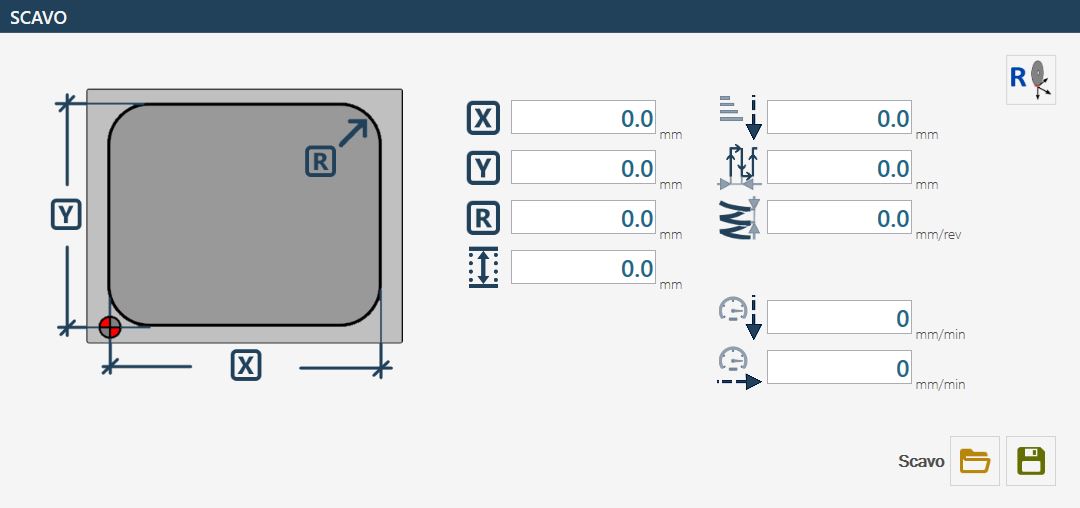
The pocket page allows a rectangular pocket with fillets and a flat bottom to be machined.
A suitable milling cutter mounted on the main spindle must be used for this working.
The “bench level” is used as the bottom level.
The cycle uses multiple passes with a helical entry at the centre and a pass distance that can be set in the parameters.
Parameters
 | X |
 | Y |
 | Radius |
 | Pocket depth |
 | Z Step |
 | Working distance |
 | Entry depth increment 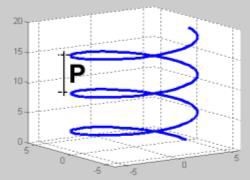 |
 | Working Speed |
 | Downward Speed |
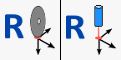 | Reset X and Y Axes 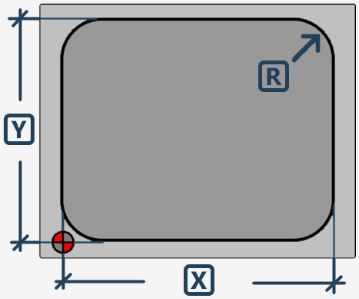 The position is acquired by positioning the centre of the milling cutter at the indicated point. |
Executing the working
Enter the X, Y and R dimensions that define the shape of the rectangular pocket to be machined.
Check that the tool data is correct, particularly the diameter.
The following two execution modes are available
Mode for reaching pocket to bench quote
To machine a pocket correctly, position the centre of the machine at the pocket origin point, as shown in the figure in the previous chapter. This ensures that the entire working is performed correctly relative to the designated area.
Then set the dimensions that define the shape of the pocket to be machined.
Before starting the working, it is essential to check that the data for the selected tool is correct, paying particular attention to the diameter, as this directly affects the accuracy and quality of the pocket.
The “bench quote” must be acquired with reference to the level of the bottom of the pocket. To determine it correctly, position the tool on the upper edge of the material and reset the Z position. From there, move downward by the desired pocket depth. The bench quote can then be acquired using the dedicated button. When using milling-type tools, it is recommended to perform this operation with the A axis positioned at 90_ to avoid inaccuracies due to the actual tool length.
Once the bench quote has been defined, reset the X and Y axes. To do this, press the corresponding reset button and position the centre of the milling cutter exactly at the point indicated in the figure by the reference symbol. On machines equipped with a laser pointer, the zero point in X and Y can be acquired directly using the reference provided by the laser.
The pocket depth depends directly on the level set as the bench quote and on the Z-axis position when the cycle is started using the “Start cycle” button. The working begins with a helical entry at the centre down to the depth specified in the “Z Step” parameter. The area is then cleared using a concentric movement according to the distance set in the working parameters.
The machine movements required to reach the initial position are performed at the so-called “Junction Quote”, which can be defined in the tool parameters. This ensures that the tool does not interfere with any obstacles during positioning movements.
Mode for positioning above the piece and resetting the origin value
This mode requires the following parameter to be set and then used: “Pocket depth”
