

This function allows the operator to add a fillet to a vertex or side of the piece.
The interface for this function is similar to the following image:
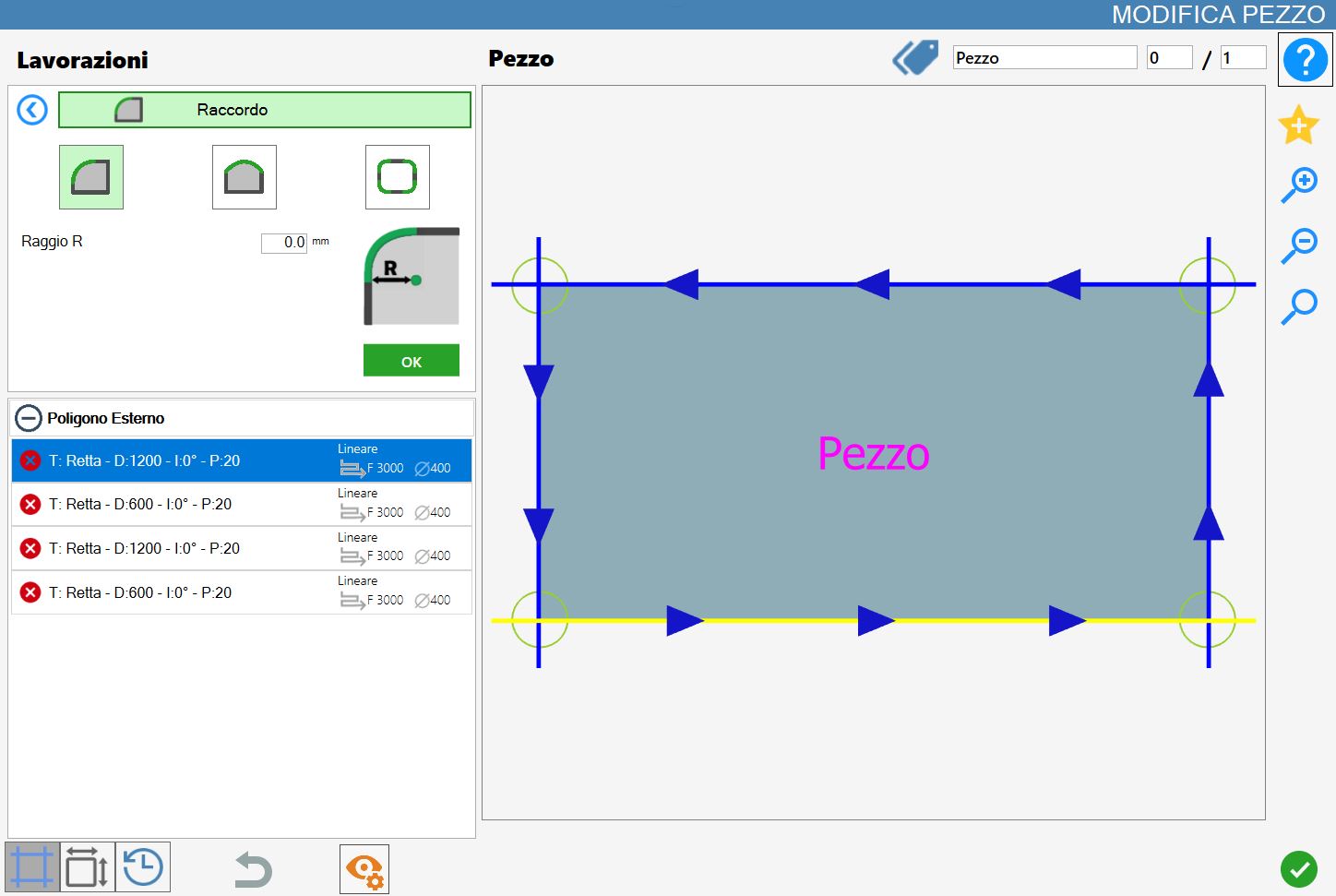
Parameters
The ‘Single vertex’, ‘Side’ and ‘Polygon vertices’ modes are mutually exclusive: enabling one automatically disables the others.
 | Single vertex |
 | Side |
 | Polygon vertices |
Parameters for ‘Single vertex’ and ‘Polygon vertices’
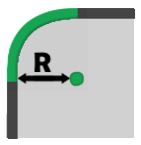 | Radius R |
‘Side’ parameters
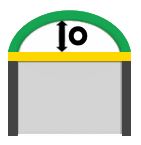 | Offset 0 |
Executing the working
The working can be applied by pressing the button to the left of the appropriate cut in the polygon list.
A red icon with an 'X' indicates that the working cannot be applied to the desired cut.
The application of fillets in the different modes is shown below. A preview of the working allows the operator to view the expected result. The working is actually applied only after confirmation using the green 'OK' button.
!
Each application of a fillet will cause all settings previously applied to the piece cuts to be lost.
Executing a fillet on a single vertex
When this mode is selected, the working can be performed on individual vertices of the piece.
For the working to be applied correctly, the radius parameter cannot be set to a negative value.
In the following example image, three fillets with a radius of 100,0 mm have been applied.
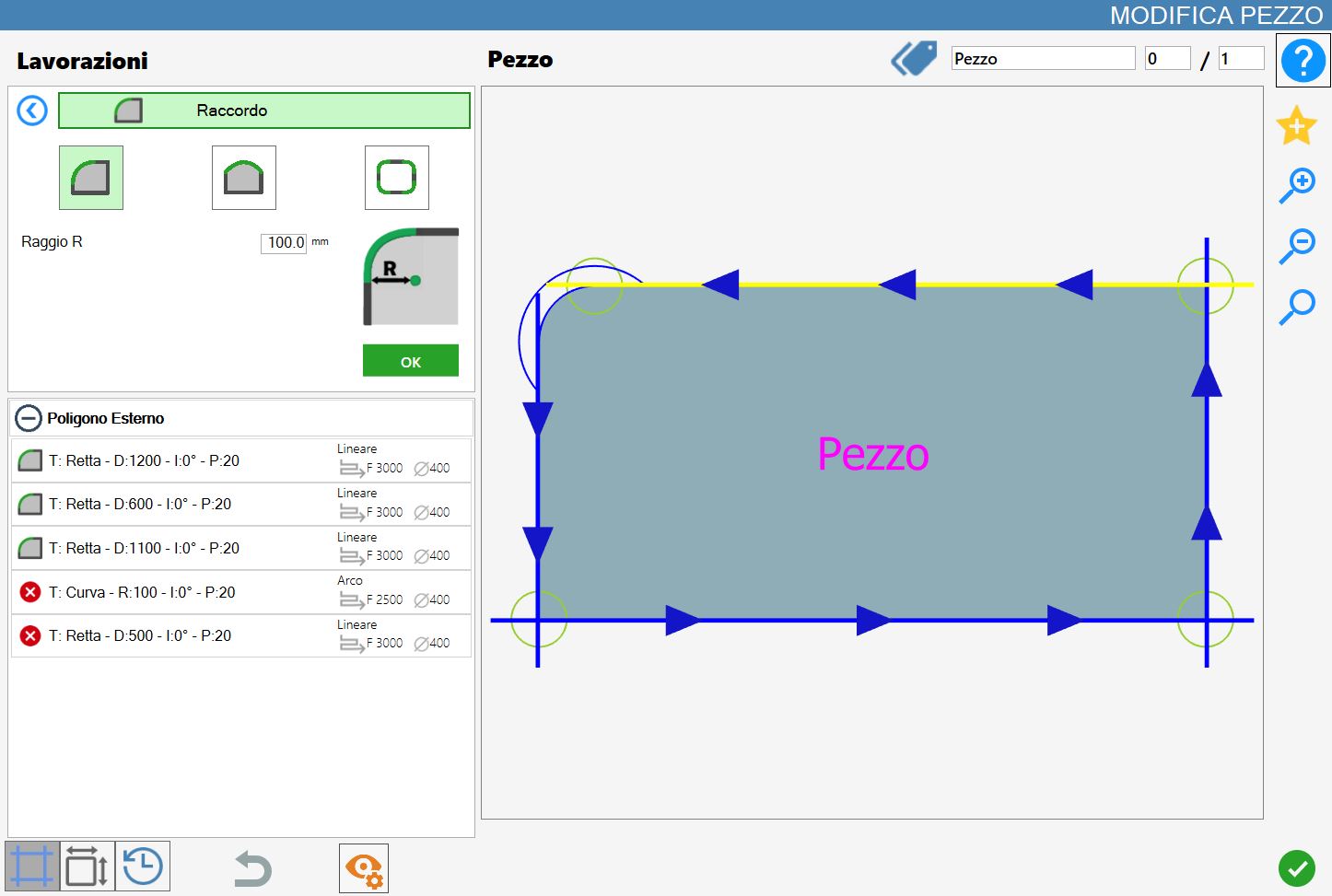
The cut list on the left is affected as follows each time a fillet is applied to a vertex:
If other workings are present, they will be removed.
A curve, the new fillet, is added to the list.
The lengths of the sides adjacent to the selected vertex are reduced by the amount set by the Radius parameter.
Executing a fillet on a side
When this mode is selected, the working can be performed on the sides of the piece. For fillets in this mode, there are two main cases depending on the value of the offset parameter: a positive value and a negative value.
In the following example image, a fillet has been applied to the lower cut of the selected piece, with the offset parameter set to 100,0 mm.
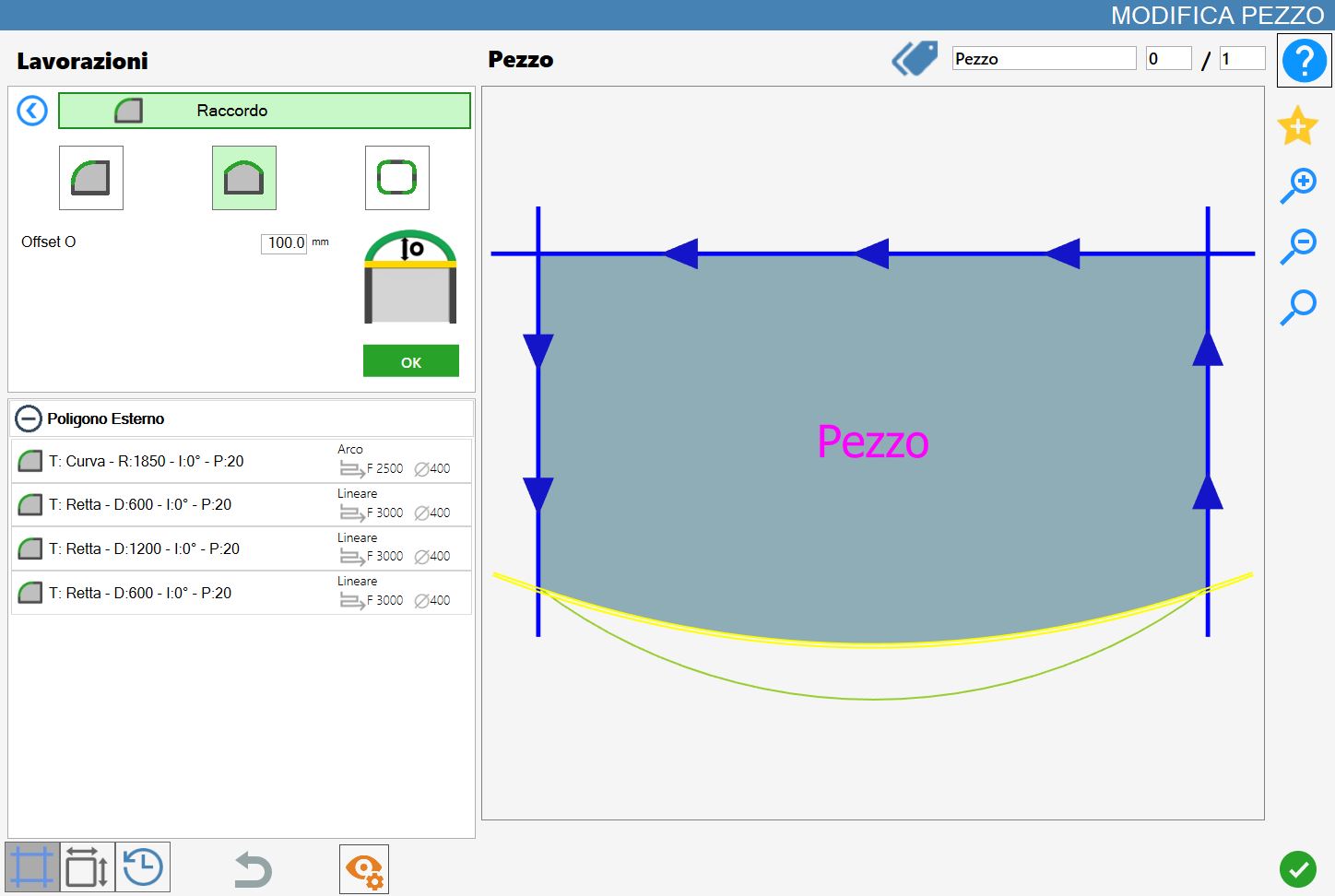
The following image shows the opposite example to the previous case: a fillet has been applied to the lower cut of the selected piece, with the offset parameter set to a negative value of -100mm.
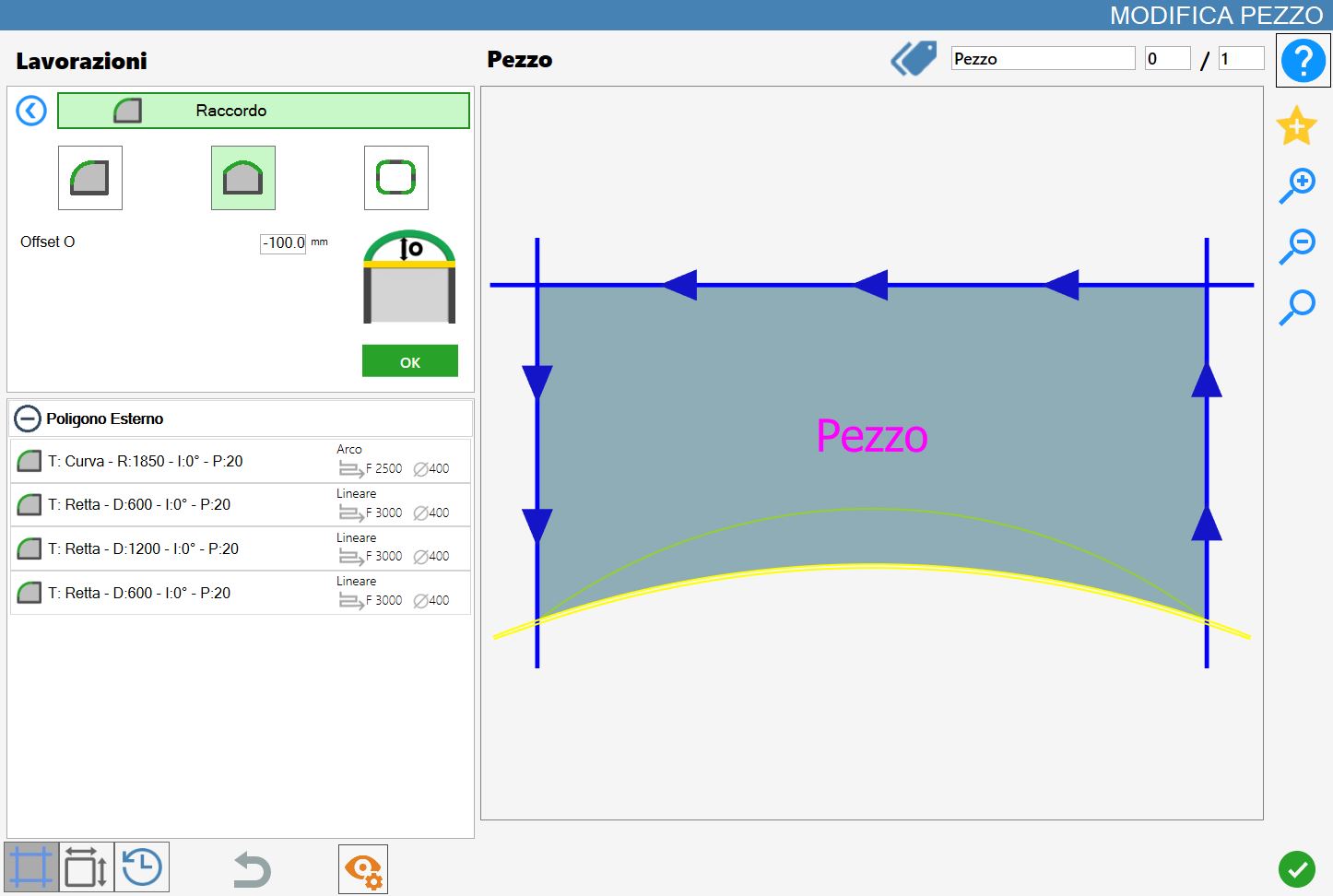
The cut list on the left is affected as follows each time a fillet is applied to a side:
If other workings are present, they will be removed.
The selected line cut is replaced with a curved cut.
With a positive offset parameter value, the inserted fillet consists of a curve recessed relative to the selected polygon, whether internal or external.
Conversely, with a negative offset value, the applied fillet consists of a curve projecting outward relative to the selected polygon.
Executing fillets on the vertices of the selected polygon
This mode allows as many fillets to be applied as there are vertices in the selected polygon.
For the working to be successful, a negative radius value cannot be entered.
The following image shows the working on all vertices of the piece:
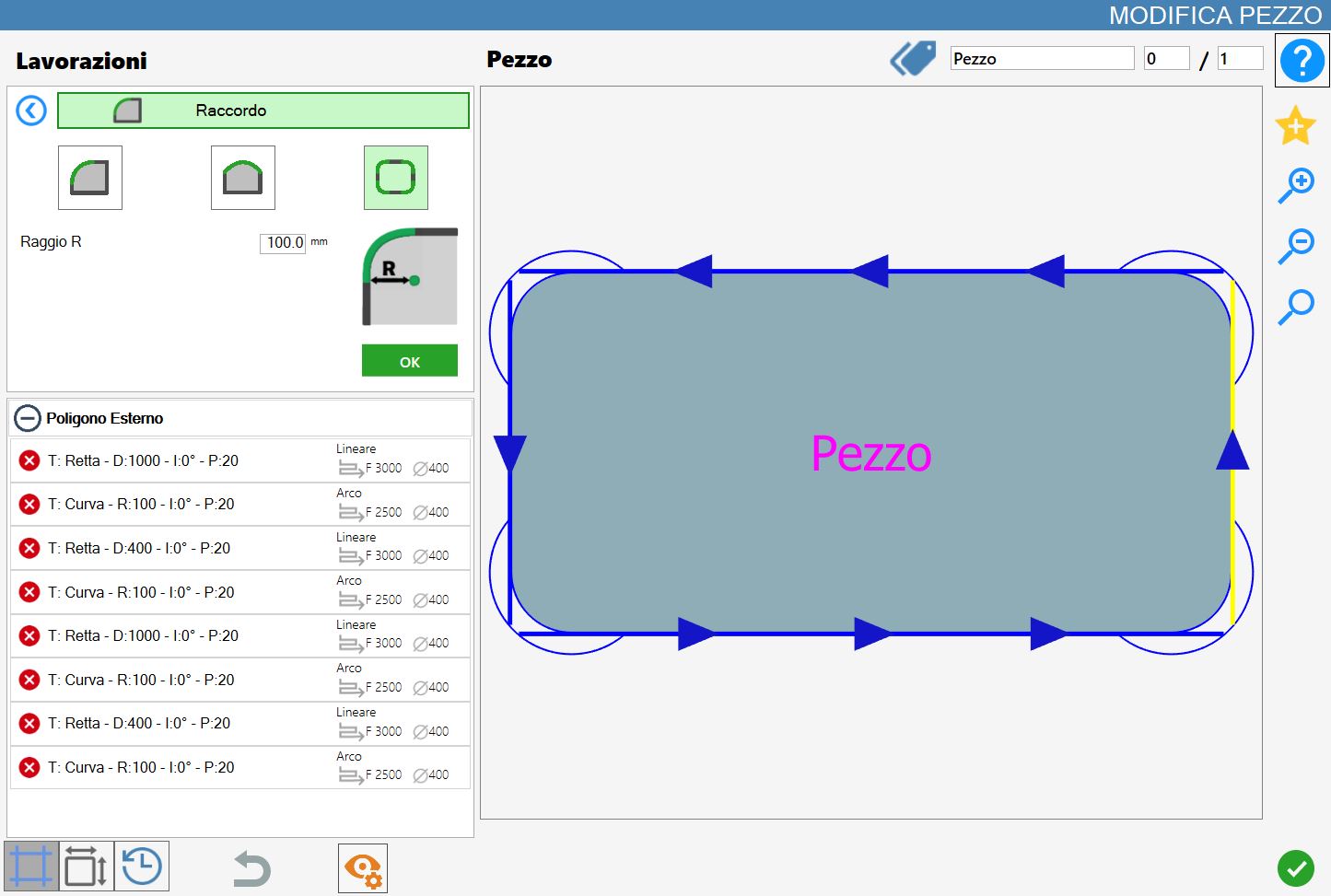
As with single-vertex mode, using this mode has the following effects on the cut list on the left:
If other workings are present, they will be removed.
The selected line cut is replaced with a curved cut.
With a positive offset parameter value, the inserted fillet consists of a curve recessed relative to the selected polygon, whether internal or external.
Conversely, with a negative offset value, the applied fillet consists of a curve projecting outward relative to the selected polygon.
