

This function allows workings to be applied with the currently mounted milling cutter to the selected cut, whether a curve or a line, in order to create drain board flutes.
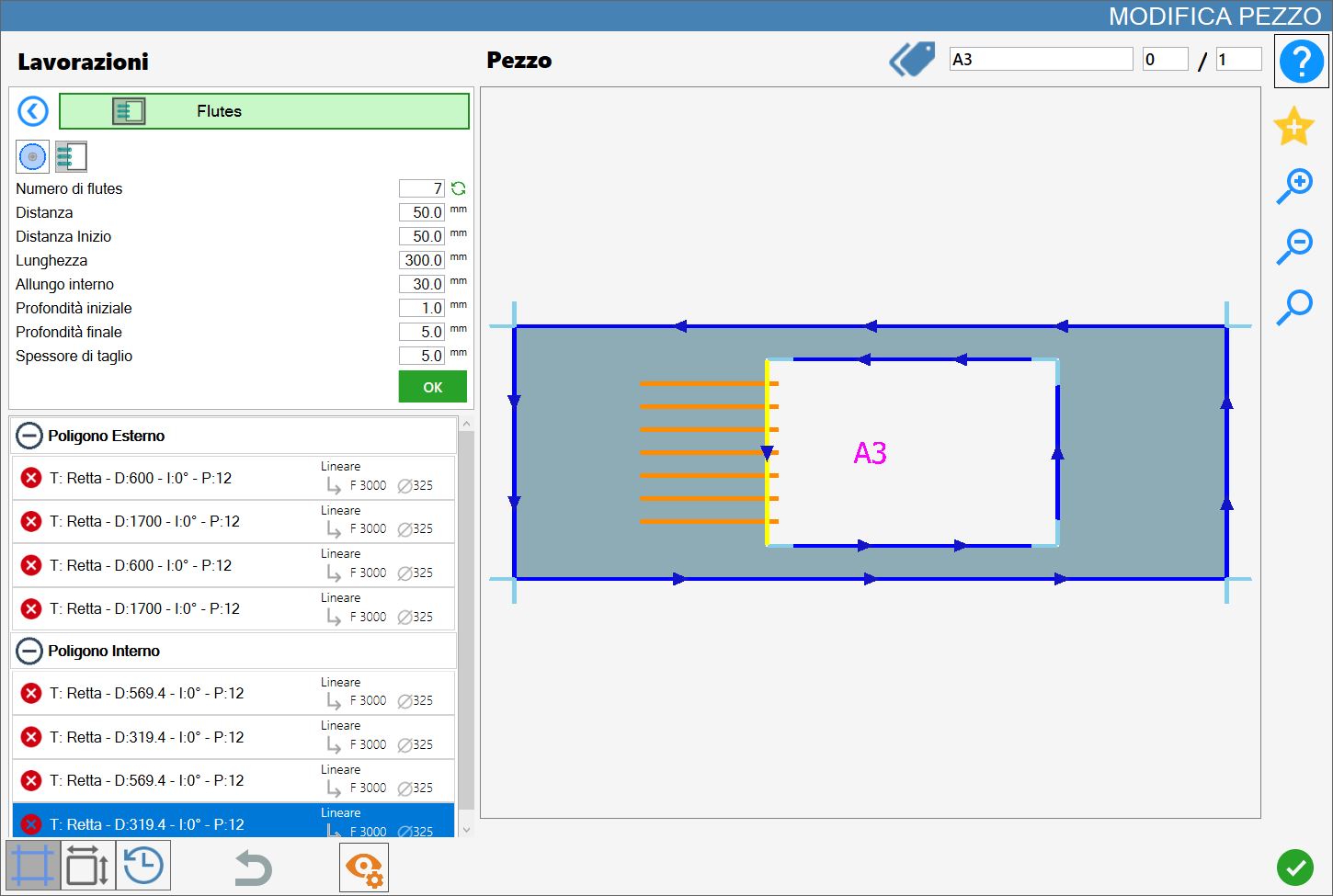
Parameters
The result varies depending on the value of the following parameters:
Number of drain board flutes | Indicates how many drain board flutes are to be applied to the current working on the selected cut. |
 | Recalculate number |
Length | Indicates how far the drain board flutes will extend into the cut. |
Distance | This value represents the distance between the drain board flutes and takes the diameter of the mounted tool into account. |
Start Distance | This value defines the distance between the vertices of the drain board flutes inside the piece, adjusting the empty space that separates them. |
Internal extension | Indicates how far the drain board flutes will extend beyond the reference cut. |
Start depth | Penetration into the material at the starting point of the drain board flute. |
Final depth | Penetration into the material at the end point of the drain board flute. |
Drain board flute type on arcs | Three modes are available for drain board flutes on curves, as shown below. |
Cut thickness | For drain board flutes inserted in disk mode, the cut thickness variable is available. |
Overlay on Drip System | For drain board flutes inserted in fill mode, the percentage can be changed. |
Recalculate number
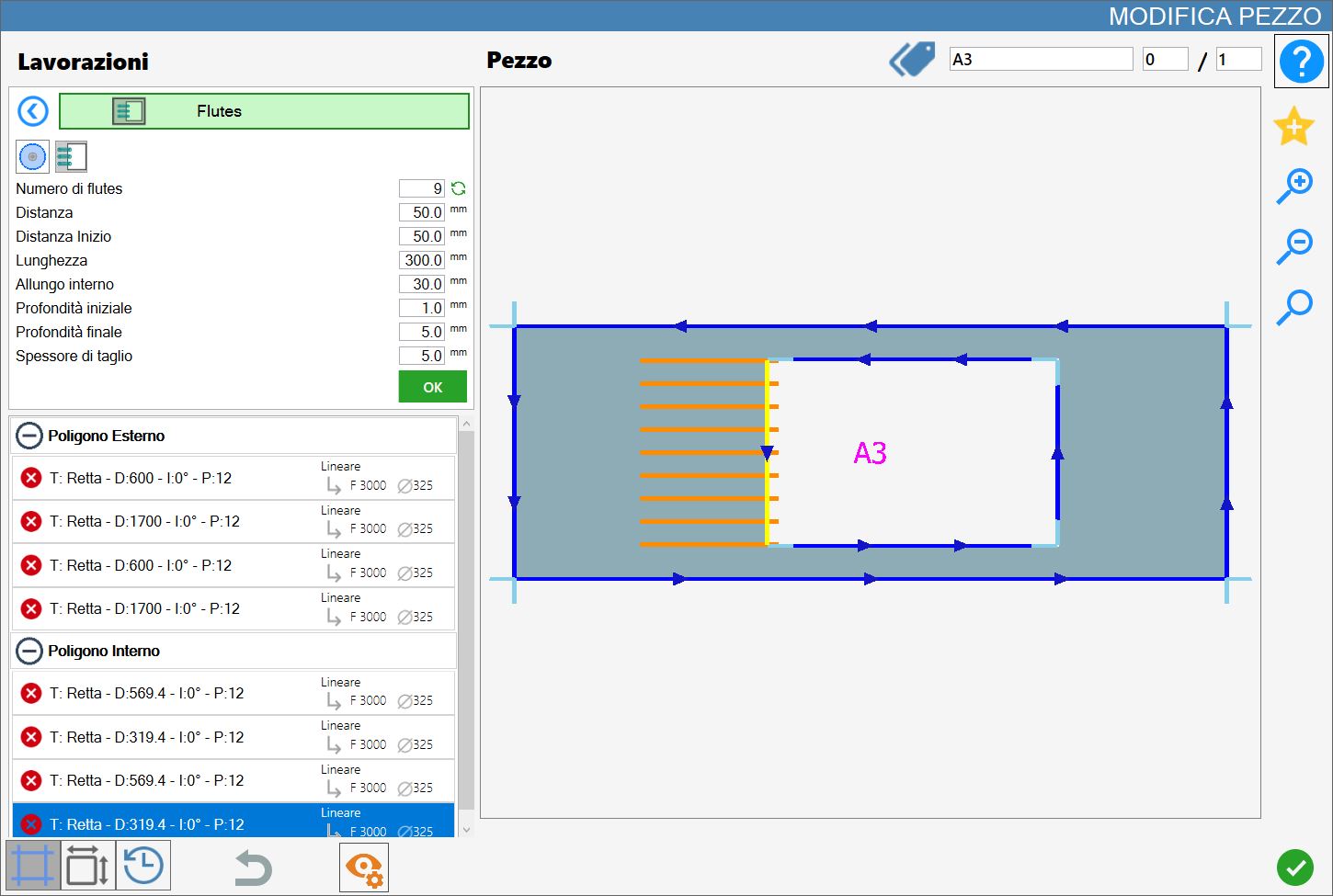
Pressing the button to the right of the number of drain board flutes fills the selected cut with as many drain board flutes as possible, according to the values of the other parameters.
The following example image shows the result of filling with drain board flutes, in contrast to the first image at the beginning of the chapter.
Drain board flute insertion mode
The drain board flute insertion options are:
 | Insertion by number |
 | Fill insertion |
 | Disk mode |
 | Milling cutter mode |
Drain board flute mode on arcs
When a curved cut of a polygon is selected, a new parameter is displayed and must be set to one of three values:
 | Radial |
 | Arc alignment |
 | Tangent alignment |
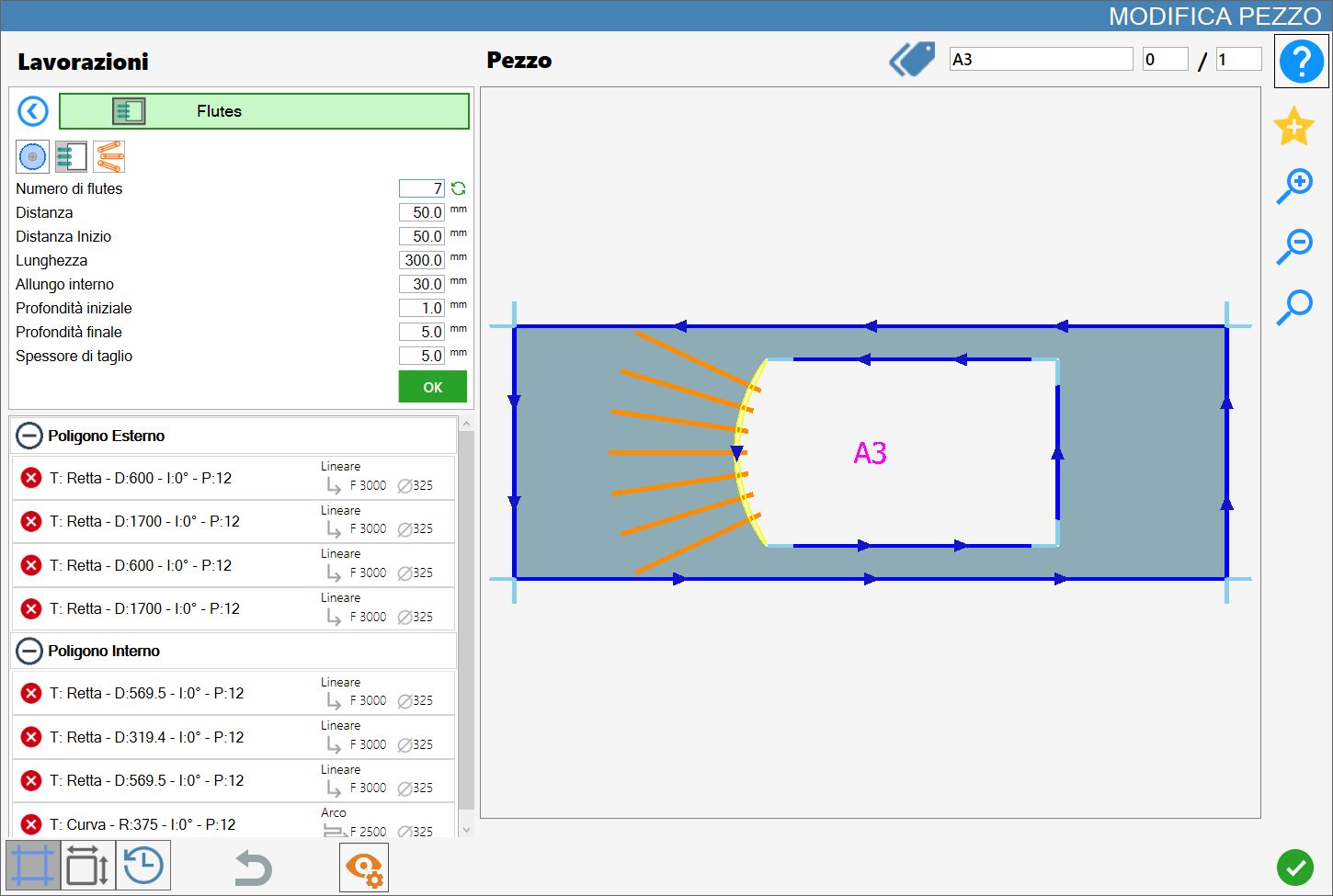
Mode 1: Radial
In this mode, the drain board flutes share an origin point and are perpendicular to the corresponding tangent on the selected curved cut.
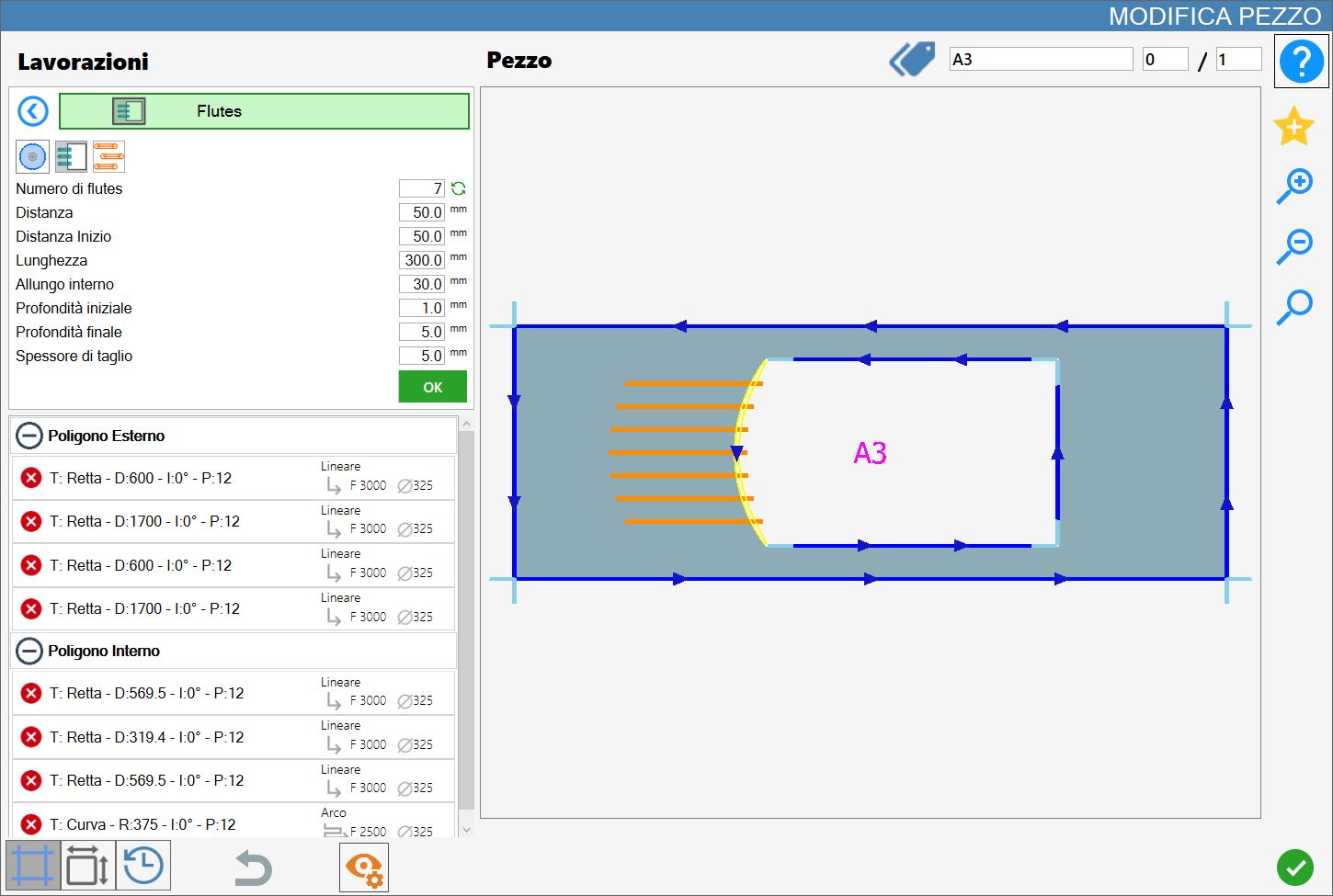
Mode 2: Arc alignment
In this mode, the drain board flutes are parallel to each other and arc-aligned for both the distance and the internal extension.
Mode 3: Tangent alignment
In this mode, the drain board flutes are parallel to each other and arc-aligned for the internal extension, while they are extended until they reach the tangent at the distance specified by the length value.
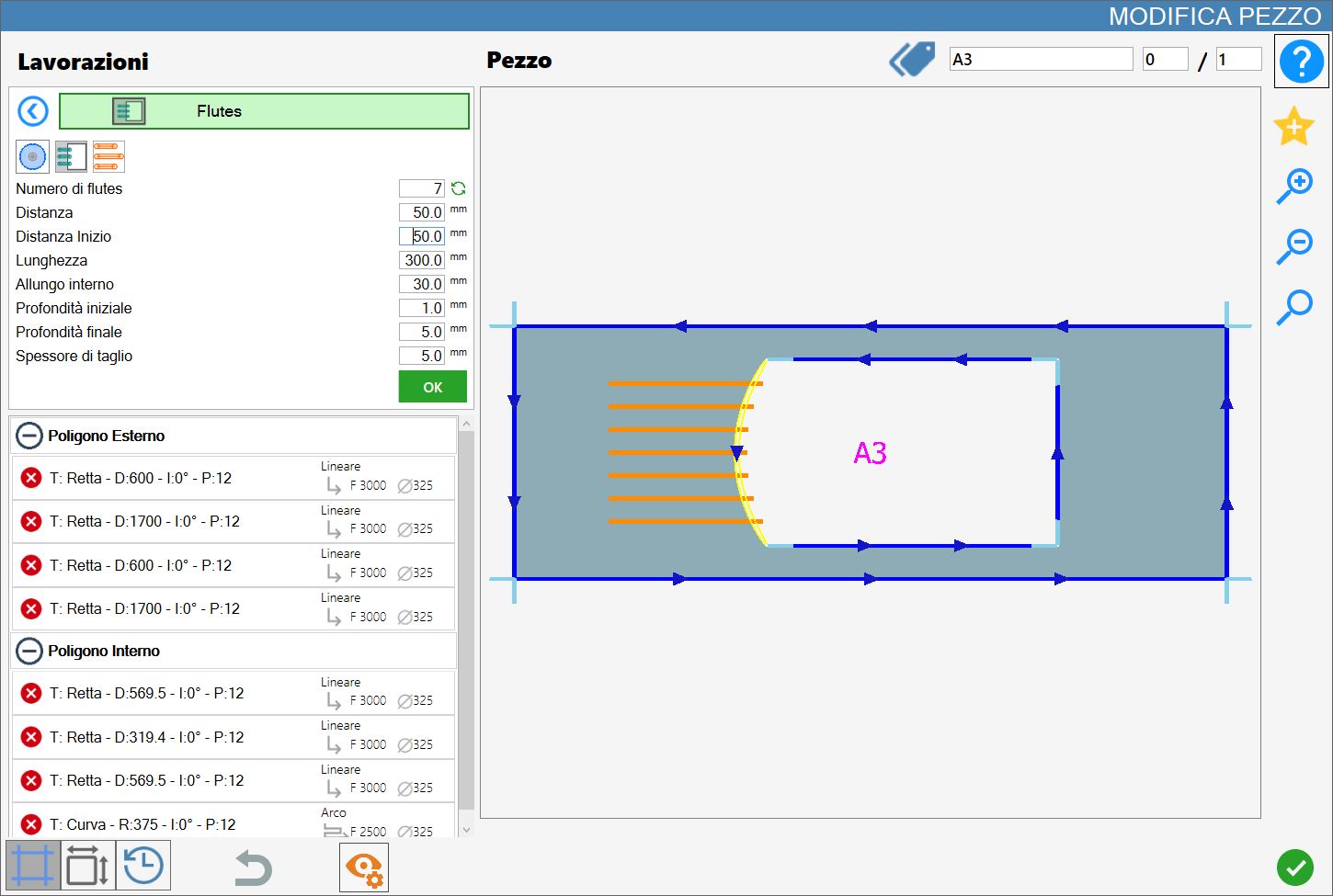
Executing the working
The working can be applied by pressing the button to the left of the appropriate cut in the polygon list.
A red icon with an 'X' indicates that the working cannot be applied to the desired cut.
Once the desired result has been obtained, displayed and continuously updated in the working preview, the operator can confirm the operation by pressing the green “OK” button located just below the set parameters.
The drain board flutes shown in the preview are then applied to the selected cut: their colour changes to dark green, both in the preview and subsequently in the work area, indicating that they have been applied.
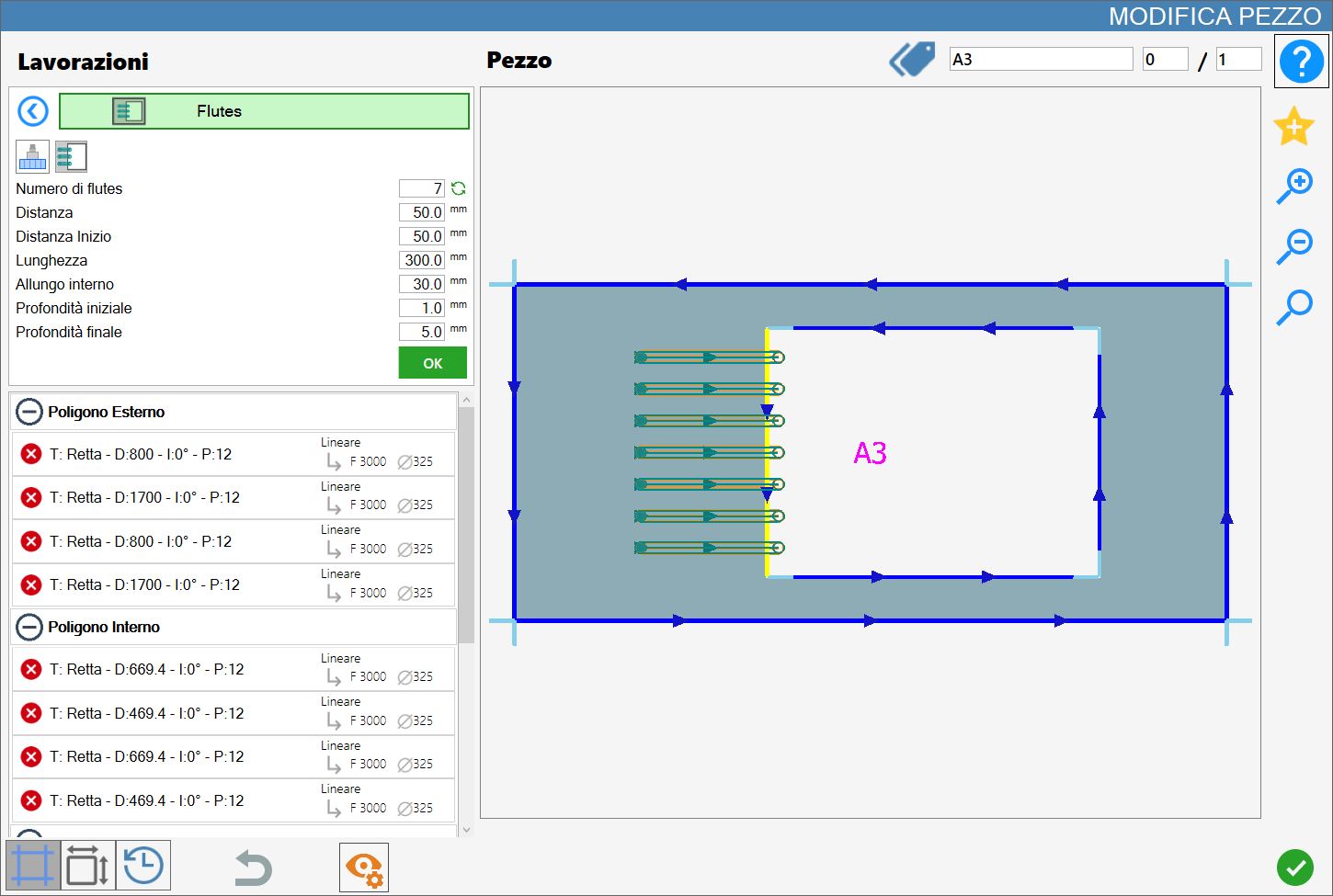
The cut list on the left is also updated according to the newly applied working and the drain board flute parameters.
Multiple workings of this type can be applied to a single cut, provided their parameters are not repeated.
