The ‘Milling’ function allows a milling operation to be created on the piece, on a side, on the edge or on the entire perimeter.
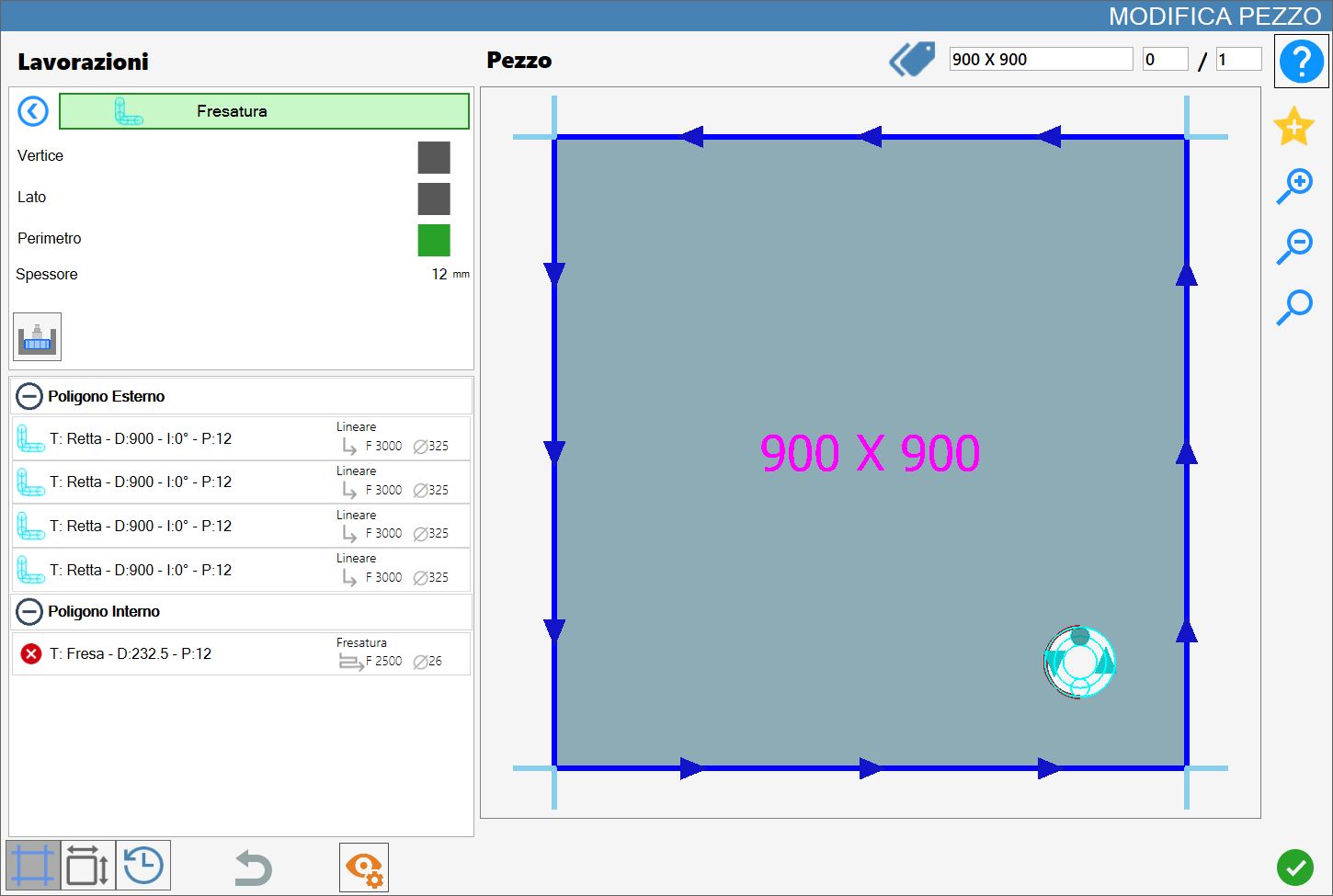
The interface for this function is similar to the following image:
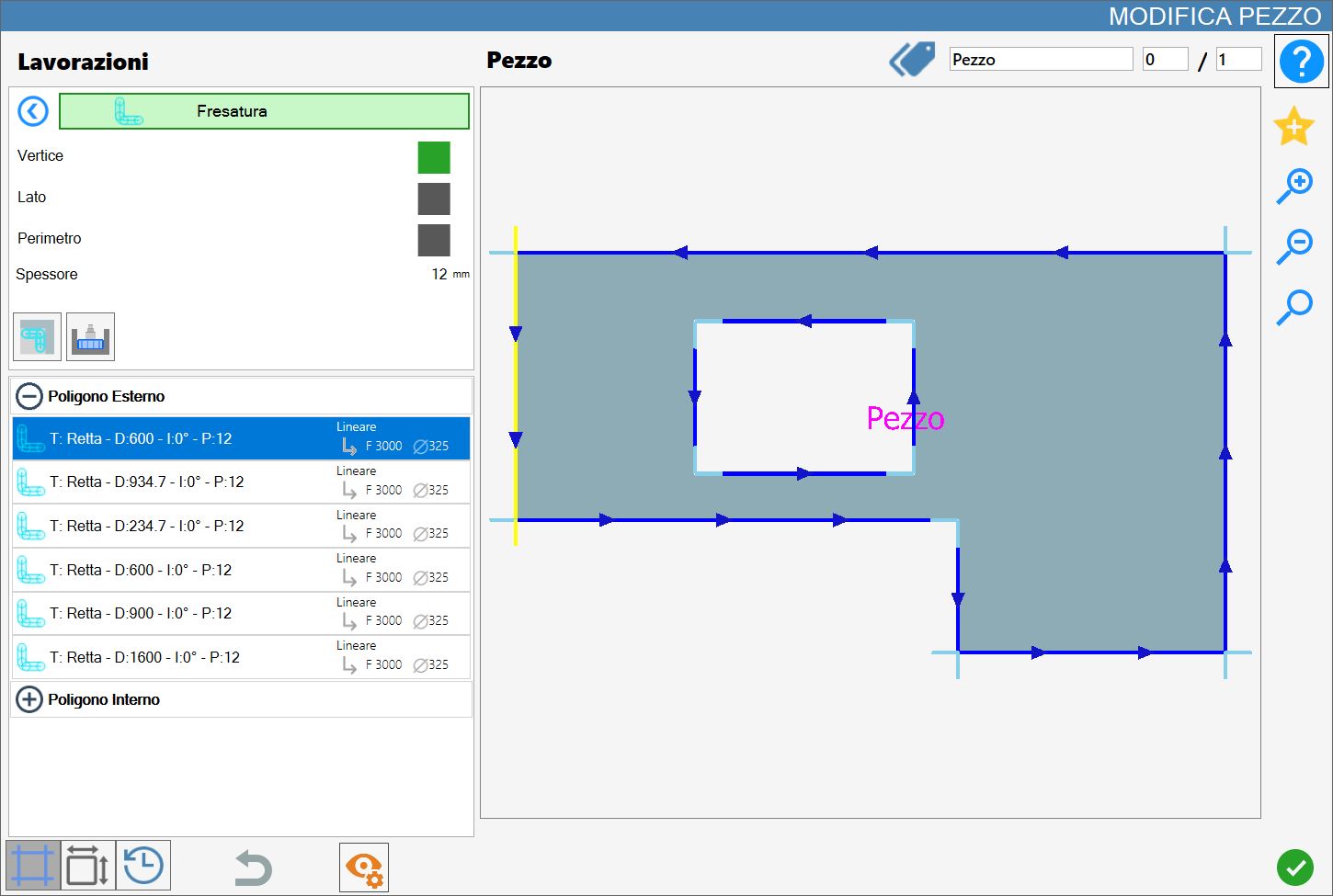
Parameters
Corner | Removes material that the disk cannot remove without damaging the piece. It is used only to finish certain points of the piece. |
Side | The milling cutter is used to cut one side of the piece. It does not work alongside the disk cut but replaces it completely. |
Perimeter | Uses the milling cutter instead of the disk to make the cut around an entire polygon of the piece. It replaces the disk in the same way as Side mode. |
In every mode, the cut thickness is equal to the diameter of the mounted milling cutter. Changing this value automatically updates the cuts to the new dimension.
In Vertex mode, changing the material thickness or the disk diameter causes the cut to be lengthened or shortened so that it adapts to the new selected dimensions.
If the Milling cutter is too large to cut the selected side, an error message will be displayed.
Thickness | The slab thickness currently set in Parametrix is displayed to help the operator apply the working. |
 | Penetration |
 | Milling on internal corners |
Executing the working
The working can be applied by pressing the button to the left of the appropriate cut in the polygon list.
A red icon with an 'X' indicates that the working cannot be applied to the desired cut.
The effects of applying milling vary according to the selected mode and have some differences, described in the following paragraphs.
Milling starts from the approach point shown in the figure, identified by the solid coloured circle positioned at the origin.
Each milling operation applied to a piece is added to the cut list associated with a polygon and is shown graphically in light blue.
In Vertex mode, the milling operation is aligned with the selected vertex.
In Side and Perimeter modes, respectively one or all cuts of the polygon are replaced.
Execution on a vertex
The milling operation is applied to the vertex nearest to the selected point of a cut in the preview.
The working is applied between two consecutive cuts.
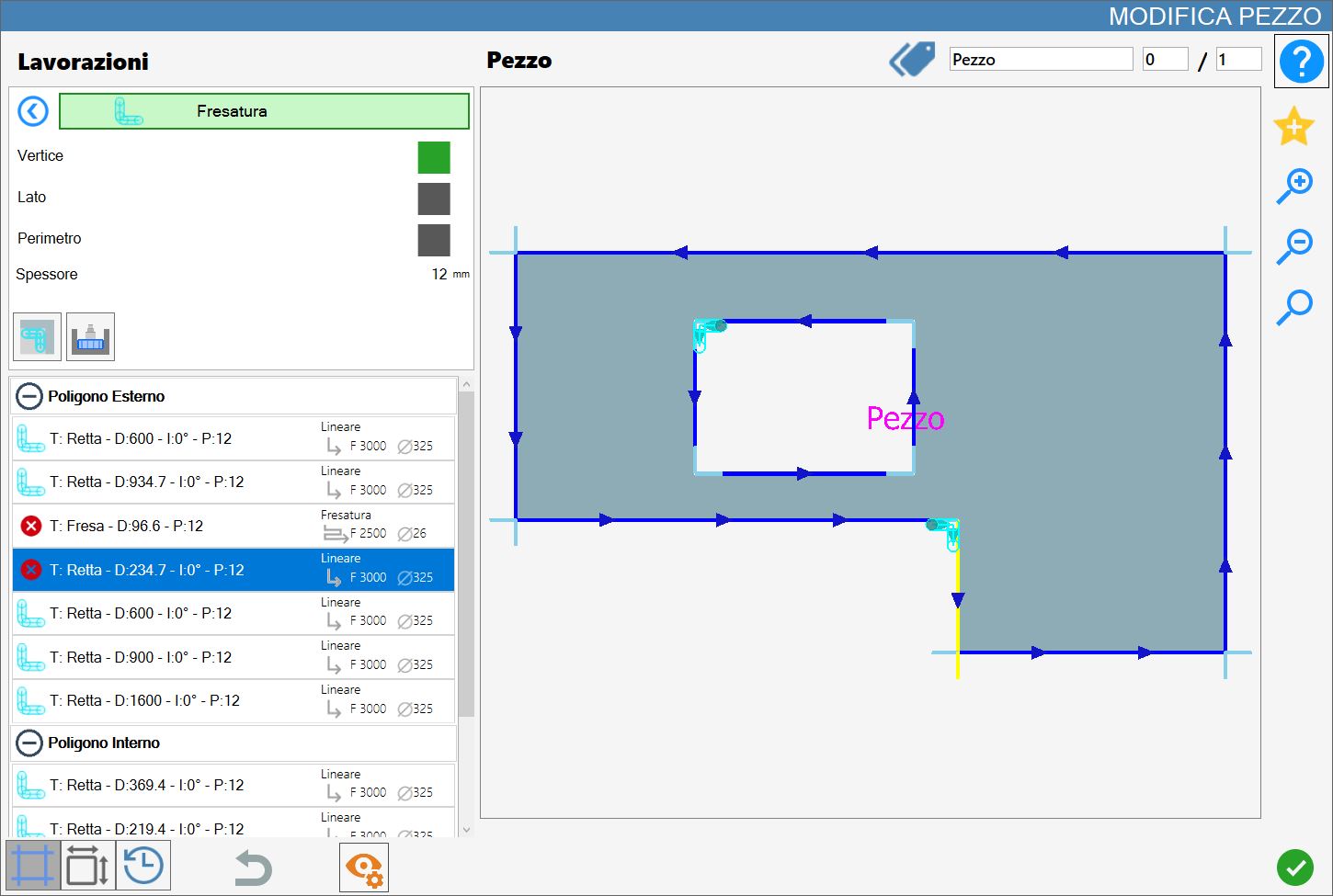
The following example image shows two vertex milling operations: the first on an upper-left vertex of the internal polygon; the second on a vertex of the external polygon.
Execution on a side
By selecting any point of a cut in the preview, the milling operation is applied along the entire corresponding side.
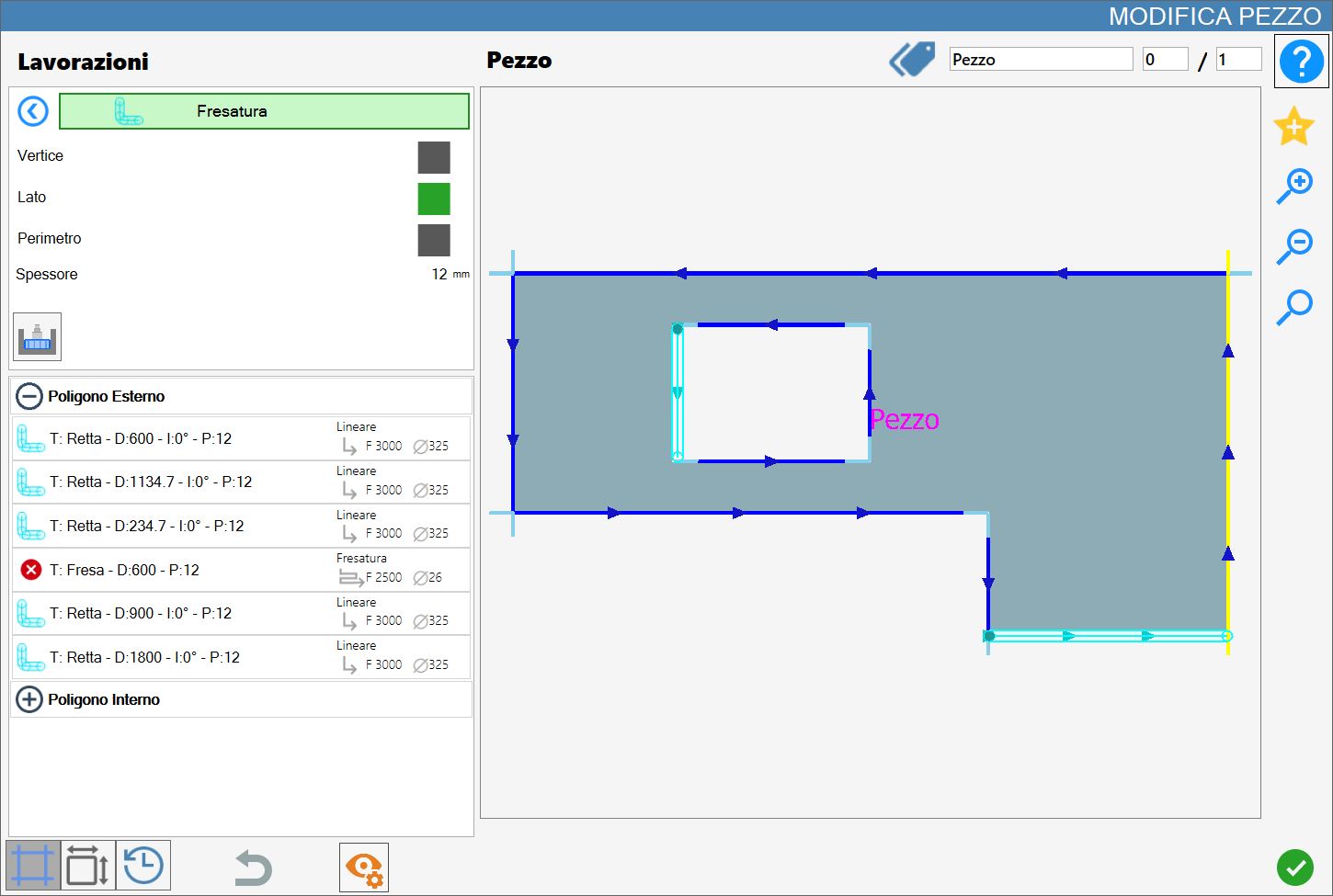
The following image shows two side milling operations: the first on the left side of the internal polygon; the second on a lower side of the external polygon.
Execution on the perimeter
Regardless of the selected point or cut, the milling operation is performed along the entire perimeter of the selected polygon.