

Once the button is pressed, various windows can be displayed.
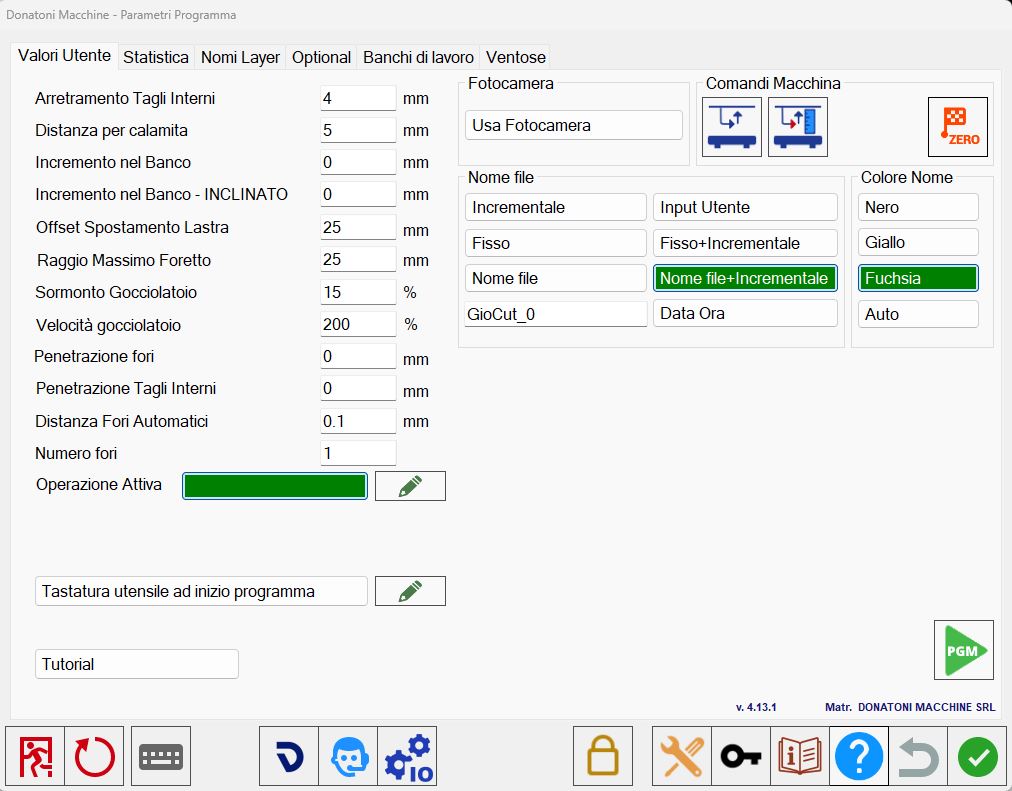
Windows
There are 4 different windows, which are described individually below.
User Values | Window for editing certain settings relating to workings. |
Statistic | The operator can view statistics for completed workings. |
Layers name | Window for settings relating to importing DXF files into Parametrix. |
Suction cups | Parameters relating to suction cup movement speed. |
Bottom bar
 | Close Parametrix |
 | Restart Parametrix |
 | Keyboard |
 | Camera connection |
 | Remote assistance |
 | Technical parameters |
 | Enter password |
 | Access web guide |
 | Do not save changes |
Import maintenance from file
On the technical parameters page, then in the “File Path 2” section and the maintenance area, the following screen is displayed:
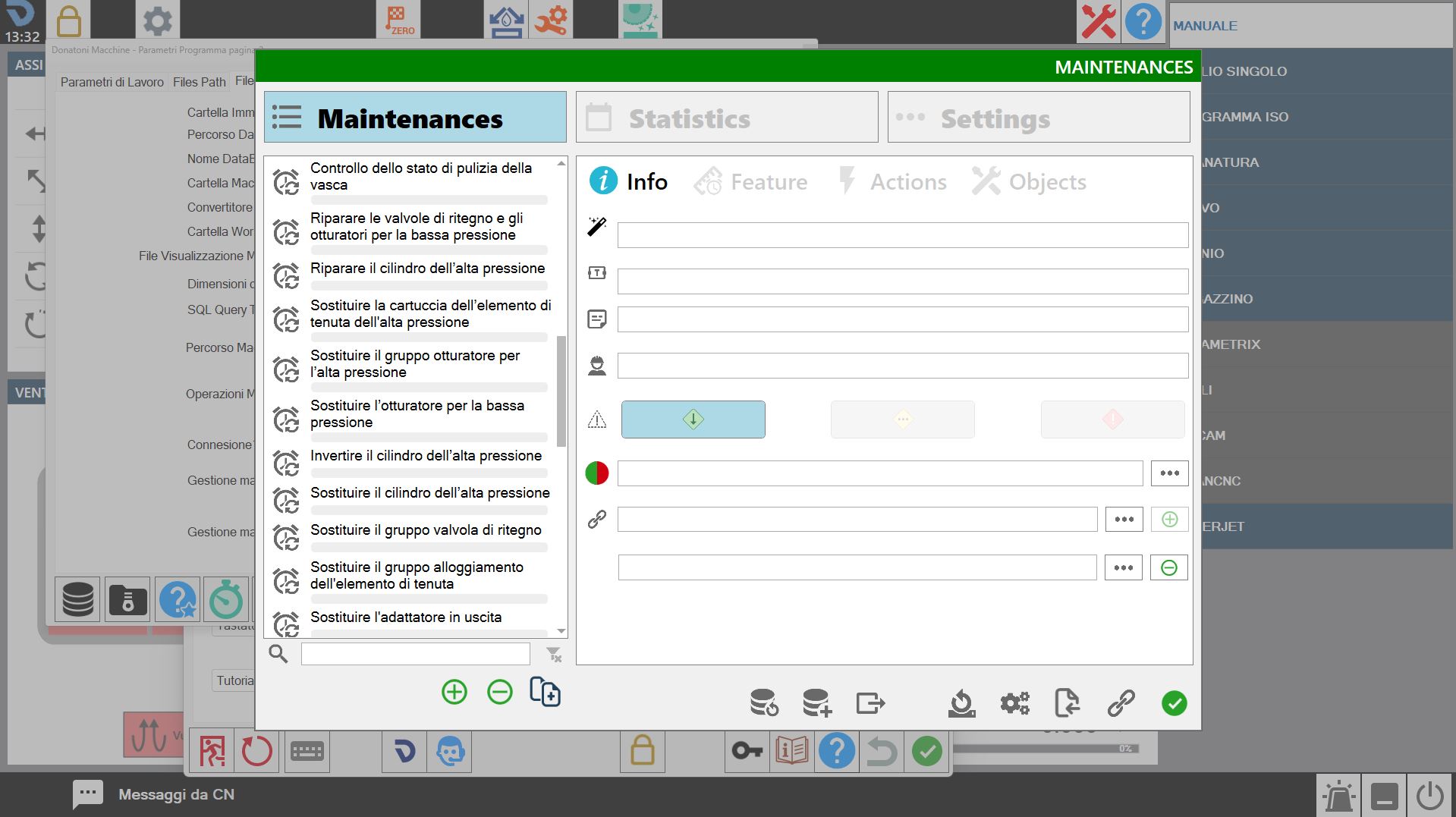
The following button can be used to import .mnt files to perform maintenance.
 | Import from file |
