

This function allows manual compensations to be applied to the distance between the machine spindle units.
It should be used if a discrepancy is observed between the dimensions of the programmed pieces and the measurements of the resulting pieces.
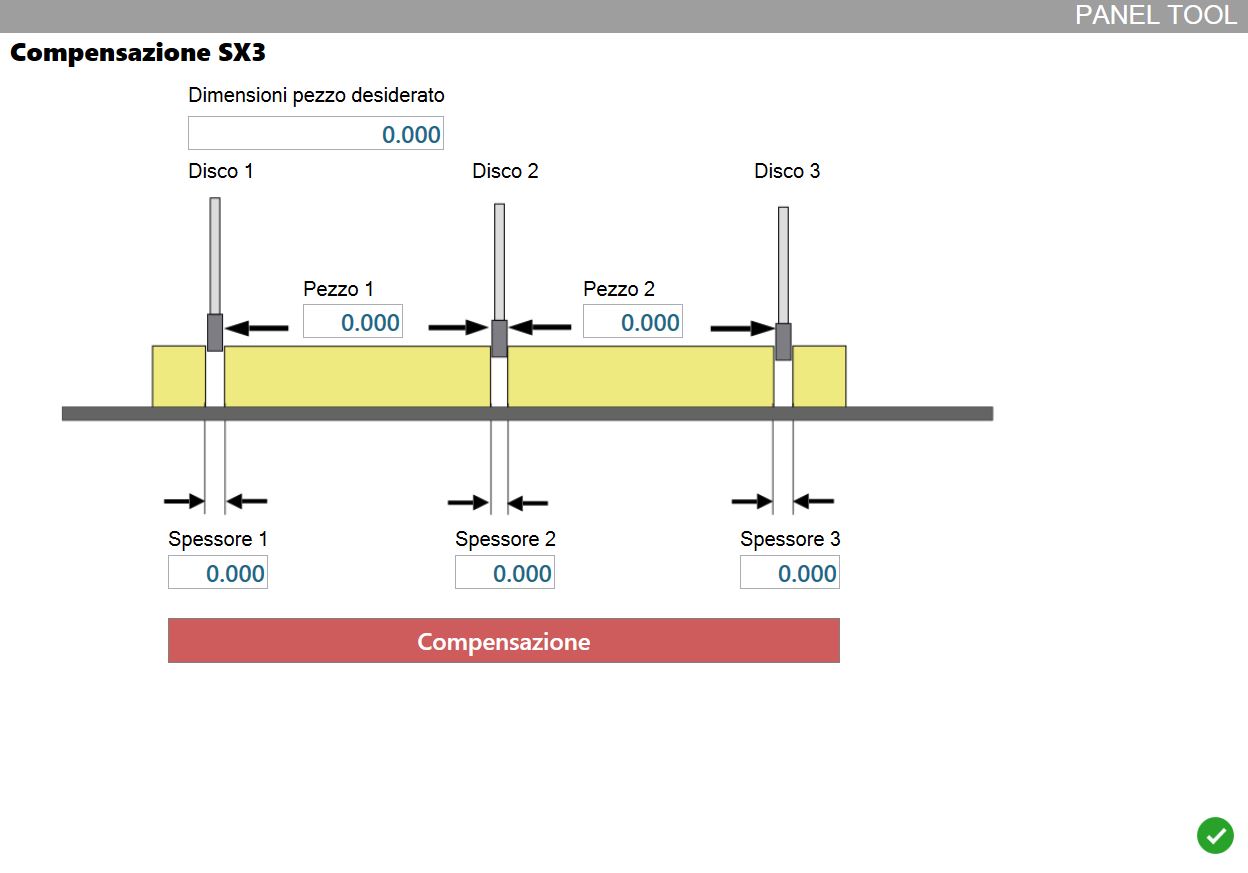
Required values
During the compensation procedure, the operator is asked to enter the following values.
Desired piece dimensions | Programmed measurement of the side of the pieces to be checked. |
Piece | Measured side of the piece whose ends were cut using the indicated disk and the next disk. |
Thickness | Thickness of the disk mounted on the indicated spindle unit. |
Finally, press the button.
 | Compensation |
Procedure to follow
First, import two rectangular pieces of the same dimensions into Parametrix.
They must be placed side by side on a slab as shown in the figure, then proceed with execution of the working.
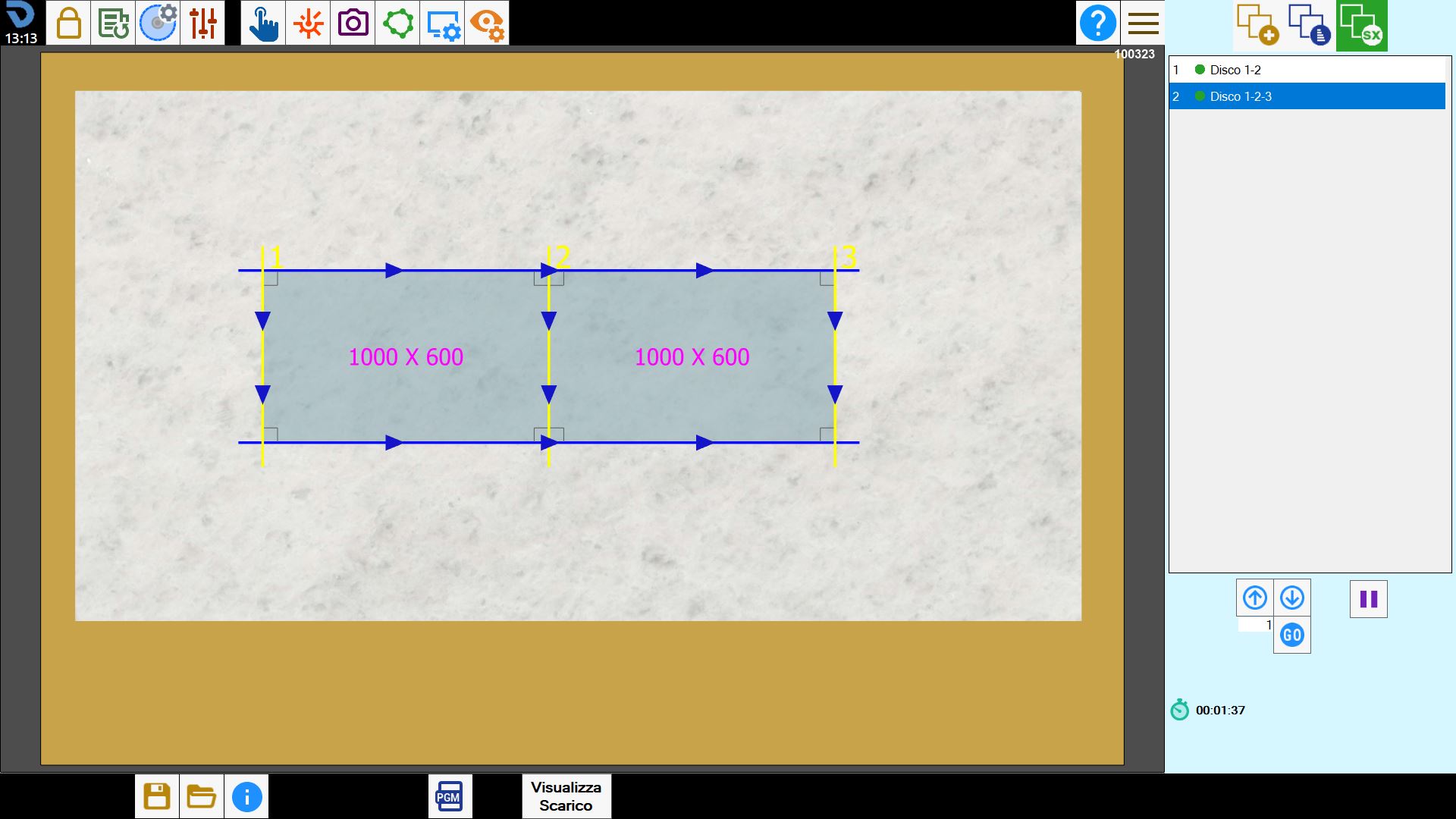
Open the window for manual spindle-unit compensation and complete the required fields.
Enter the original measurement of the side of the programmed rectangles.
Then enter the measured values of the same side of each cut rectangle, making sure to indicate which disks were used.
Finally, enter the thickness of each disk mounted on the machine.
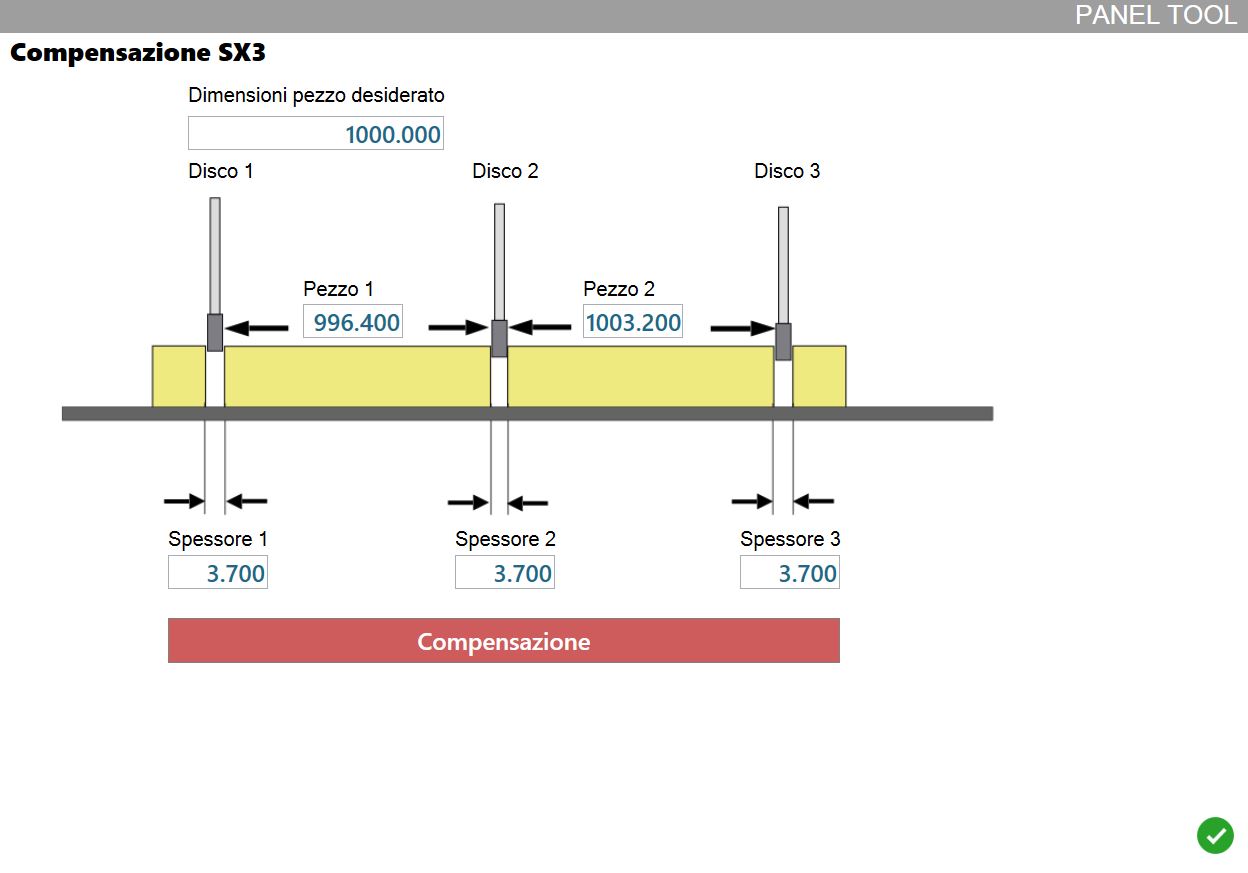
When finished, press the button below to have Parametrix calculate the compensation to be applied to each spindle unit.
