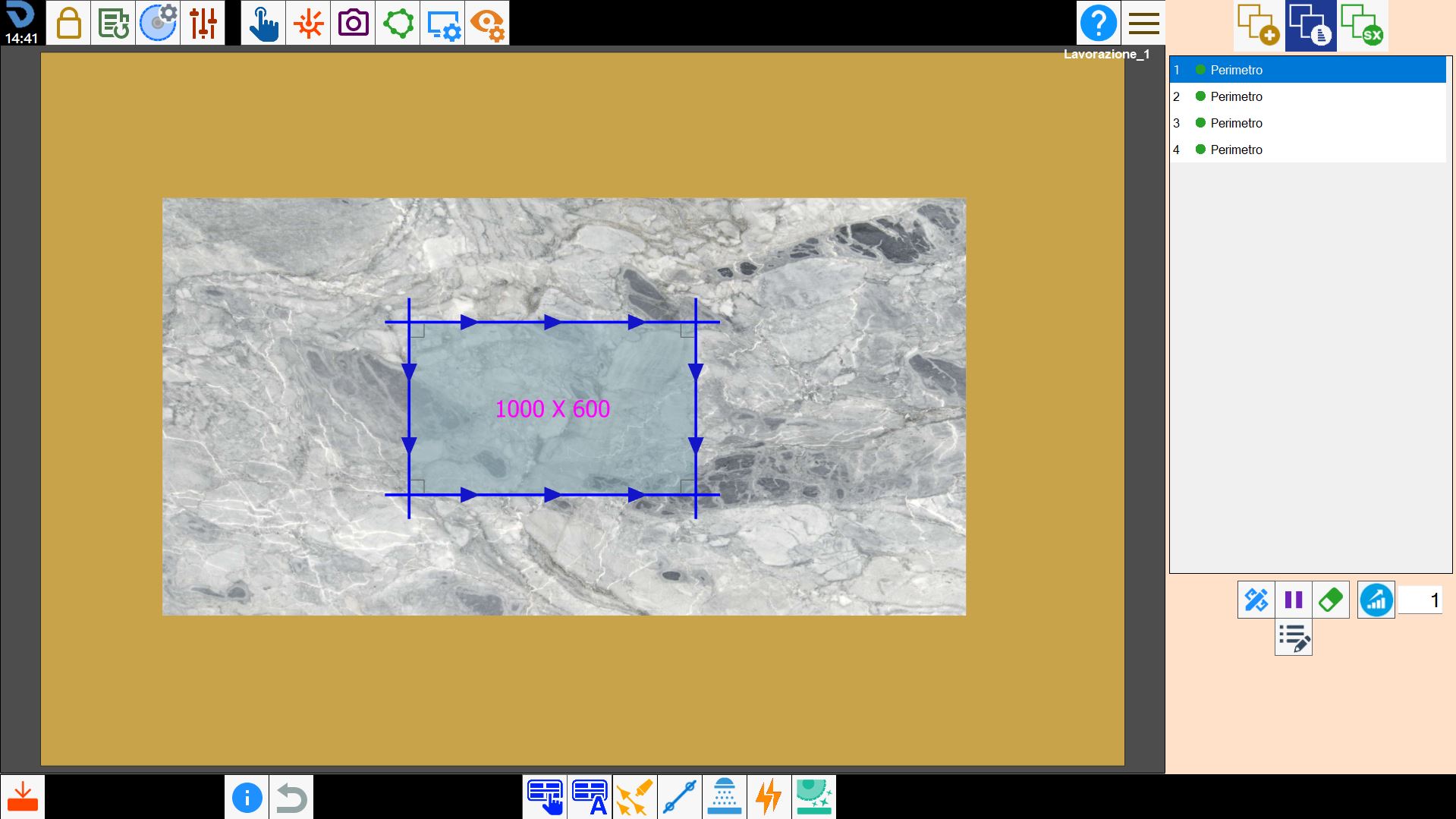
The arrangement of the cuts in the list on the right indicates the order in which they are cut. The buttons below can be used to change this order or insert a pause in operation execution between one cut and the next.
Edit cut Allows some properties of the selected cut to be edited.
Insert pause A pause can be inserted between execution of the selected cut and the next cut. The program performs all cuts preceding the pause, then stops the machine and waits for the operator to issue the Start command. It can be used, for example, to change the tool.
Delete cut When this function is enabled, an eraser-shaped icon is displayed next to each entry in the cut list. Pressing this icon allows the user to permanently remove the corresponding cut from the list.
Cut optimisation Used to improve the combination of the machine spindles during cutting. The mode must be entered in the adjacent text box and the button pressed to apply the optimisations.
Additional piece properties Allows the additional properties of the piece selected in the work area to be edited.